
Would you like your own template for your information pages? Then here is a guide to how it can be done.
Note: If you are not a developer/programmer, or you don’t know Twig – you should not use this.
Creating the template
First of all, the template has to be made.
You can use the existing empty template, which can be edited via Content and layout > Code editor at the path “Core/Standard files/FEInfopage/empty.html.twig”
For this we suggest creating a new information page (Content and layout > Information pages) and filling in the Template field at the bottom with the value: ”OpenbizboxFrontendBundle:FEInfopage:empty.html.twig” and clicking Save. Nothing changes on the page – and that is exactly right.
Please note that there is already an example text in the field, which disappears when you click in the field.
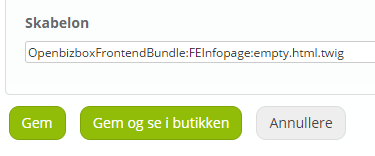
Then open the template in the Code editor (Content and layout > Code editor) at the path “Core/Standard files/FEInfopage/empty.html.twig”
As you can see, empty.html.twig only contains this at the moment:
{% extends “OpenbizboxFrontendBundle:layout:info.html.twig” %}
This means that right now the template (empty.html.twig) uses the usual info page template “info.html.twig”.
Let’s add some code to the “empty.html.twig” file:
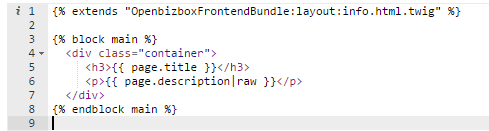
This code declares the main block as main. This block holds the main content of the page. Remember to click Save changes.
The result is this:
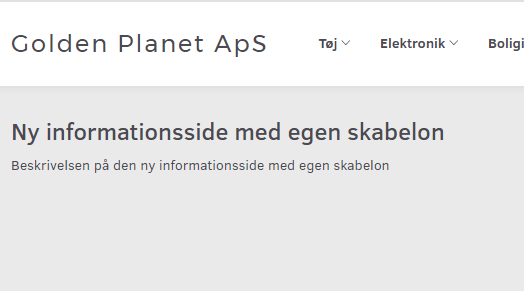
Note: !! The Code editor file “empty.html.twig” changes path from “Core/Standard files/FEInfopage” to “My files/OpenbizboxFrontendBundle/views/FEInfopage/” – that is fine, and you should keep working on the latter.
What can be changed in the template?
In our example “empty.html.twig”, the file is processed by Twig (https://twig.symfony.com/ (opens in a new tab)), so you can work with it like normal Twig templates (if you know how).
Variables available in the template:
page – The current page variable contains these fields:
id – identifier
title – title
description – description/page content
pageTitle – “Page title” from the information page’s SEO tab
pageMetaDescription – “Meta description” from the information page’s SEO tab
pageMetaKeywords – “Meta keywords” from the information page’s SEO tab
customPath – “Custom path” from the information page’s SEO tab
template – Path to the current template file
Available components:
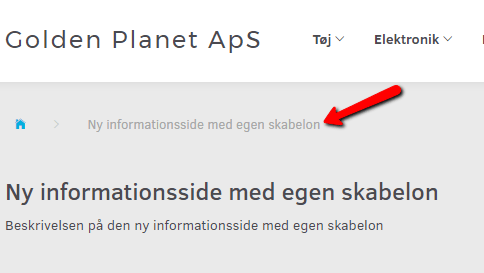
{% component ‘store/breadcrumb’ %} Breadcrumb component
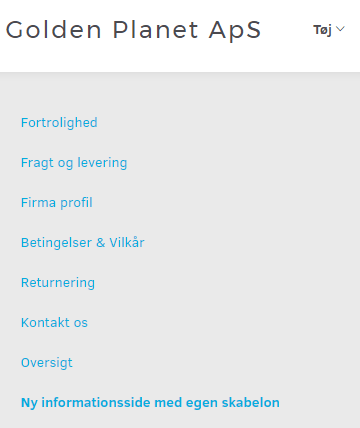
{% component ‘store/info-pages-menu/links-list’ %} List of all information pages
There are no articles in this category yet.