
In this category Domain names and DNS
DNSSEC – how to add it to your domain name
On this page
With the DNSSEC service (Domain Name System Security Extensions) you can get extra security for your domain name. You can read more about it at punktum.dk (opens in a new tab)
Where do you do it?
DNSSEC has to be set up both in the name service and for the registration of the domain name.
You can use this guide when your name service (DNS) is here at Golden Planet, i.e. registered on the name servers ns.gpserver.dk and ns2.gpserver.com. To see which name servers your domain name is on, you can search for it at punktum.dk, for example – using the search field on punktum.dk (opens in a new tab)
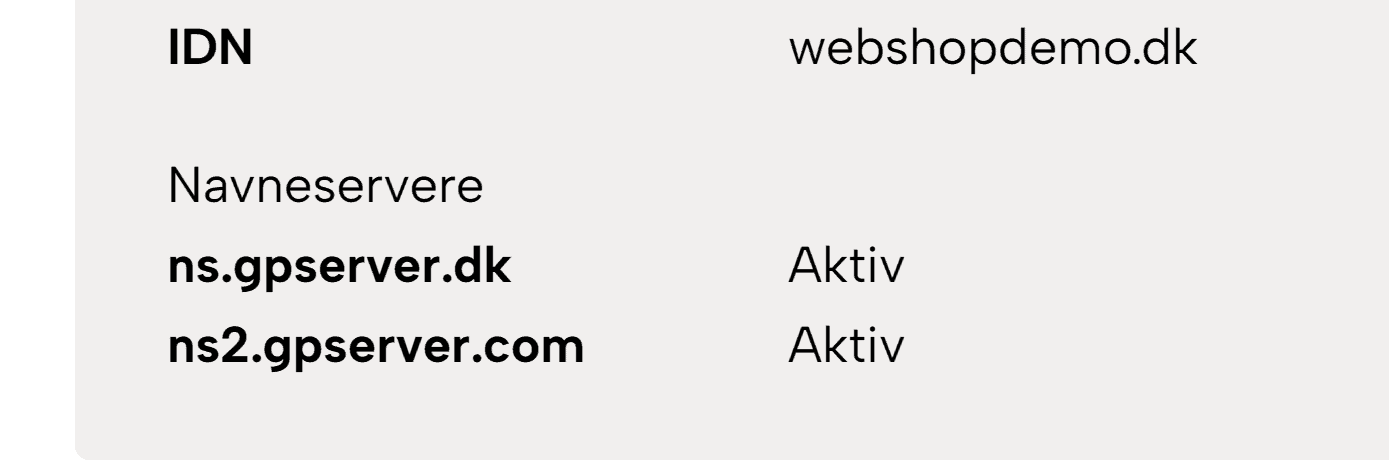
If your name service is not with us, contact your name service provider.
You also need access to the self-service wherever you pay for the renewal of your domain name. If it is a .dk domain name registered directly with punktum.dk, go to their self-service here (in Danish) (opens in a new tab) – check that you have access and a login.
Activating DNSSEC in your name service
It is important that you activate it in the name service and for the domain name at roughly the same time. So make sure you are logged in at punktum.dk before you go on.
First go to the customer login for PlanetController.
From the list, choose the domain name whose DNS is at Golden Planet.
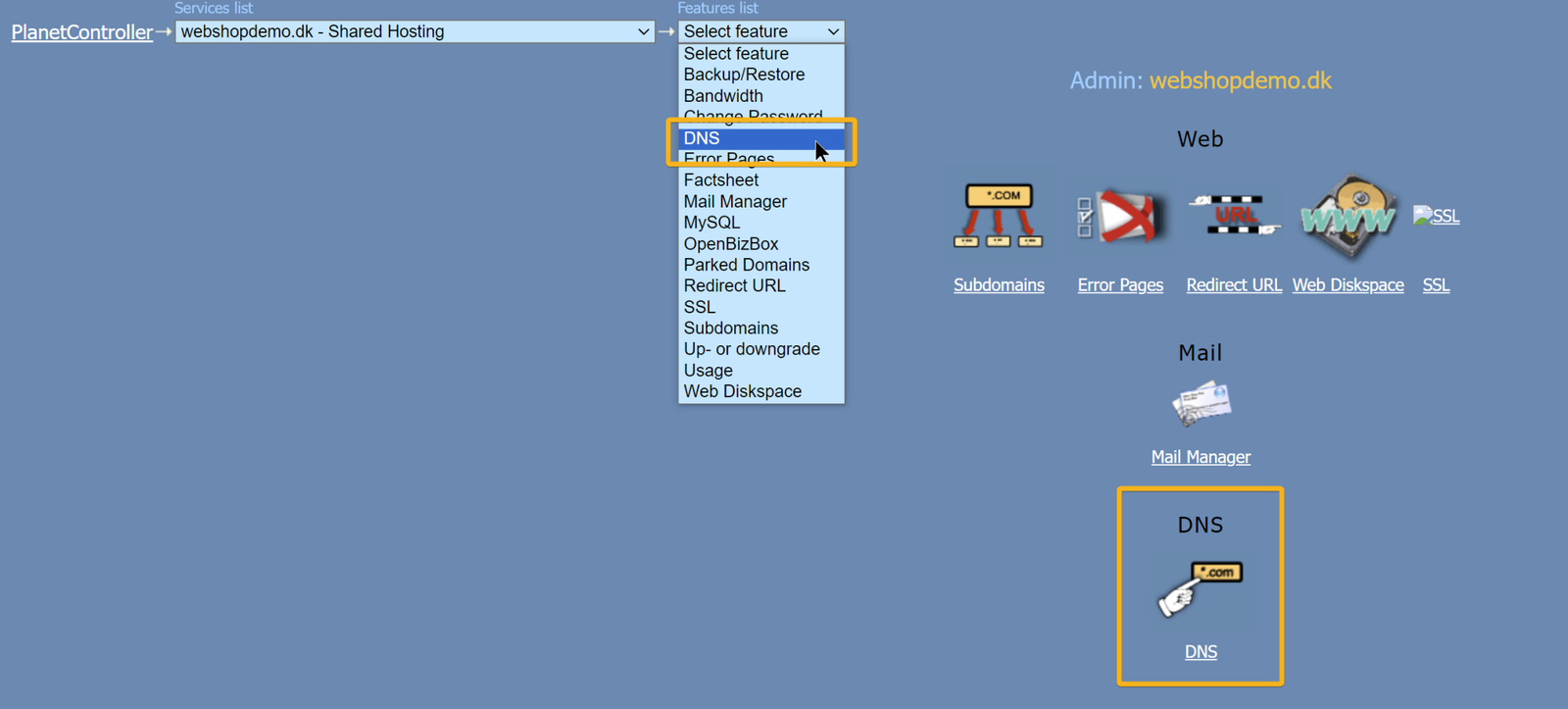
Go to the DNS setup in PlanetController by choosing it in the drop-down menu or the overview
Scroll to the bottom of the page and click Activate DNSSEC

You will now see the DNSSEC setup. It is only shown this once – so don’t leave the page until you are done (if you don’t manage to copy it, switch DNSSEC off and then on again).
What to do at punktum.dk
Go to the punktum.dk self-service (opens in a new tab) and log in
Then choose DNSSEC, or go to this page: https://selvbetjening.punktum.dk/dnssec (opens in a new tab)
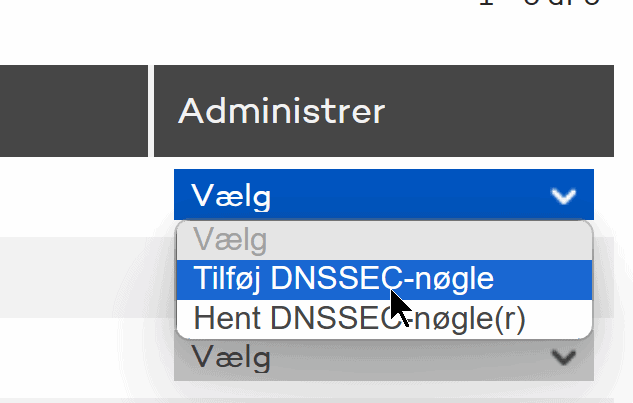
Next to the domain name, choose Tilføj DNSSEC-nøgle (Add DNSSEC key)
Copy the Keytag and the Digest from the email or chat message you have received from us.
Choose the algorithm (Algoritme) and the Digest type like this
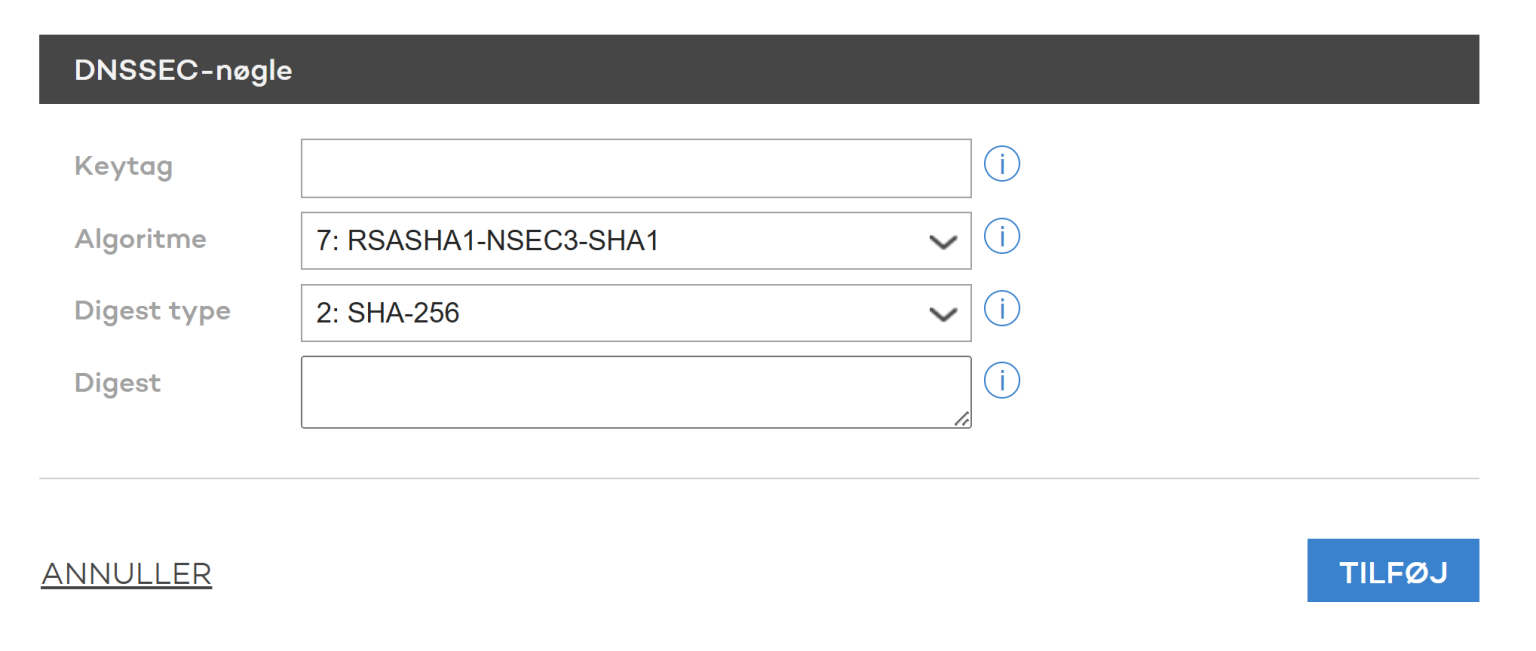
Click the Tilføj (Add) button.
On the DNSSEC page you should now see an OK, as here in the column for DNSSEC keys

If you see an OK, everything is in place.