
In this category SEO school
Introduction to Google Search Console
Get started with Google Search Console: add and verify your online shop, and see which keywords you appear for, which pages Google prioritises and whether there are errors.
On this page
In Google Search Console (opens in a new tab) you can find lots of useful information for your search engine optimisation.
Among other things, you can see:
- which keywords Google shows your pages for
- which pages Google regards as the most important
- whether Google runs into errors when it reads your pages
It is far from everything Google knows, of course, but much of the information is useful and can be combined with information you get from other places.
Add and verify your website in Search Console
This is how you add your website and verify that you own it:
-
Go to Google Search Console (opens in a new tab) and sign in with your Google account
-
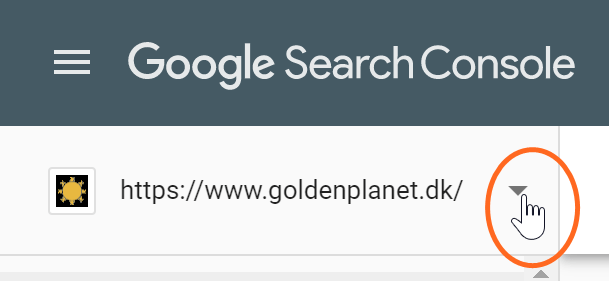
If you have not added any websites yet, the field for adding the first one is in the middle of the page. If you already have websites added, first click the down arrow next to the drop-down menu of websites
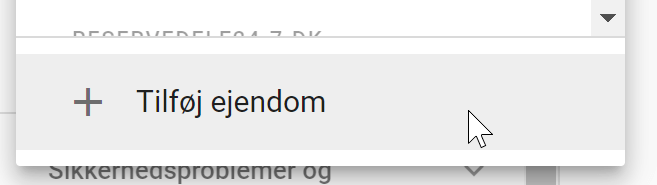
and then Add property at the end of the list
-
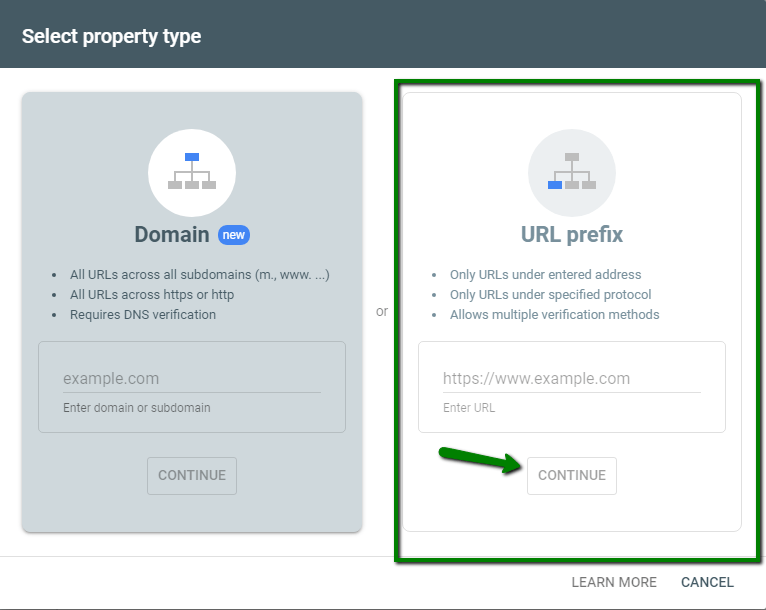
Choose URL prefix so you can use HTML tag
-
Enter the web address of your website EXACTLY as it is on the home page. It is important NOT to type www. in front if your website is not set up to start with www. Start with http:// and end with a slash if you like – all in all, it could look like this: http://yourshop.com/
Note: If you have SSL, remember to type https://yourshop.com
-
Click the Continue button
-
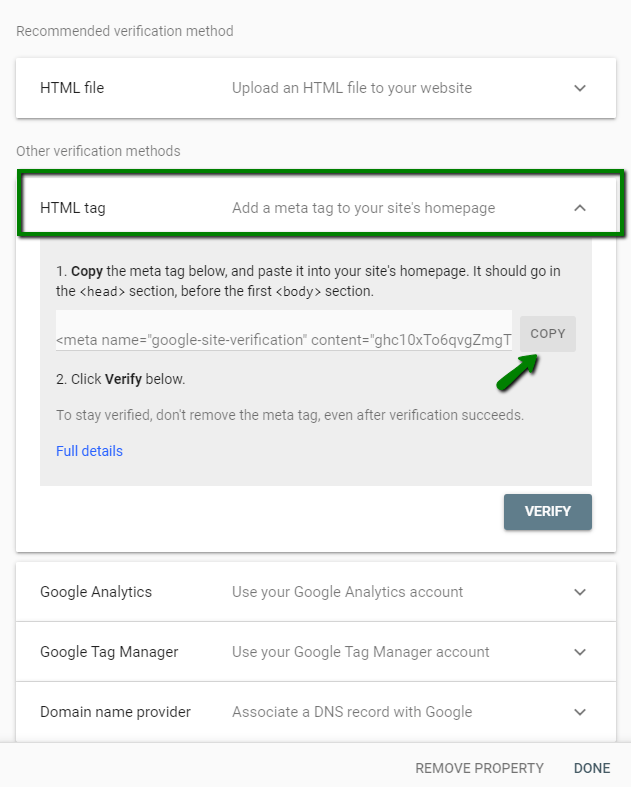
Choose the Other verification methods section
-
Choose HTML tag and then copy it
-
Open a new tab/browser window
-
Log in to your shop’s admin
-
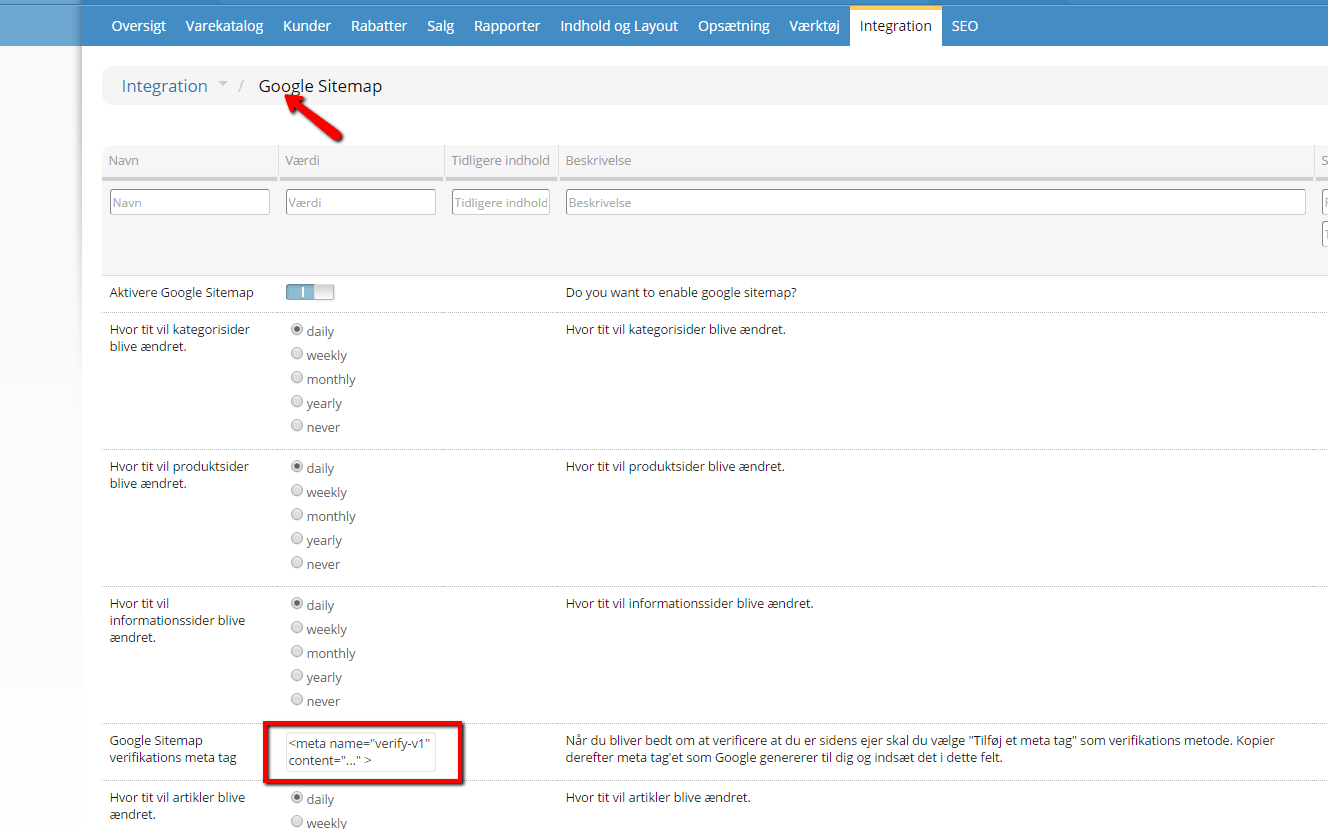
Go to Integration > Google Sitemap
-
Paste the meta tag under Google Sitemap verification meta tag
-
Save changes (at the bottom)
-
Go to Google Search Console and click the VERIFY button
Your website is now verified in Google Search Console. It often takes a while – perhaps a day or so – before you start to see information about your website.
How to give others access
It is often worth giving external SEO consultants access to the information available in Google Search Console.
Fortunately, giving others access is easy – you just need the email address of their Google account, and then follow the guide here:
https://support.google.com/webmasters/answer/2453966?hl=en (opens in a new tab)