
In this category SEO school
Meta description – what kind of META?
The meta description is the text you are reading right here. Learn, free and easily, how to write good descriptions for your own site.
Sometimes there just isn’t time to write good texts everywhere for every single product. Until you or your copywriter have the time, we have built an automatic solution into Golden Planet’s e-commerce platform that can give you a good start. Better automatic than nothing.
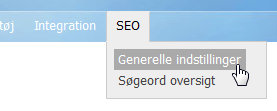
You set up templates in your shop’s admin under the SEO menu item at the top right, and then General settings.
You create a template by writing a text that is combined with the dynamic elements you see in the box on the right. It could look like this, for example:
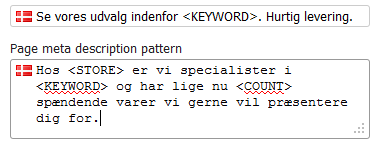
The example above assumes that you have defined a focus keyword for each category. If you don’t have time for that, and your categories closely match your keywords, you could use the category as the dynamic element instead.
If the shop is called MobilShoppen and the focus keyword is “mobile phones”, the result in Google could look like this (the example is in Danish):

It is important that you use dynamic elements in templates. Otherwise you will probably get poor rankings because of what is known as duplicate content.
Also remember that the finished texts should stay within a maximum of 55 characters for titles (that is what the built-in SEO analysis in your shop measures against) and 160 for descriptions.
You can do the same for products by choosing the Product pages tab. There you have some slightly different dynamic elements to choose from.
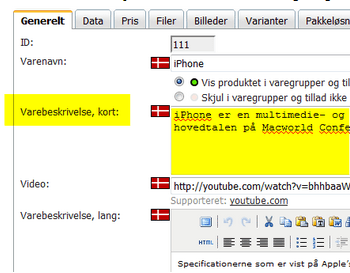
If you tick Insert the short product description if available, the short product description is used as the meta description whenever a product has one. And the short product description is, of course, the one you write when you edit a product:
For products that don’t have a short product description, the template you create under the general SEO settings is used as the meta description. You can of course also write a meta description for a product directly on the SEO tab when you edit the product.