
In this category Discounts and discount types
Discount coupons
On this page

Would you like to give some customers a discount of e.g. 10%, or should a group of 20 people be allowed to buy from a particular category with a 20% discount? Then discount coupons are a good idea.
The same coupon code for everyone or a list of unique codes
You can make a discount coupon with a code such as “summersale10” – everyone who has the code can use it when buying (under the conditions set for it).
OR
You can make a set of unique discount codes where each code can be used once. One purpose of unique discount codes is to make sure that the recipient, for example, really has signed up for the newsletter to get the code – rather than just picking it up from a discount code website or similar.
Creating discount coupons
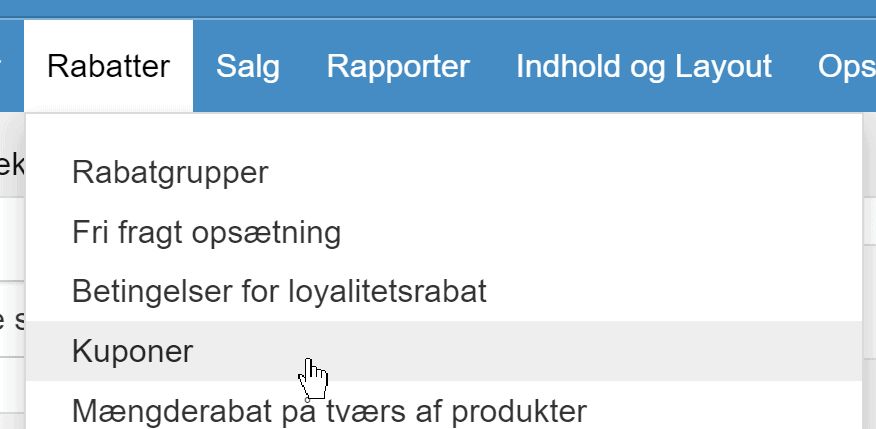
Go to Coupons in the admin
Click one of the two create buttons, depending on whether it should be the same code for everyone (standard) or unique codes
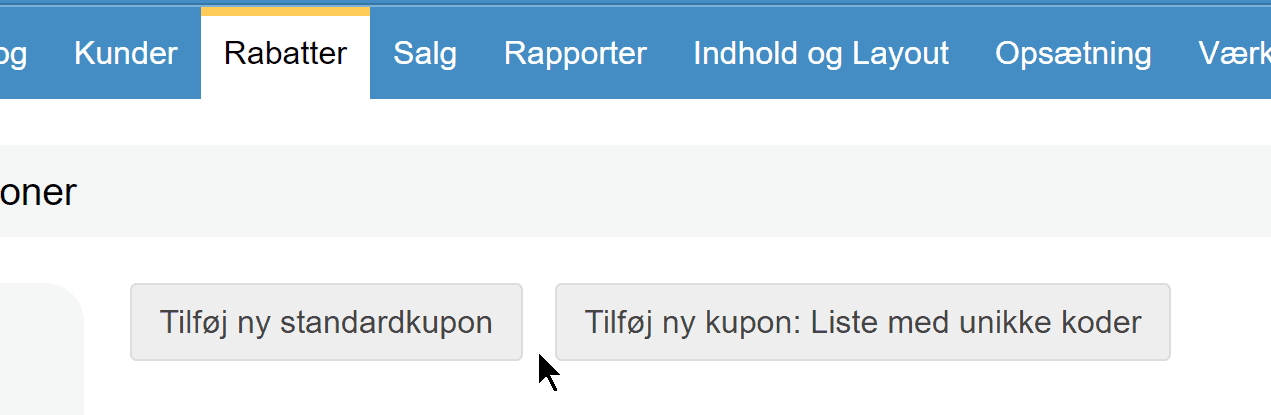
If you choose unique codes, see the section at the end of this guide on how to download the codes.
Enter a title for the coupon. It is only used internally to keep track of the codes – customers don’t see the title
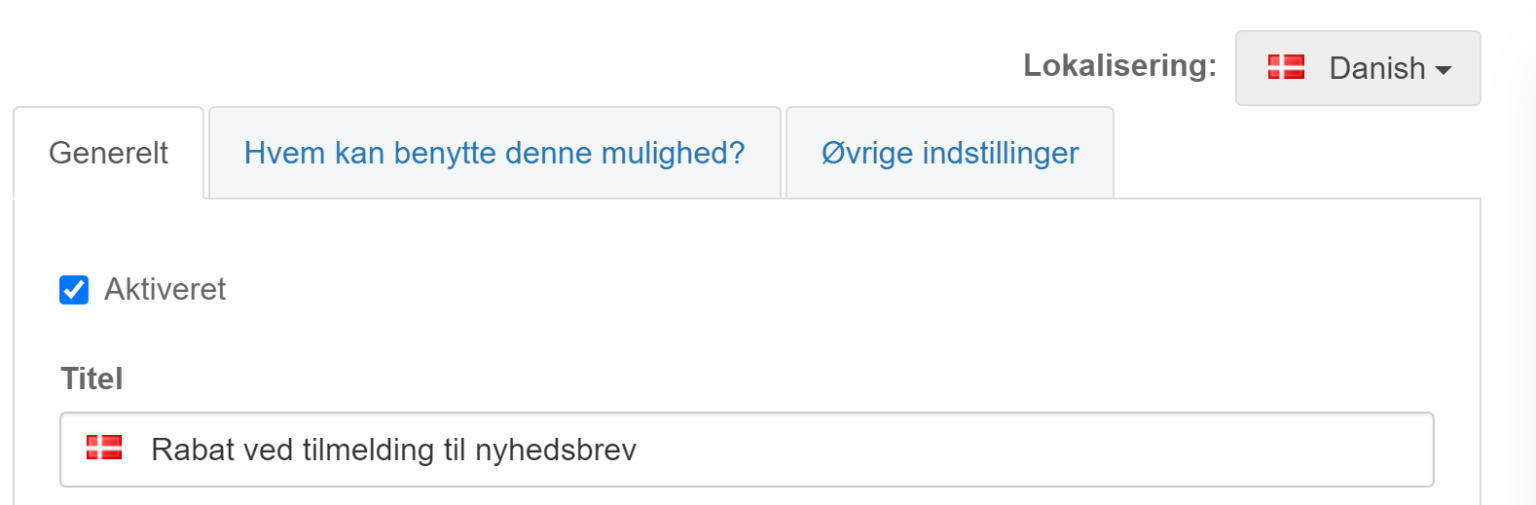
If relevant, fill in a start and end date to make the coupon available automatically for a particular period.
Limit the coupon to delivery methods or customer groups
A coupon does not have to apply to everything for everyone.
For example, you can decide which delivery methods can be used together with the coupon, and for which countries/shipping zones.
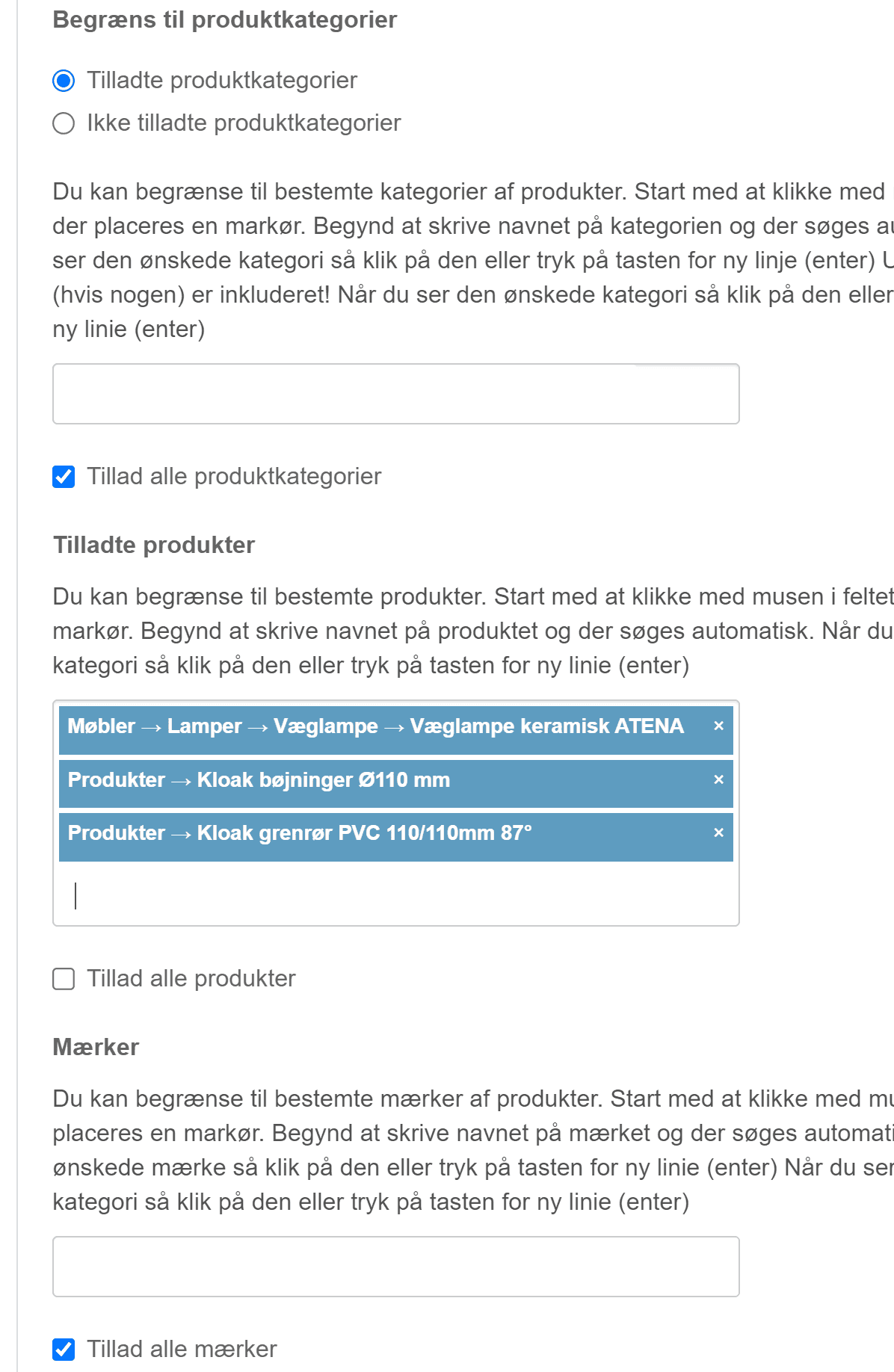
Limit it to particular products or categories
Here you need to be especially careful: make sure everything that should not be restricted is selected.
Example of a limit to a particular category – note that all products and brands must be selected (when it should apply to all products and brands within your category):
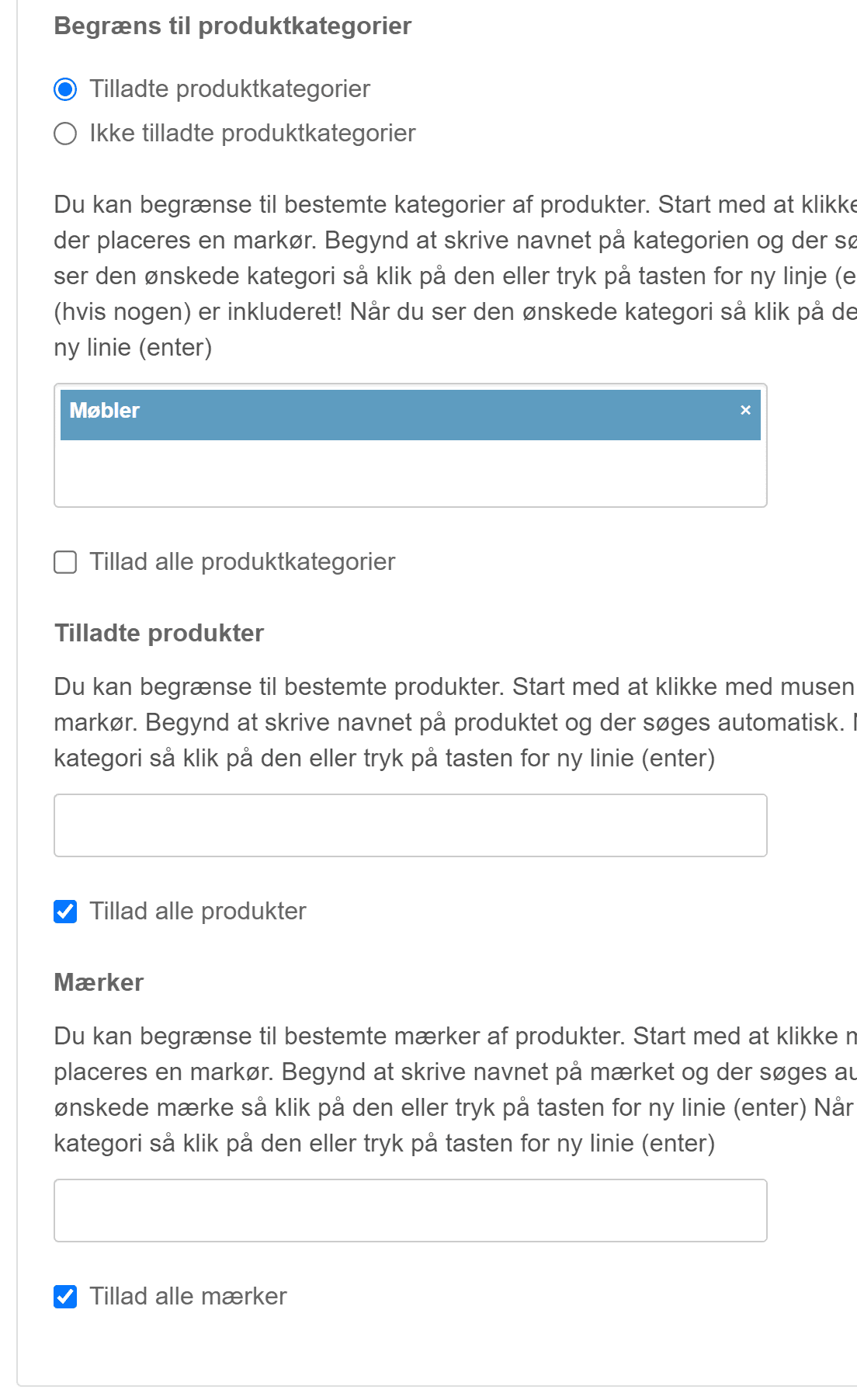
Here is an example where the coupon only applies to some selected products – here all brands and categories must be selected
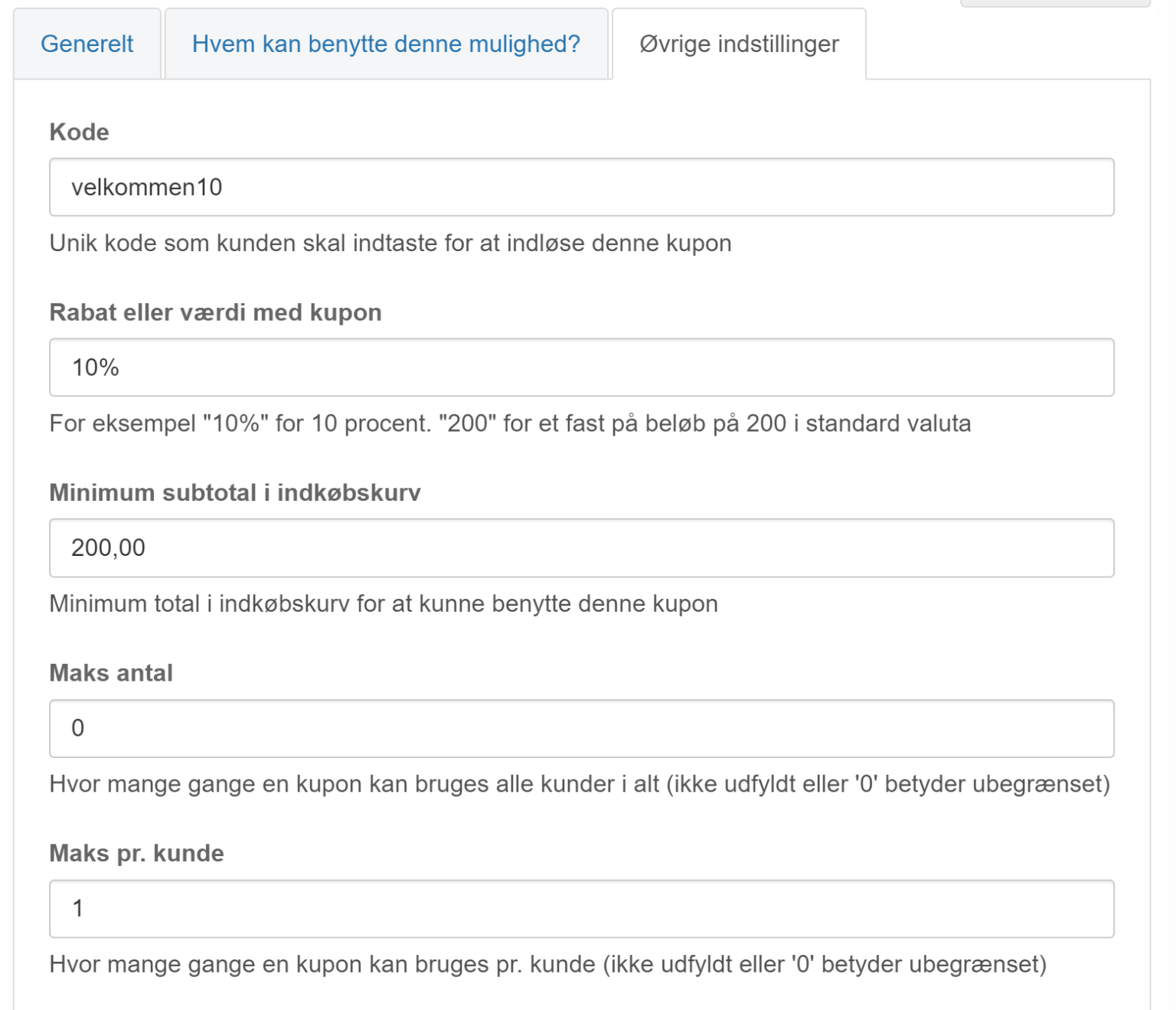
The code, the discount, minimum purchase and maximum uses
On the Other settings tab you then enter the code the customer must enter at checkout – and the other things. Here is a coupon with the code “velkommen10” (Danish for “welcome10”) where you must spend at least €25 to get 10% off. One customer (email address) can use the code at most once:
Unique codes in particular
If you have chosen to create unique codes, you set the conditions etc. for the discount coupon codes like the rest above.
What you enter as the code for the coupon – here “velkommen10” – becomes the first part of the codes with unique codes
On the List of unique codes tab you enter how many codes you would like
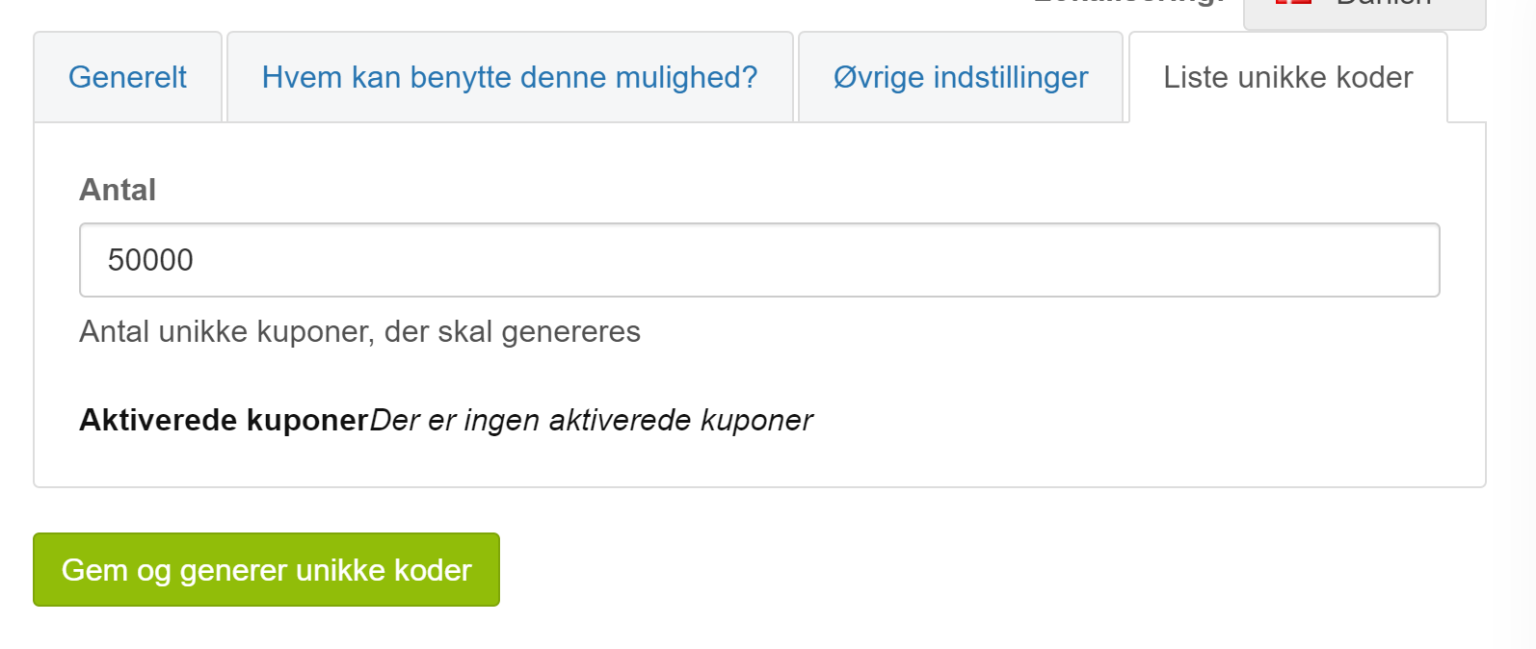
Important: You can only create codes once in a coupon set. So create plenty of codes. If you need new codes, you have to create a new set of unique discount coupons (and they cannot start with the same – you can only have one active set that starts with, for example, “velkommen10”).
As soon as you click Save and generate unique codes, a file with all the codes is created.
You can download the file with the codes from the list of discount coupons

It contains codes like these, based on our example here
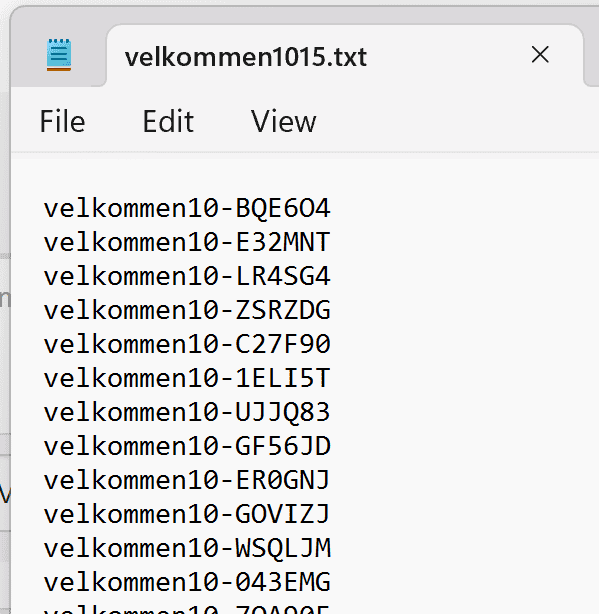
You then add the file with the codes to your campaign in the system you use to hand out the code – such as Mailchimp and Klaviyo.
Redeeming discount coupons
If there is at least 1 active discount coupon in the shop, the customer is shown a field where they can enter a code when they reach checkout.
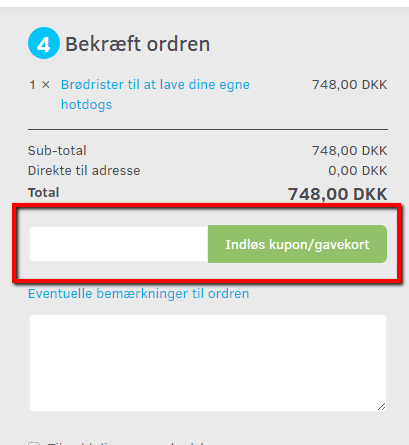
Here the customer enters the code and then clicks the Redeem coupon/gift card button.
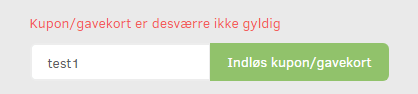
If the coupon is not valid, the customer gets a message saying so.
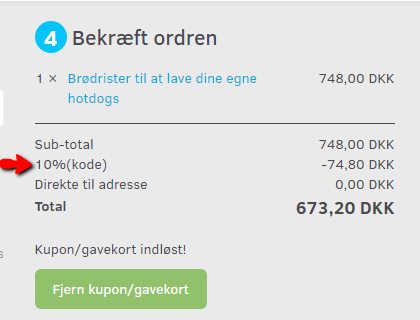
If the coupon is valid, the customer can see the name of the discount and the code that was used – and can see that the discount is deducted from the price.
Note: Only one discount coupon can be used per order.
After that, the customer just completes the purchase.
Extra keywords: discount codes