In this category Shipping & delivery
Zones and countries
Every delivery method can be limited to one or more countries by grouping them into zones. Here’s how.
On this page
You can set up your delivery methods to apply to certain zones and countries. This is useful if you sell to other countries. Some delivery methods may only apply to sales within the EU, or only to Sweden and Norway, for example – and this is where you set that up.
Shipping zones
You’ll find shipping zones under Settings > Shipping and delivery > Shipping zones.
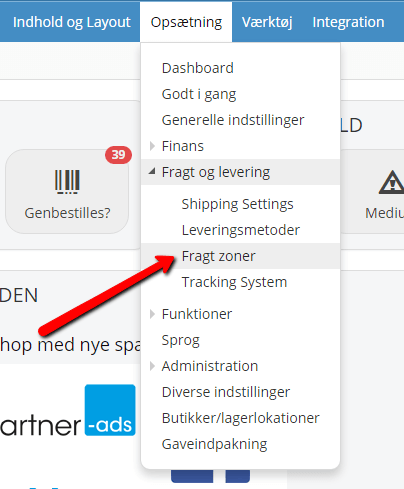
First, click Add new shipping zone.
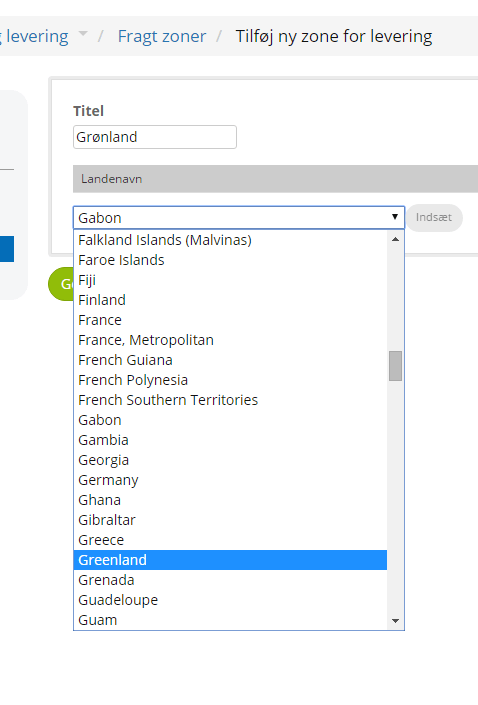
Then give the zone a descriptive name. If the method is for delivery to Greenland, for example, a good name would be “Greenland”. If it’s for Norway, Sweden and Finland, the name could be “Nordic countries”.
Next, choose from the list which countries the zone should cover. Find the country and click Insert, and you’ll see it appear in the list. To remove it again, click Delete on the right, next to the country name.
Add shipping zones to delivery methods
Under Settings > Shipping and delivery > Delivery methods, edit the delivery method (or methods) you want to dedicate to a particular area.
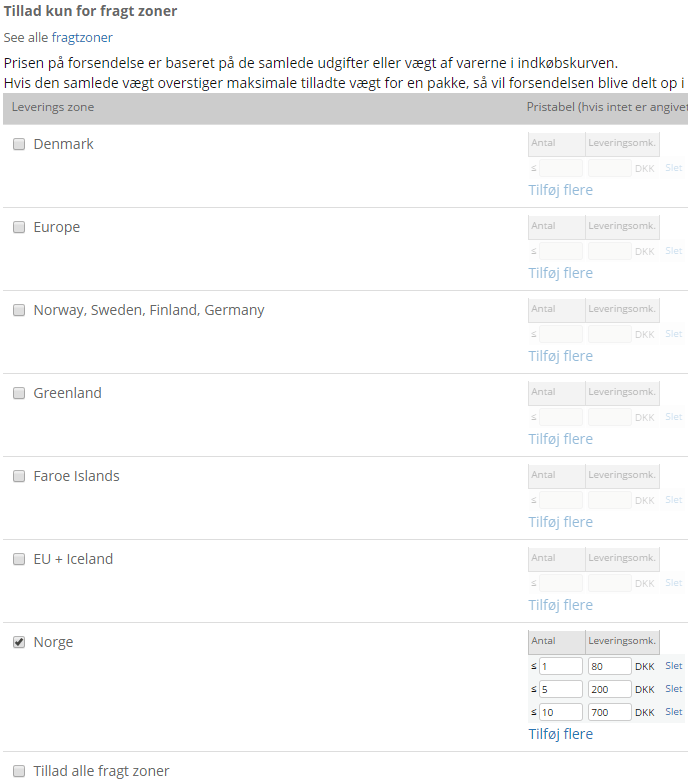
In the delivery method, scroll down to the bottom and find the setting Allow only for shipping zones.
Tick the shipping zone (or zones) the method should apply to. If it should apply to all shipping zones, you’ll find that option at the bottom. If a particular price should apply to a particular zone, you can also set that here – using the price table.