
In this category Optimising for search engines and AI chatbots
Optimising for search engines and AI chatbots
SEO analysis tool built into your online shop
A built-in SEO analysis tool that shows where you can improve your content and how to prioritise the work to get the biggest return as quickly as possible.
On this page
Where are the weak spots in my search engine optimisation?
Where should I start?
These are questions you can now answer with the built-in analysis tool when your online shop runs here at Golden Planet.
Until now, it has been an almost overwhelming task for most people.
If, for example, you have 400 pages in your shop, where are the problems? And which pages should you tackle first to make the best use of your time?
Prioritising is important
Your time is limited. That is why it is important to prioritise your SEO work correctly, so you get the most out of the time you invest in it.
The aim is to get as many visits as possible for every hour you spend optimising your shop.
So the analysis tool has prioritisation built in: the weakest pages come at the top of the list.
Pages that are equally weak can also be prioritised by type. A product category can typically bring in more visits per search than the pages of individual products. That is why, by default, a category page comes before a product page if the two are equally weak.
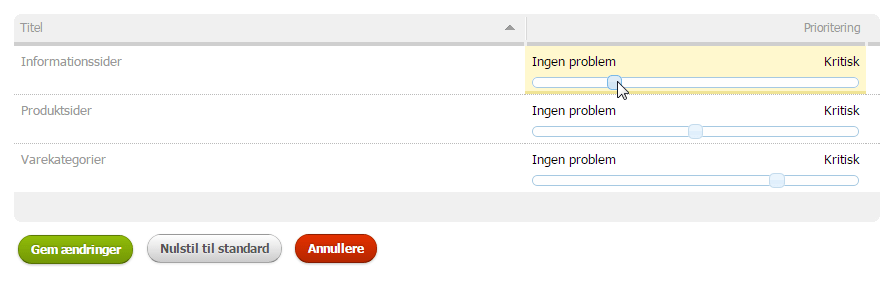
You can change the priorities in the admin through the SEO menu item, choosing either Topic priorities or Page type priorities
You change the priority by moving the slider between No problem and Critical. Then click Save changes:
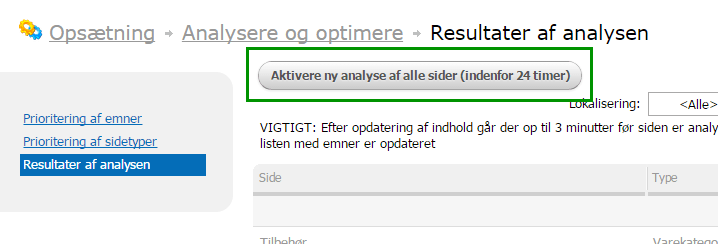
When you have changed the basis of the analysis – the priorities, for example – you should order a new analysis of all pages.
To do this, go to Analysis results and click the Activate new analysis of all pages (within 24 hours) button:
The analysis results
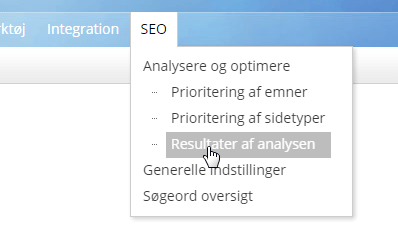
You will find the results of the analysis either on the dashboard (from Overview at the top of the menu) or under the SEO menu item and then Analysis results:
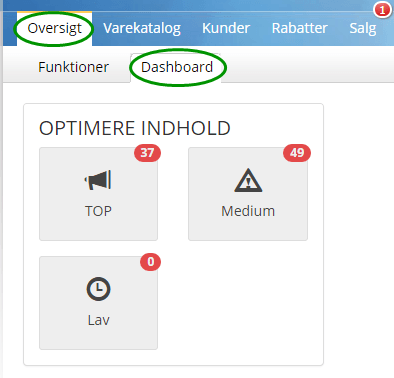
If you go in from the dashboard, the results of the analysis are then narrowed down to, for example, TOP for the most important pages, or all results in order of priority:
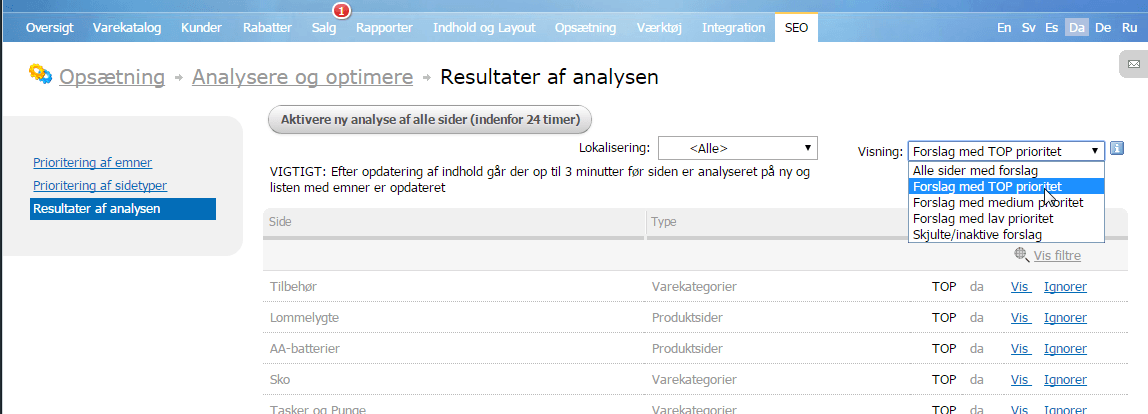
You can choose which results you want to see in the drop-down menu at the top right.
If there is a page you don’t want to see in the list, click Ignore on the far right of the page. You can find it again later by choosing Hidden/inactive suggestions in the drop-down menu at the top right.
Use the analysis to optimise your content
From the list of results, click View next to a page to see what has been found for it:

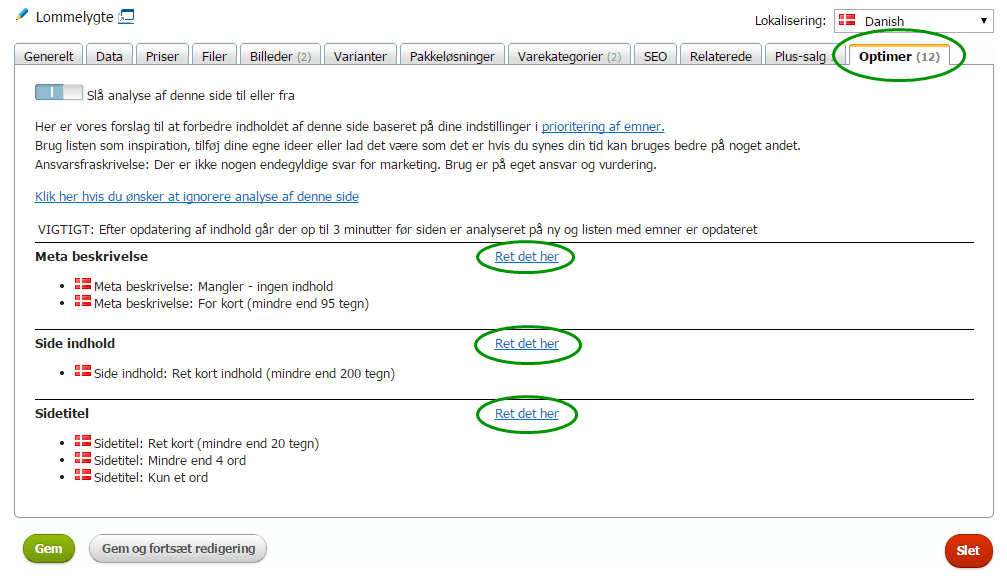
This takes you to the page itself, on the Optimise tab, where you see a list of the things found that may be worth improving.
Next to each item, you can click the Fix this link to go straight to the place where the content can be improved.
When you are done with one item, you can of course go back to the Optimise tab and take the next item/area.
When you improve your content, it is VERY IMPORTANT that you invest some time in creating good content. You could easily write poor content and still get a “great” analysis result – but that is not the point, of course!
In our SEO school you can learn what to look out for to get the best results with your content. See, for example, these lessons:
When you have changed and saved a page, it is sent to the analysis tool for a new review.
This review typically takes 1–3 minutes.
In other words, the list of items and the page’s position in the overall analysis are not updated the moment you click save – give it a little time, and reload the page or the list of all results if you want to see the new result.
The most important thing is to work through the pages from the top down. Improve as many pages as you feel like investing time in, and ideally get every page up to a good level, of course – especially pages categorised as TOP, where improvements can pay off well.