In this category Design & layout
Design & layoutYour shop’s home page
Home page: product slider
On this page
You can build sliders like this one into your design, automatically showing selected products to your customers:
A picture of a slider – it doesn’t work here!
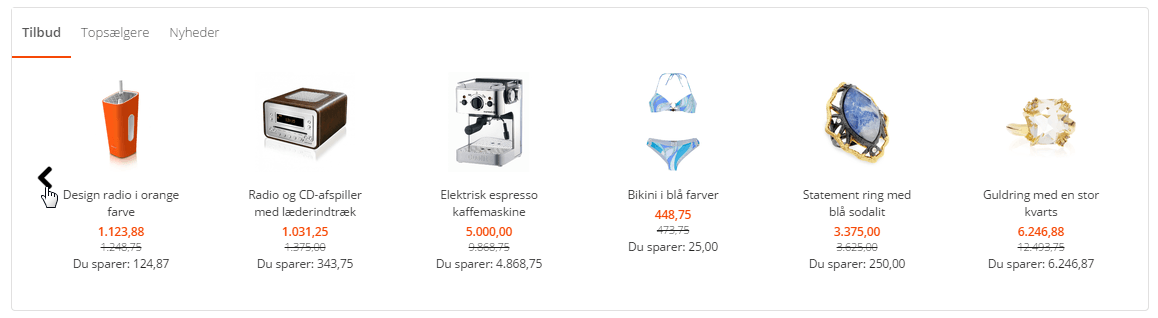
You can choose to show new products, bestsellers, recommended products and/or special offers.
Special offers, new products and bestsellers are selected automatically. Recommended products have to be marked before they are shown – more about that further down.
How to build the slider into your design
You place the slider in the layout tool under Content and layout > Layout tool. There are several kinds of sliders, and you can easily have more than one slider on the home page if you want.
Recommended products – choose which ones
You select the products that are to be what your online shop calls recommended like this:
- Go to Product catalogue > Categories and products
- Go to the product you want marked as recommended and edit it
- Go to the Data tab
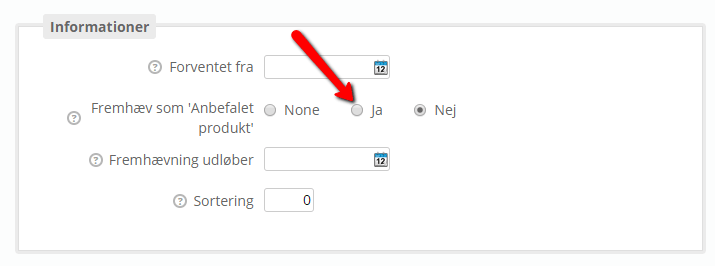
- Tick Yes under Feature as recommended product
- Save