
In this category Design & layout
1: Get a logo
On this page
If you don’t already have a logo, here are some suggestions for how to get one made:
Contact an advertising agency
This is probably the most expensive way. If you think you have the budget for it, try contacting an advertising agency you’ve heard good things about, or start with some near where you live.

An easy way to find an advertising agency is to search on Google (of course). That also gives you a chance of finding the agencies that think digitally enough to have made sure they show up on Google.
Try, for example, combining the words “advertising agency” with the nearest large town or city where your business is – it could be “advertising agency kolding” (as in the Danish example above: “reklamebureau kolding”).
Search among freelance graphic designers
A considerably cheaper alternative to ordering your logo from an advertising agency is to find a freelance graphic designer. Finding a designer this way can take more time, and you also don’t have quite the same assurance of a good result at the first attempt. But even if you have to hire several freelance designers before you succeed, it will probably still be considerably cheaper than the agency.
A good place to search for freelance graphic designers is Fiverr: https://www.fiverr.com (opens in a new tab)
Use a graphic designer elsewhere in the world
If you’re ready to communicate in English, there are some skilled graphic designers around the world. And they are considerably cheaper to hire than a Danish advertising agency, and probably a Danish freelance designer too.
Here is a suggestion for where to search for a graphic designer internationally:
Fiverr: https://www.fiverr.com (opens in a new tab)
Start from a template
A logo template can be an easy and cheap alternative way to get a logo. Perhaps you can even finish it yourself, or with help from someone you know.
A logo template can also be inspiration for a logo you have made by a graphic designer.
It’s important to be aware that a logo design is sold in many copies all over the world, and should therefore only be used as a starting point for customisation.
Two suggestions for where to search for logo templates:
Graphicriver: https://graphicriver.net/logo-templates (opens in a new tab)
Creative Market: https://creativemarket.com/templates-themes/logos (opens in a new tab)
2: The logo in your online shop
You get your logo into the top of your online shop with Shop logo, which you’ll find under Content and layout in your shop’s admin.
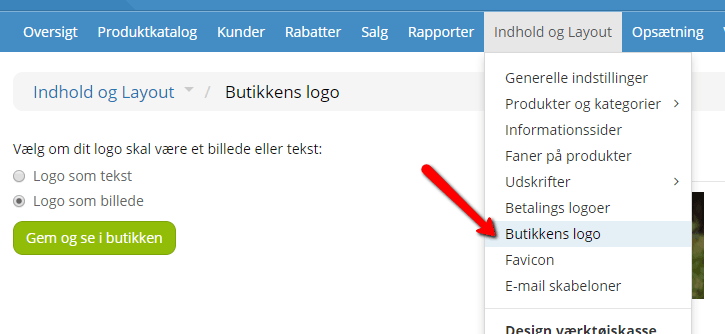
Here you can choose whether your logo should be text or an image.
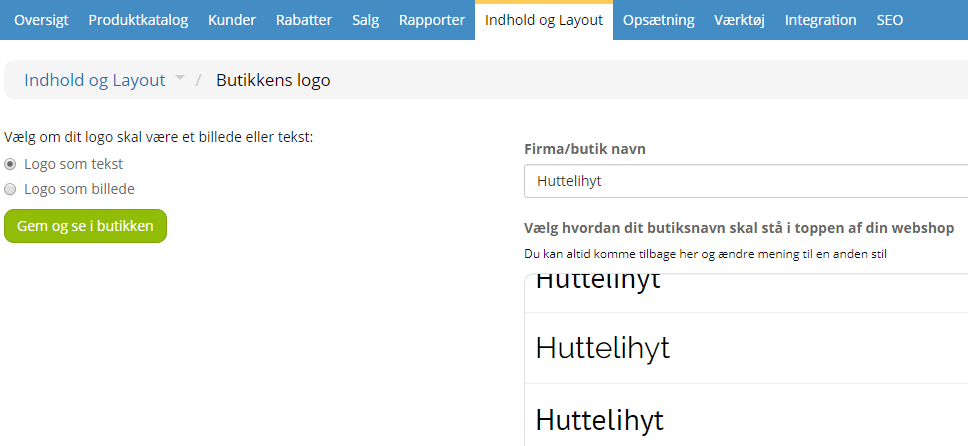
Logo as text
Here you enter your shop name at the top. Then you choose from the fonts listed.
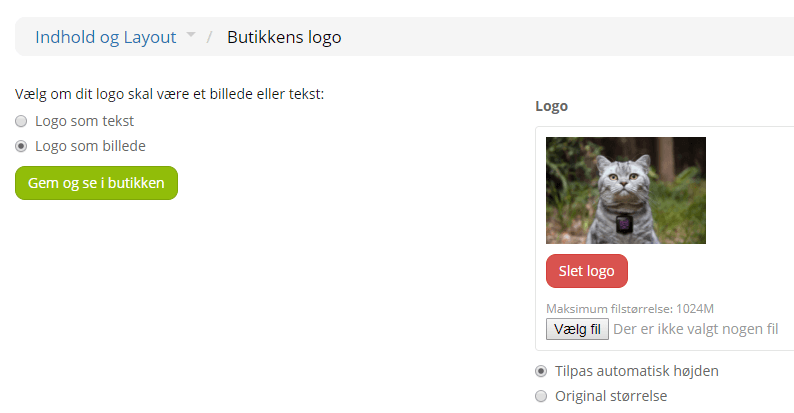
Logo as an image
Here you can insert your shop logo as an image.
You choose the file on the right, and choose whether it should be the original size or adjusted to the design.
When you’re happy with it, remember to save.