
In this category Shipping & delivery
Flat-rate delivery
How to set up a flat delivery price, without price bands based on, for example, the weight of each product.
Flat-rate delivery costs the same whatever the total weight of the order.
It’s typically used for delivery to the customer’s own address – whether it goes with GLS, PostNord or another carrier altogether.
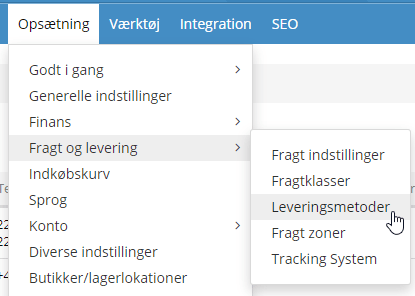
You’ll find the delivery methods under Settings > Shipping and delivery > Delivery methods
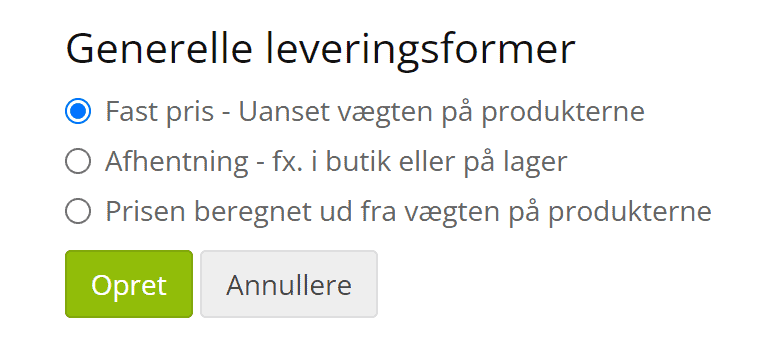
Click the Add new button at the bottom, and then:
Enable module
The module has to be enabled before you can use it.
Estimate
If this method should be used as an estimate in the basket to show customers a shipping calculation, tick this box.
Title
Give it a descriptive title, so both you and your customers know what this method is about. For example “Delivery ONLY €5”.
Description
Here you can add an extra text that is shown below the title.
VAT class
If a VAT class should apply, choose it here.
Logo
If you want a logo shown with this delivery method, you can upload an image file here. Click the folder icon on the right and choose the file you want.
Handling cost
Enter the flat price you want customers to pay for shipping, however large their order is. For example €5.
Default order weight, kg
If the total weight of an order is 0 kg, the weight you enter here is used.
Company name for this delivery method
Should the company name field be shown, and should it be required or optional for this method? You set that here.
Allow flex delivery
If the customer should be able to write in a field where the parcel may be left, set this to Yes.
Note that this does not apply to GLS.
Maximum weight (kg)
The delivery method is only offered for orders where the total weight of the products does not exceed the limit you enter here. If the staff in the shop can’t handle parcels over 30 kg, for example, enter 30 here, and this delivery option won’t be shown if the order weighs more than that.
Minimum weight (kg)
The delivery method is only offered for orders where the total weight of the products is above the limit you enter here.
Allow only for shipping zones
Here you can limit the zones the flat-rate delivery method applies to.
Allow only for customer groups
If this flat-rate method should only apply to certain customer discount groups, tick them here.
Allow only customer types
If this delivery method should only apply to certain customer types, for example private customers or businesses, you can set that here.
Allow shipping classes
If this delivery method should only apply to certain shipping classes, you can set that here.
Save your changes
When you’ve made all your changes, everything takes effect once you click Save.