
In this category Shipping & delivery
Shipping & deliveryPostNord collection
Look up PostNord pick-up points with an API key
For your customers to be able to search by address, with the types of pick-up point correctly separated, PostNord requires you to create a so-called API key with them, which you then insert in your online shop.
Here’s how:
-
Go to the PostNord Developer Portal https://developer.postnord.com/ (opens in a new tab)
-
Log in at the top right if you already have an account – otherwise click Create account
-
Once your account is created and you’re logged in, click the menu item My Account and then Applications
-
There, click the Create new application button
-
Write whatever you think suits in the fields Application Name and Description
-
You’re now shown an API key:
-
Select it and copy it (left-click the key, then right-click and choose Copy)
-
Go to your online shop’s admin
-
Use the menu at the top to go to Settings > Shipping and delivery > Delivery methods
-
In the list of delivery methods, click Edit next to your PostNord collection method
-
Click the PostNord settings tab
-
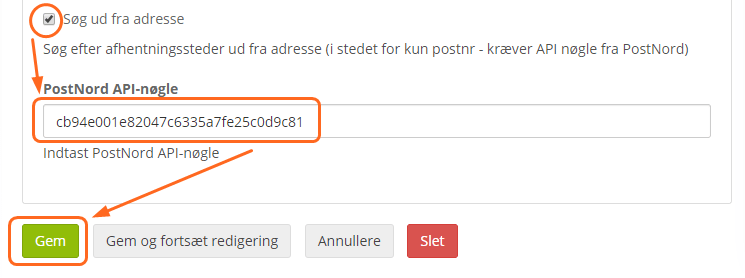
Enable Search by address, insert the API key from PostNord and click Save:

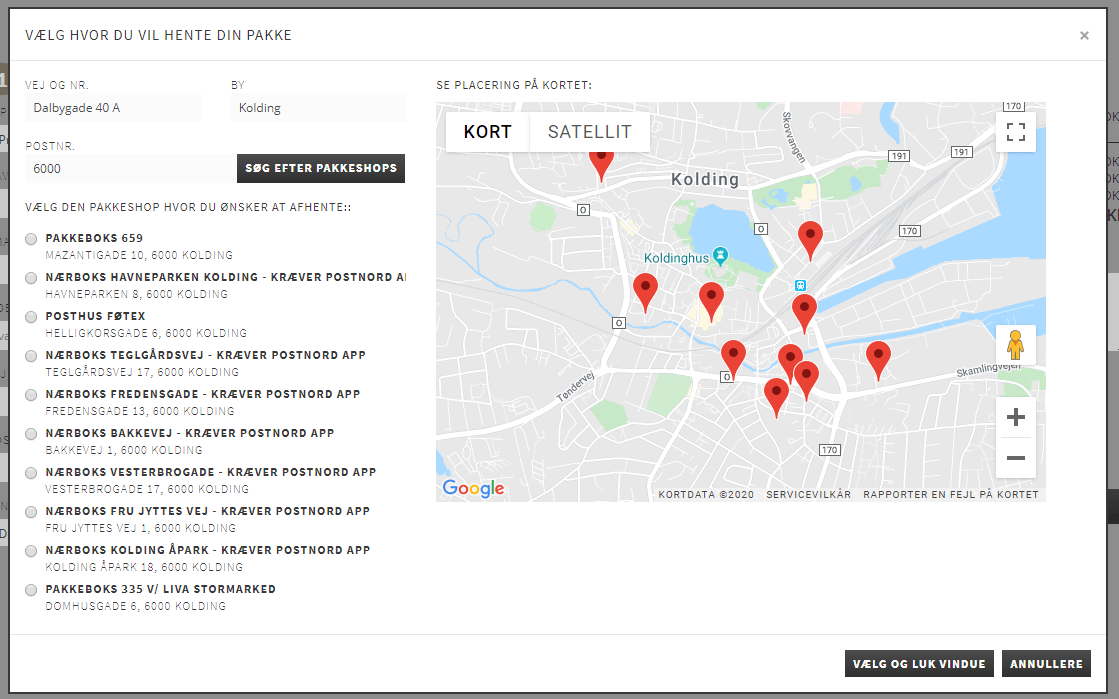
Once you’ve finished the setup, searching for PostNord pick-up points when ordering looks like this example:
You can make a lot of searches for free via the PostNord API. For more information, see this page (opens in a new tab) or contact PostNord.