
In this category Shipping & delivery
Which admin do you use?
How do I know if I have version 6 or 7?
Log in to your admin. You'll find the version number at the bottom of every page, in the footer. The first number is your version – 6 or 7.
Can't find it? Ask our support team.
Setting up GLS parcel shops
On this page
You create GLS shipping labels directly from the order in your online shop with our direct integration with GLS – the GLS Print Label app, which requires a YourGLS agreement.
You can read more about GLS’s business solutions here (opens in a new tab), so you can see what suits you and your shop best.
If you use shipmondo.com or send your parcels manually, you can also use this delivery method.
Note: You can use our GLS parcel shop module for Denmark and for Sweden. Create one delivery method per country.
The parcel shop module
You’ll find the parcel shop module under Settings > Shipping and delivery > Delivery methods > GLS parcel shop delivery.
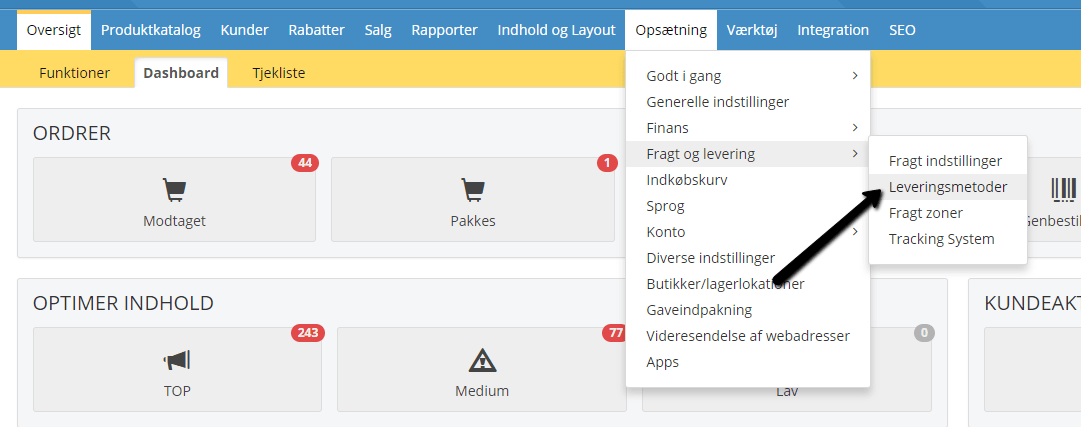
First, create a new GLS – delivery to parcel shop module – or edit a GLS parcel shop module you have already created.
General:
Give the module a title, so customers are completely sure what they are choosing – for example “GLS parcel shop delivery to Denmark”.
Remember that VAT applies to shipping.
Set a maximum weight – be aware that there may be a weight limit of max. 20 kg for parcel shops.
You can also add weight for the packaging.
If your products don’t have a weight and you don’t have time in your diary to add it, there may be one weight that suits most of your orders. That’s why you can enter a default weight for a single parcel in Default order weight, kg. It is then used when not all the products have a weight.
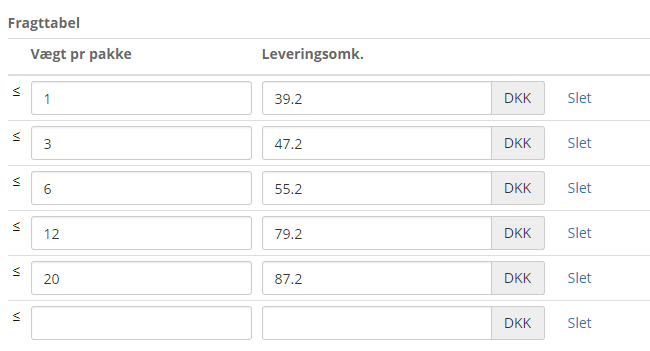
In the shipping table, you enter the delivery costs per weight.
See this table, for example. Note that these prices are entered without VAT, as VAT is added afterwards.
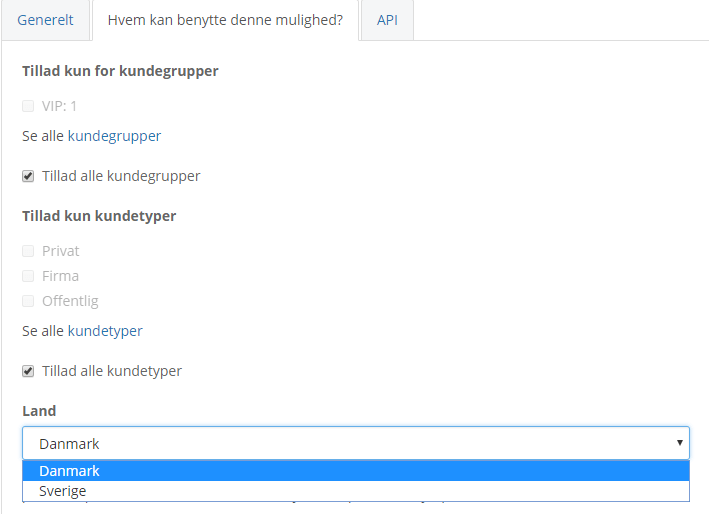
Who can use this option?
If there should be restrictions on who may use this delivery method, you can set them here.
This is also where you set which country you ship to. Note that you need to create one delivery method per country.
API:
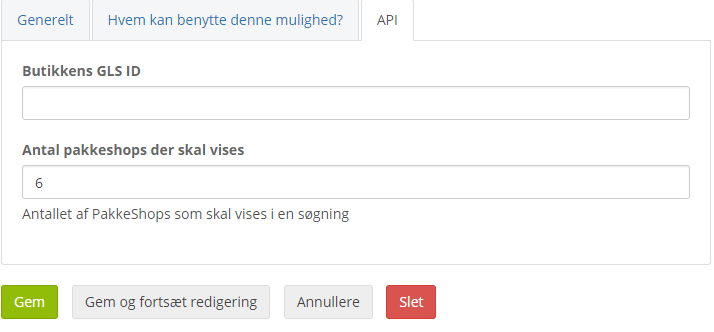
If you use YourGLS, enter your GLS ID here.
If you use shipmondo.com, for example, or send parcels manually, you can leave the field empty.
You also set the number of parcel shops to show in a search. We recommend a maximum of 10.
When you’re done, click Save.
Individual weight
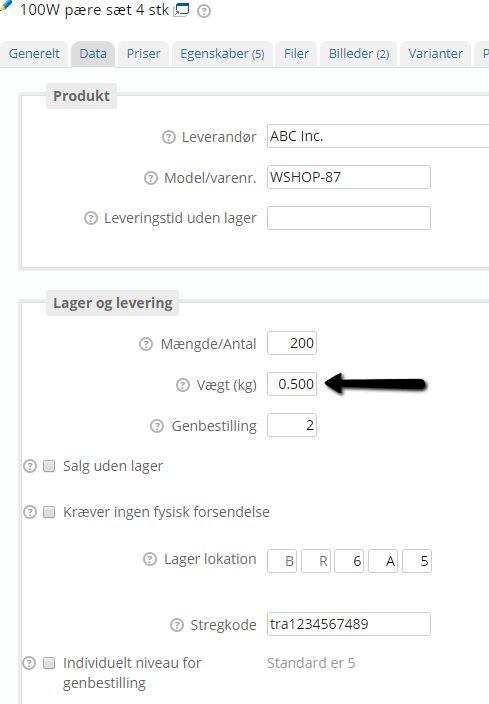
You get the best result if all your products have a weight, so the total weight of all the products in the order can be calculated and carried over to your label automatically. You do this by editing a product and clicking the Data tab.
Day-to-day use
For day-to-day use, you use GLS Print Label. It’s available to buy as an app and lets you print a label directly from the order – see day-to-day use with YourGLS.