
In this category Shipping & delivery
Shipping classes
On this page
Delivery methods per category or product
Not everything can be sent with every delivery method. DAO, for example, only takes fairly small items. Very large items may have to go by freight carrier. And other items, such as batteries and cleaning products, may need special handling.
You can solve this by limiting the choice to selected delivery methods when certain products are in the basket.
You do this with shipping classes, which you can set either per category or on individual products.
Products without a shipping class can use any method
Shipping classes can be used to make sure that customers who have bought products with a particular shipping class – for example “Must go by freight carrier” – can only choose delivery methods that allow that shipping class.
Shipping classes cannot be used to exclude a delivery method for products that don’t have a shipping class.
If you want detailed control over which delivery methods can be used for every order, you need to give every product a shipping class. And you should have at least one delivery method that can handle all or several shipping classes (otherwise an order containing products from different shipping classes can’t be completed).
Example
An online shop that sells bicycles. Smaller items are sent with PostNord. Bicycles have to go by freight carrier or be collected from the shop.
You create a shipping class called “Large items”.
The bicycles category is given this shipping class.
The delivery method “Freight carrier” is set to handle the shipping class “Large items”, and the delivery method “Collection from shop” is set to handle all shipping classes – including “Large items”.
If a customer orders a bike lock, they can choose between all delivery methods. As soon as a bicycle is added to the order (on its own or together with, say, a bike lock), the only choices are collection from the shop or freight carrier.
Create shipping classes
You create shipping classes via the menu Settings > Shipping and delivery > Shipping classes
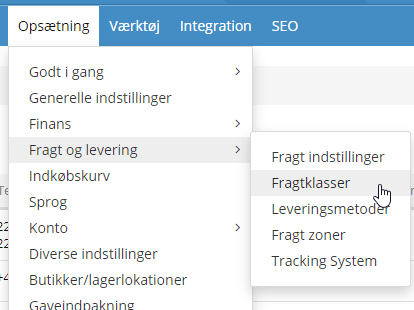
There you simply add the shipping classes you want to use. For example “Must go by freight carrier”, “Chemicals – dangerous goods”, “Collection only” etc. The title is for your own internal use only.
Choose the shipping classes for each delivery method
Now decide which delivery methods products in a shipping class can be sent with.
You do this via the delivery methods:
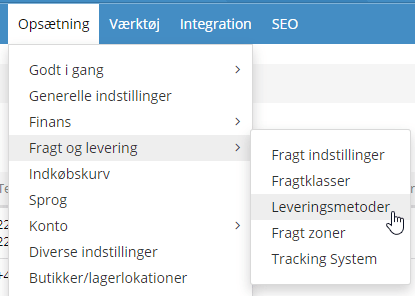
From there, edit the delivery methods in question.
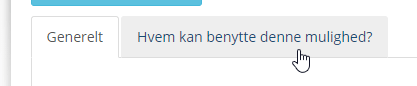
Click the Who can use this option? tab.
Tick the shipping classes the delivery method can handle. Here’s an example of the setup for a freight carrier:
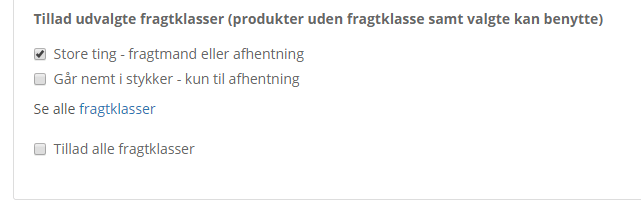
Remember to save!
If you have several shipping classes, you should have at least one delivery method that accepts all of them – otherwise an order can’t be completed when the basket contains products with different shipping classes. If nothing else, this could be collection from your shop/warehouse.
Set the shipping class on products
Now it’s time to set shipping classes on the products that need particular delivery methods.
You can set shipping classes either for all products in categories or on individual products. If you do it on categories, it applies to the primary category (for products shown in several categories) and includes all subcategories.
If you like, you can set a different shipping class for a subcategory or specific products (and so make exceptions to the main shipping class of a category).
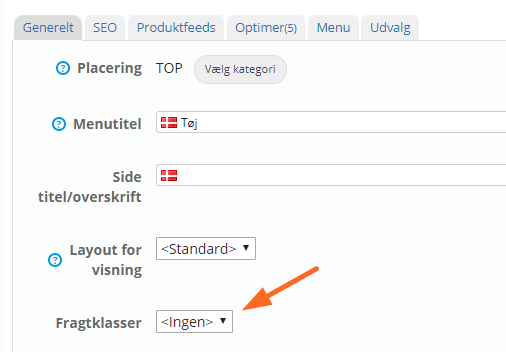
You set shipping classes when you edit or create a category or product.
Here for categories:
And here for products:
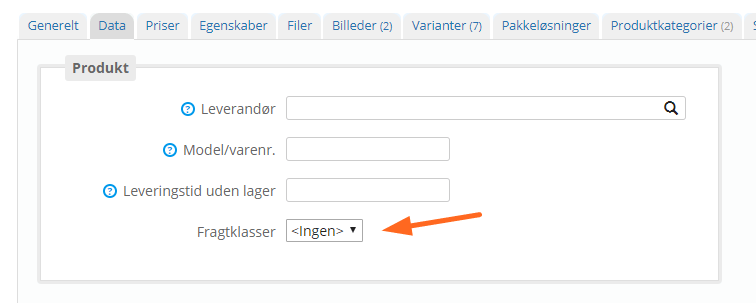
You can set one shipping class per category or product.
As always after bigger changes, it’s a good idea to try it out with a few test orders in the shop.
Shipping classes combine with the other delivery conditions
Shipping classes work as an extra delivery condition alongside the others.
This means you can have a shipping class called, say, “Batteries” that you only use to make sure an order to Greenland that includes batteries can only be sent by sea and not by airmail.