In this category Shipping & delivery
GLS day-to-day: edit an order
Note: GLS Interline (exporting orders to a .csv file) is no longer used – Golden Planet has a direct integration with GLS, where you create labels directly from the order. See GLS app with YourGLS and Print GLS labels.
Once you have set up your GLS delivery methods, you’re ready to process your orders.
Edit an order
Be aware that GLS has limits on weight and on the countries it delivers to. But you can change the delivery details on an order.
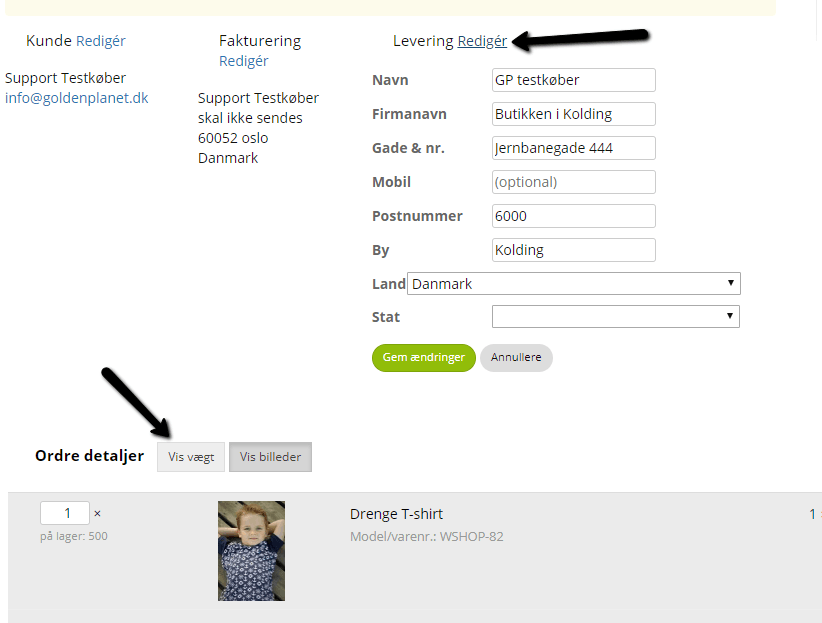
Example: you receive an order with a delivery address that GLS doesn’t deliver to. You contact the customer, and he gives you an alternative delivery address in a country GLS does deliver to. You can then go to Sales > Orders, edit the order and click Edit above the delivery address.
The same goes for weight. Under the order details, choose Show weight, and you can now edit the weight of each product on the order.