
In this category Integrations
Open and flexible integration options
Integration with chat (e.g. tawk.to), affiliate (e.g. Partnerads), Facebook tracking, cookie banner and much more. Just a click or copy the code.
On this page
You can integrate with many different systems in an easy and flexible way.
Here are some of the systems you can connect quickly and easily:
- Chat (e.g. tawk.to)
- Affiliate systems (e.g. PartnerAds and Tradedoubler)
- Facebook ad tracking
- Cookie banner/consent (e.g. Cookiebot or Cookie Information – see EU cookie law)
- Counter (e.g. W3counter)
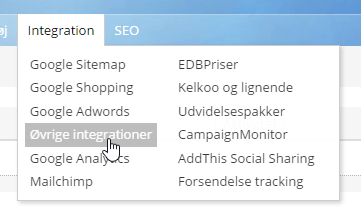
You find the option by choosing Other integrations under Integration in the menu at the top of your admin.
You then get a list of the integrations that may already have been set up. You can of course delete and edit them.
To add a new integration, click the Add new Other integrations button.
If the integration you want to create is shown on the buttons on the right, simply click it and then fill in any information you are asked for.
This video gives you a short walkthrough:
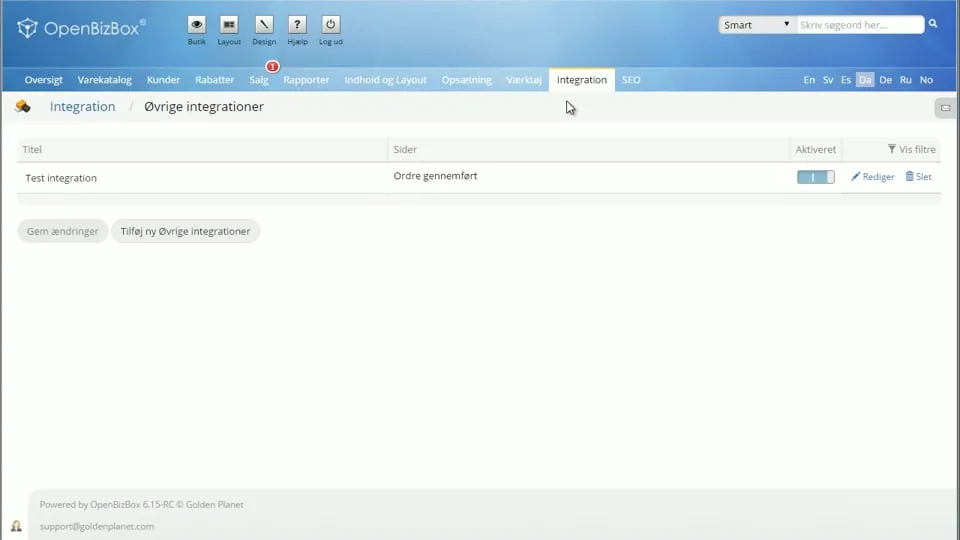 Play video: Other integrations: introduction (opens Vimeo)
Facebook tracking
We have written a separate guide for Facebook, which you find on this page. Many systems use similar parameters, so it is often good inspiration in general.
Example: Partnerads
If you have an agreement with Partnerads and need to measure how many sales come through them, just have your Program ID ready and click the Partnerads button. Enter your Program ID and click the OK button.
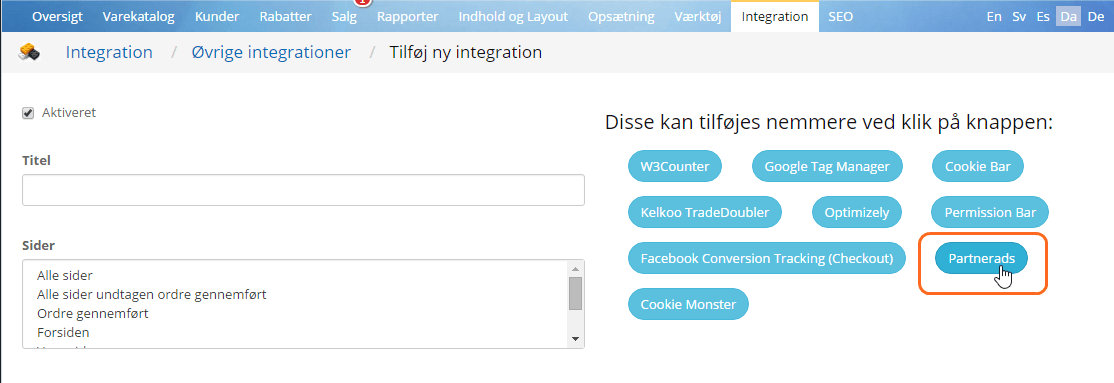
The code and the other fields are then filled in. All that's left is to click the Save button at the bottom of the page.
Example: tawk.to chat
With a chat feature, you can help your customers straight away with questions and more. A good service that can help create more sales.
One of these chat features is tawk.to (opens in a new tab), which is quite popular and completely free. You can of course also choose another chat and use the code you get from them.
Watch the speed – an integration can make your site slower
Some integrations contact the external system every time a page loads. If that may be the case, you should therefore compare the speed of your site before and after adding the integration.
This mostly applies to integrations that are included on every page.
Slower pages can be a disadvantage for your customers. They can also affect your rankings in search engines such as Google.
So weigh up the benefit of an integration against possibly slower pages.
Make sure your integration doesn't cause conflicts
When you add scripts via Other integrations, it is important to test that they don't cause problems – not only with speed, but also that the shop still works as it should, and that other scripts don't suddenly cause problems.
It is important to test in different browsers, on desktop and mobile, etc. If customers contact you because they cannot complete a purchase, it may be because your scripts contain errors – you can then quickly switch off your integration script and test.
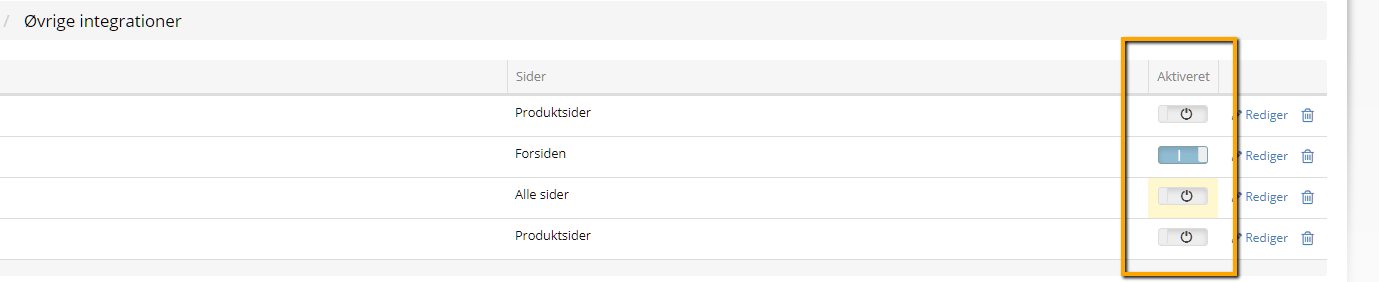
When you activate a new script, it is a good idea to monitor whether completed purchases drop or you run into problems in some other way.
If we are to troubleshoot external scripts and try to resolve any conflicts, this will always be charged by the hour. But it can be a good investment compared with losing a lot of sales.