
In this category Other topics
Cookie banner solutions
On this page
In short, the EU cookie rules require the visitor's prior, informed consent before you set cookies that are not needed for your online shop to work – for example statistics and marketing cookies – and saying no must be as easy as saying yes. You can read more about the Danish rules on cookies here at the Danish Agency for Digital Government (Digitaliseringsstyrelsen) (opens in a new tab) (in Danish).
Suggested cookie solutions
- Cookiebot (opens in a new tab) – Info about Consent Mode V2 here (opens in a new tab)
- Cookieinformation.com (opens in a new tab) – Info about Consent Mode V2 here (opens in a new tab)
- Free Cookie Consent (opens in a new tab) (free; check for yourself whether it supports Google Consent Mode V2)
Add the code from your cookie solution
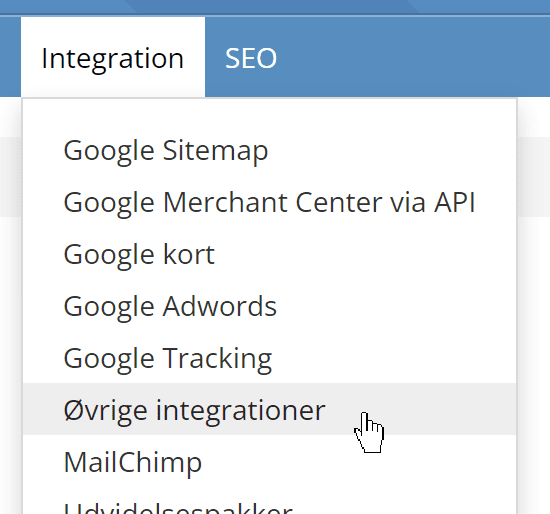
Whichever solution you choose, you will get some code that has to be added to your pages. You can do this via Other integrations, which you can read more about here, or Google Tag Manager.
You find Other integrations here in your online shop's admin
Here is an example of code added from cookieinformation.com (always take the current code from Cookie Information – the code below may no longer be current when you read this):
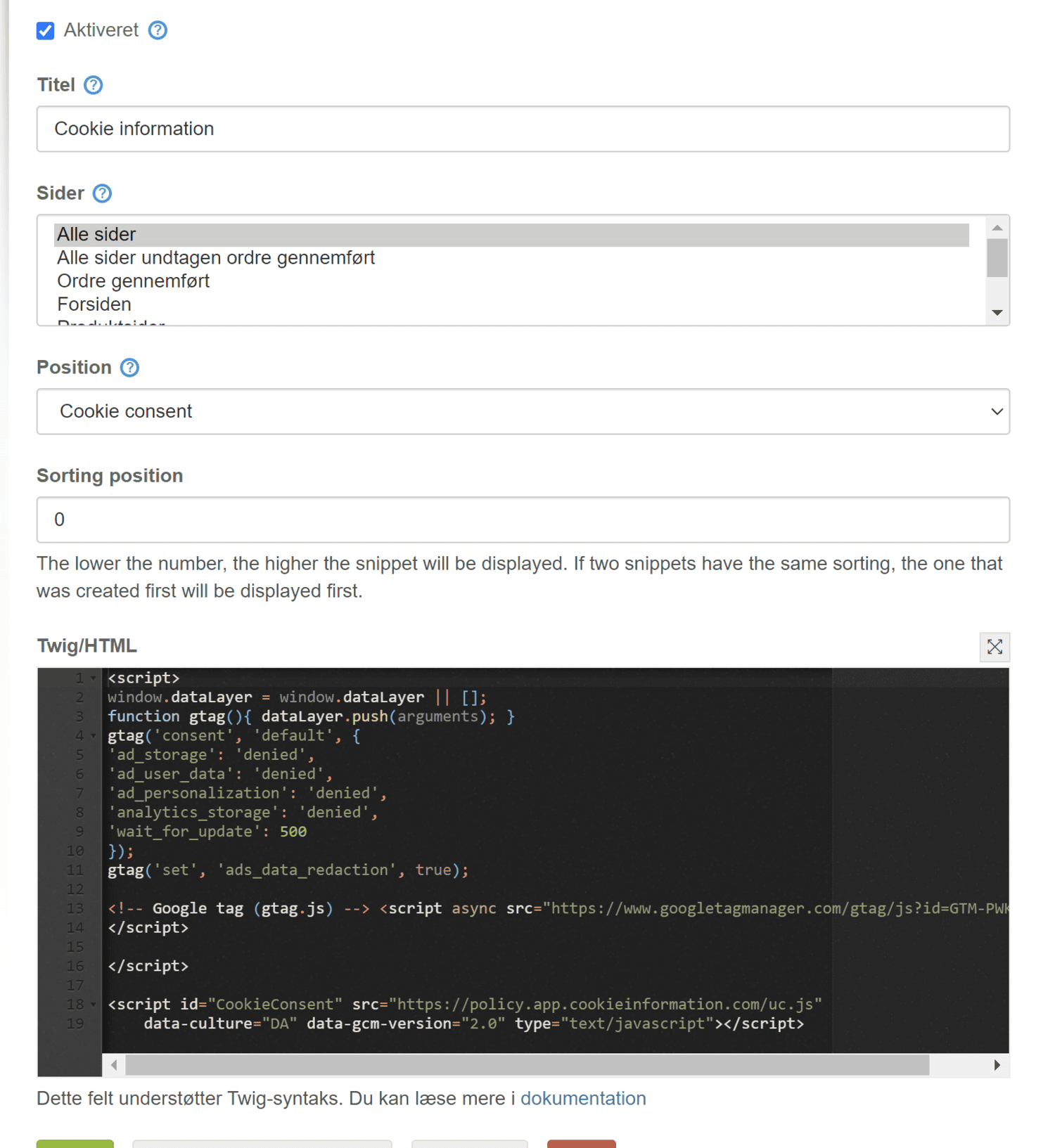
It is important that the position is Cookie consent.
Classifying cookies: mark the e-commerce platform's cookies as necessary
For your cookie banner solution to work correctly, you must classify your cookies in your banner solution. That is, which are necessary/technical, marketing and statistics.
The cookies used by your e-commerce platform here to remember which products have been added to the basket etc. are necessary. They are the following:
- _gpp_shop_language: Stores the user's choice of language to show the correct language on future visits.
- _gpp_shop_currency: Stores the user's choice of currency to show prices in the preferred currency.
- _gpp_shop_country: Stores the user's choice of country to adapt content and delivery options.
- _gpp_shop_customer_type: Records the user type (e.g. private or business) to show relevant prices and information.
- _gpp_y: Long-term user identification (365 days) for analysis and personalisation
- _gpp_purchase_session: Short-term user identification during the purchase process, deleted when the order is completed.
- _gpp_shop_clw: Stores the user's preference for how product lists are shown (grid or list).
- _gpp_tupv: Products visited, to be able to show “Recently viewed” products.
- _gpp_session_id: Maintains the user's session when they are logged in.
- _gpp_gcid: Stores the basket ID for users who are not logged in.
- _gpp_sc_popup: Controls the display of the basket pop-up based on the user's preferences.
- _gppAge: Used to handle age verification, if required for certain products.
- _gpp_landing_page and landing_page: Record the first page the user visited, to analyse traffic sources and campaign effectiveness.
- _gpp_price_display: How prices are shown, including with/without the applicable VAT
If new cookies starting with “_gpp” are added, we will describe them here with their purpose so that you can classify them correctly.
Here are links to guides on classifying cookies with the solutions we mentioned earlier:
- cookieinformation.com classification (opens in a new tab)
- cookiebot.com classification (opens in a new tab)
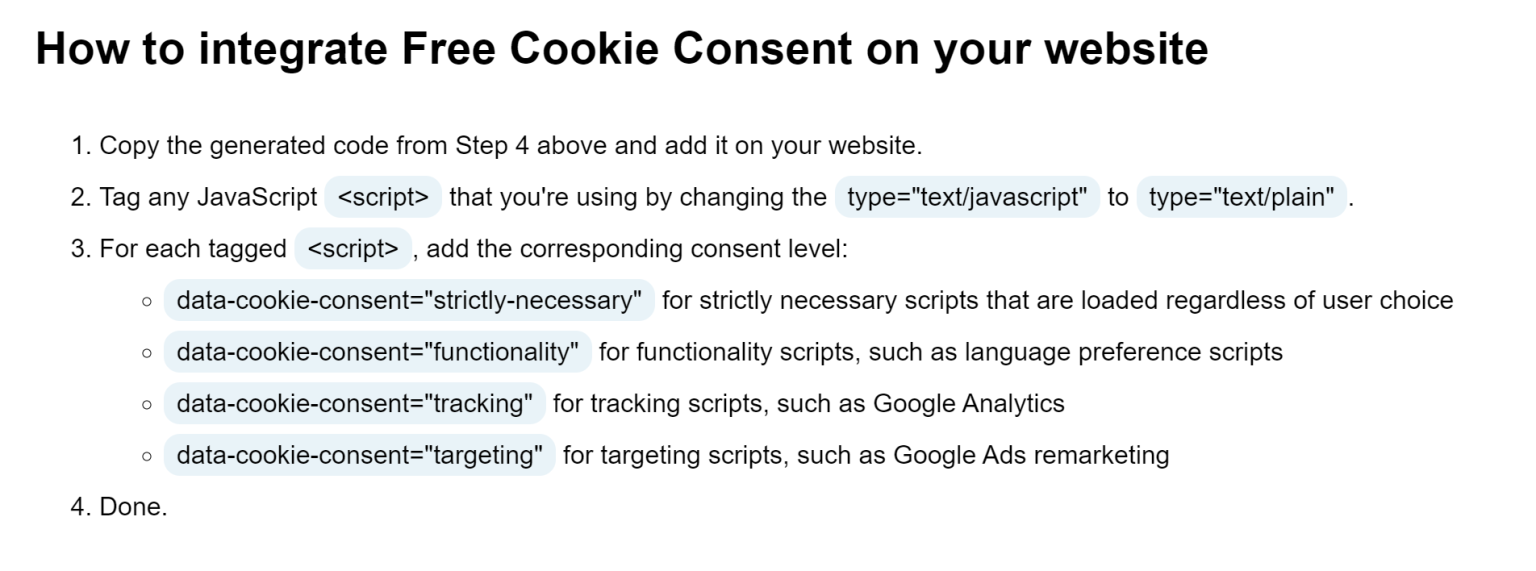
If you use the free freeprivacypolicy.com, you have to classify with a piece of code in each individual script. This is described in this section of their guide here (opens in a new tab)
Google Consent Mode V2
The EU's Digital Markets Act (DMA), which the large platforms must comply with from March 2024, requires Google and other large companies acting as gatekeepers to obtain appropriate consent from the users of their so-called “core platform services”.
For your online shop, it is the cookie rules and the GDPR that require consent; Consent Mode v2 is Google's way of receiving that consent.