In this category Product catalogue
Product catalogueProducts
Filtering by attributes
On this page
A product can have several variants – e.g. size or colour – but a product can also have several attributes.
A dress can, for example, be red, have a polka-dot pattern and be made of cotton. These are the dress's attributes.
You can filter by attributes, so your customers can search for, e.g., all red dresses, computer screens with LED, or whether something belongs to a particular holiday.
You decide entirely for yourself which attributes you create and give your products.
The attributes can then be shown as filter options for your customers.
Create an attribute
You create attributes for your products by going to Product catalogue > Variants and attributes. Read here how to create a new attribute.
Add attributes to products
Once you have created your attributes, they need to be set on your products so they can be filtered correctly.
Go to Product catalogue > Categories and products and Edit the product you want to add the attributes to.
On the product, choose the Attributes tab and choose Add new.
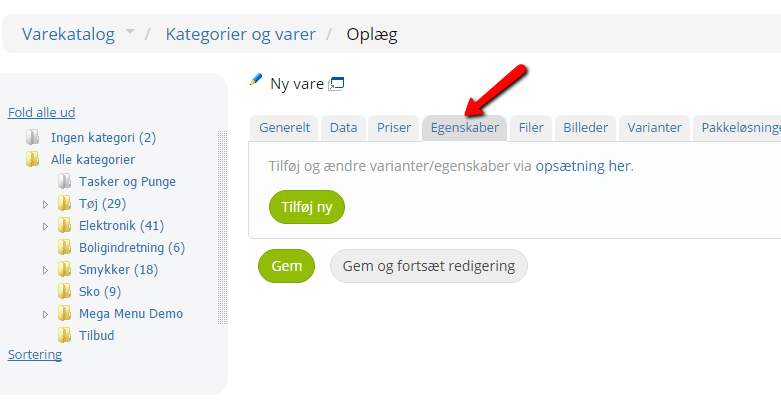
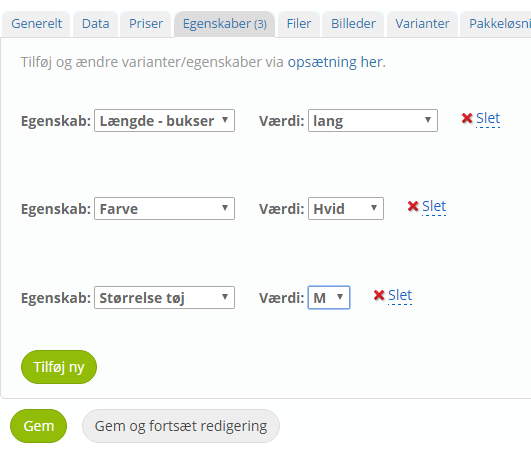
First choose the attribute – and then the value you want to add to the product.
You can choose one value per attribute.
Remember to save when you are happy with it.
Filtering/Refine selection
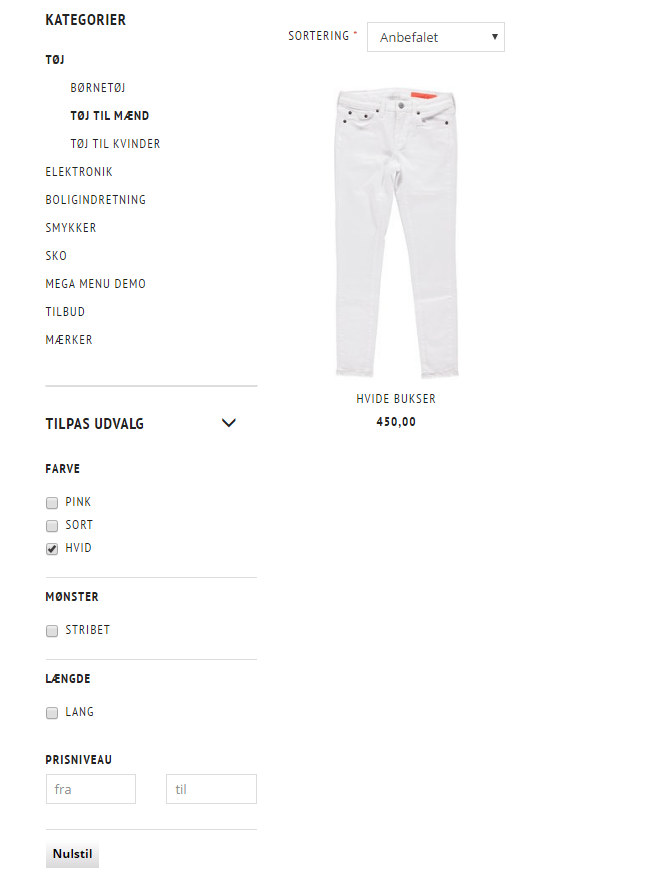
In your category view you will now see the filter options you have chosen. They have been given the name Refine selection.
Here your customers can tick the attributes they want, and the selection adjusts accordingly.