In this category Other topics
Add products to the basket via a web address/URL
On this page
Click a link, and the products are added to the basket.
For this to work, every product in your online shop must have a unique product number.
The web address consists of:
Domain name + /cart/add/batch/ + the product numbers of the products to be added, plus the quantity
Example 1: Add one product each time the link is clicked
https://webshopdemo.dk/cart/add/batch/100w4:1 (opens in a new tab)
100w4 is the product number and 1 is the quantity
Example 2: Add several products each time the link is clicked
For several products, separate the product numbers with commas:
https://webshopdemo.dk/cart/add/batch/100w4:10,60w4:1 (opens in a new tab)
Here it is 10 of product number 100w4 and 1 of product number 60w4.
Example 3: Reset the basket and add products
In examples 1 and 2, the products are added to whatever basket the customer may already have with products in it – every time the link is clicked.
That can of course be impractical if you need to recreate a basket and the customer already has some or all of it in the basket.
You solve this by adding ?reset to the web address, so the one from example 2 looks like this:
https://webshopdemo.dk/cart/add/batch/100w4:10,60w4:1?reset (opens in a new tab)
How to set/find the product number
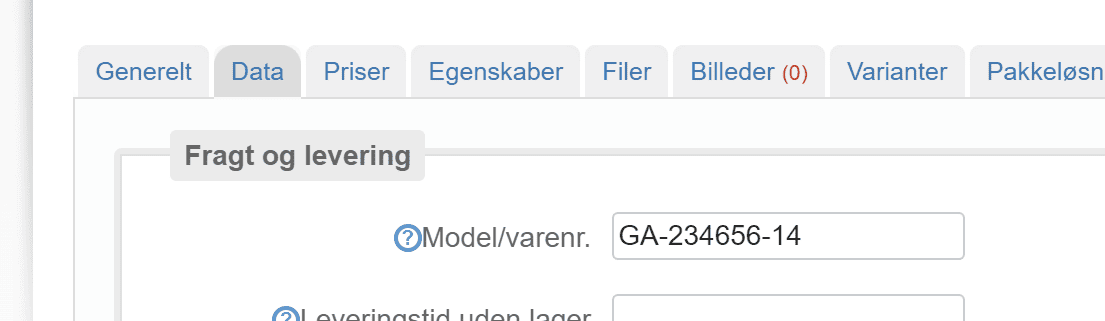
Product numbers – also called Model/product no. in the shop's admin – can be found, for example, when you edit the product and go to the Data tab
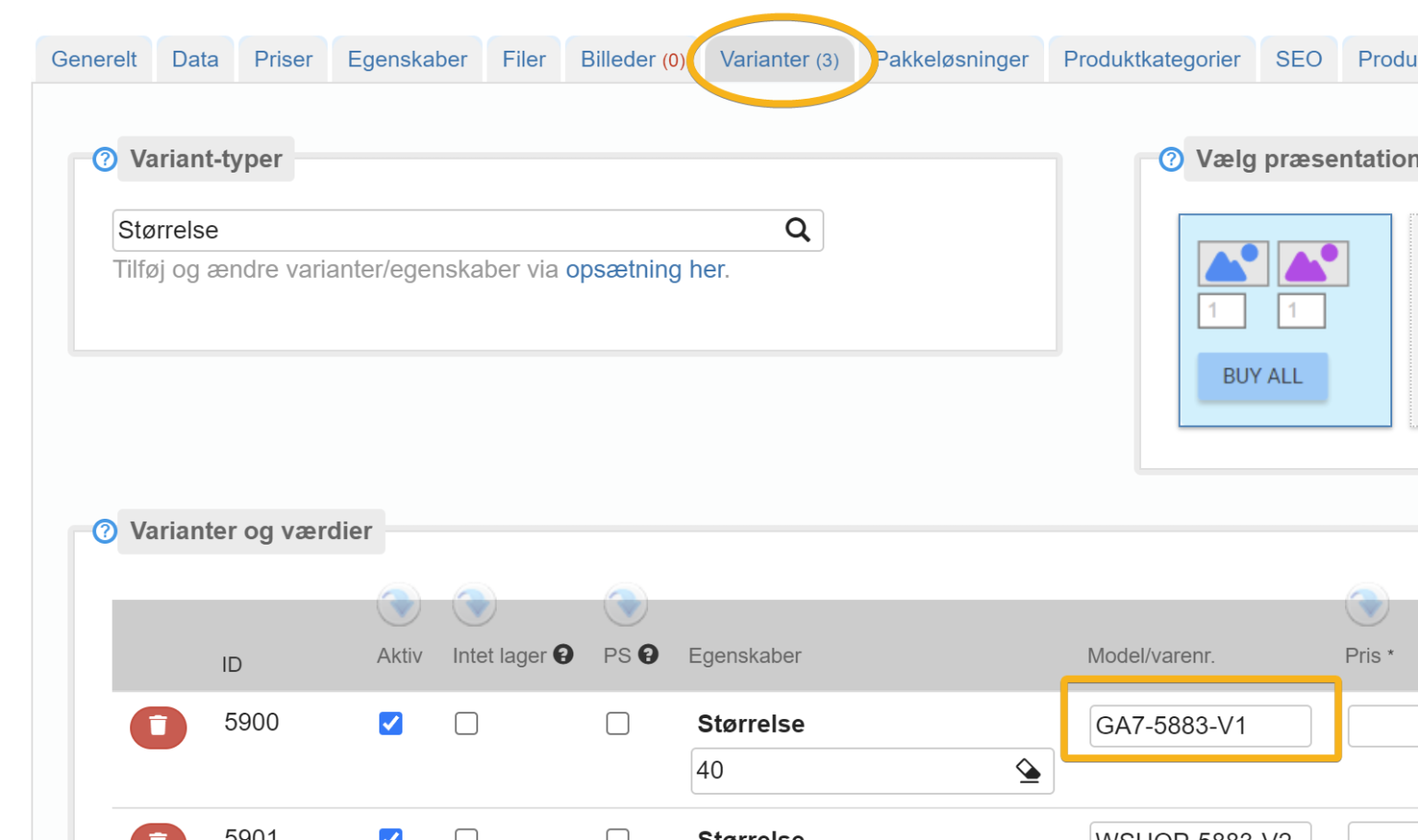
If it is a variant that should be added to the basket via a link, you need to use the product number shown on the variant
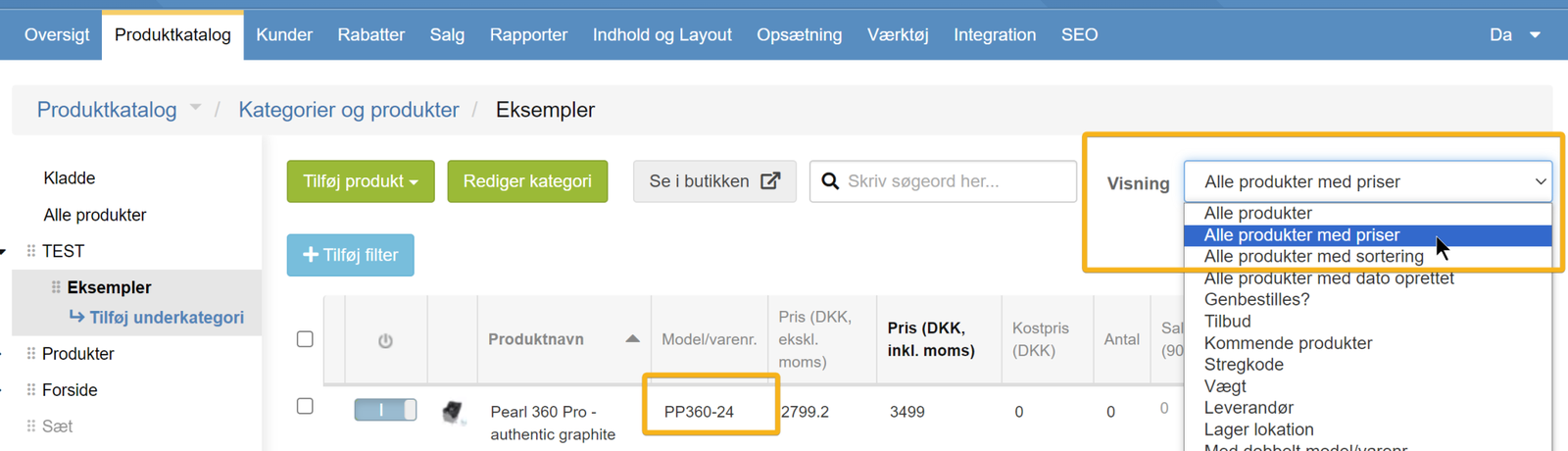
You can also see product numbers in the product list, for example by choosing the view All products with prices
Unique product numbers are important
To use this way of adding to the basket by product number, there must be only one product with the product number you give in the web address.
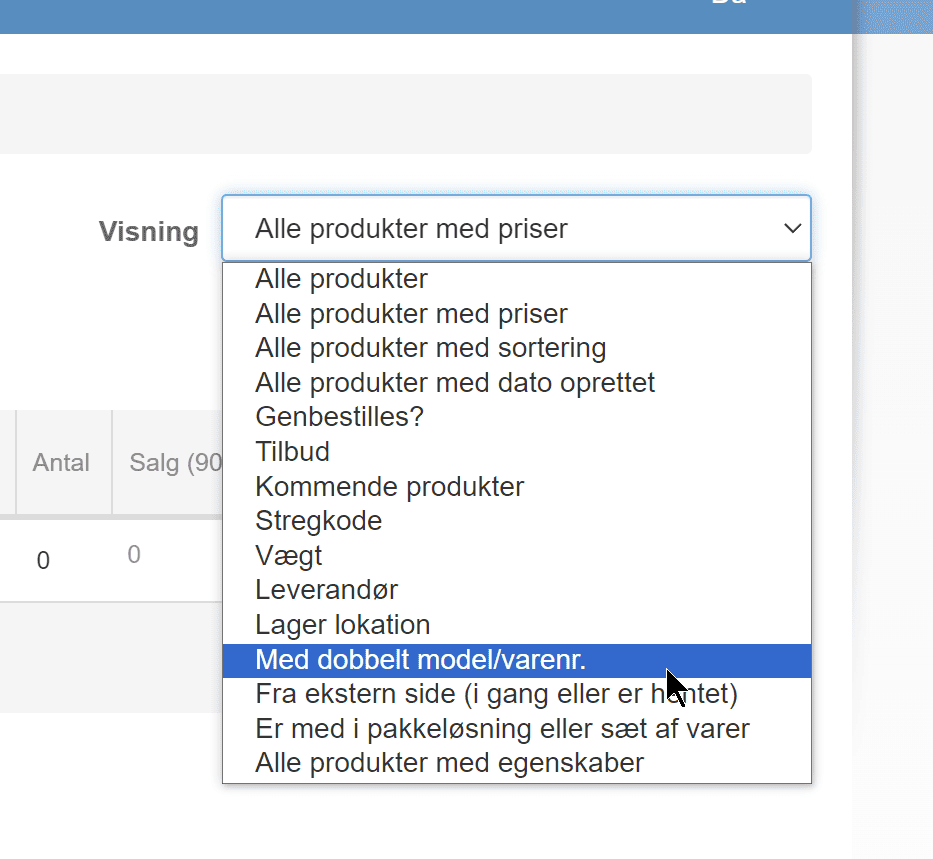
You can check for product numbers that are used more than once by choosing this view in the product list (for all products):