
In this category Other topics
Maintenance mode
Sometimes you need to close your online shop for a while – perhaps a lot of new products need to be added, the design changed or something else major, so that nobody can shop while it takes place.
You can quickly and easily close your online shop so that nobody except administrators has access to it.
You do this via Tools > Maintenance
With the top button – Down for maintenance: ON/OFF – you can close the shop temporarily. When the button is set to ON (blue), the online shop is closed, so only those logged in to the admin can see it.
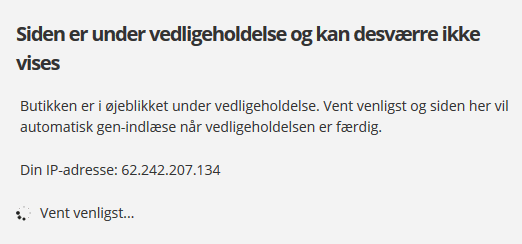
Other people who visit the domain will see a message that the shop is currently under maintenance and cannot be shown.
Even though the online shop is closed to others, administrators can still see everything – including the home page – so that the design, for example, can still be seen and changed.
When you click the Shop button in the top bar, the shop's home page is shown – with a message at the top, which only you can see, saying that the shop is currently not available.

This means that the changes being made cannot be seen by anyone other than those logged in to the admin.
When the shop is opened again – by setting the button to OFF (grey) under Tools > Maintenance – everything will be back to normal, and it will be possible to shop again.
Remember to click Save changes every time you make a change for it to take effect.
Exclude an IP address
If you are working with someone who needs to be able to see the shop while it is in maintenance mode, you can exclude an IP address.
If a friend is going to check whether the design looks fine on another computer, this is where you enter the IP address of the computer that should be allowed in.
You can find an IP address by looking at http://whatismyip.com (opens in a new tab)

Remember to click Save changes every time you make a change.