
In this category Other topics
Create an order as a customer
Sometimes you may need to log in to a customer's account to create an order on their behalf.
There is a feature that lets you log in to their account directly from the admin.
Go to Customers > Customer list – and then choose Login on the right, next to the customer you want to log in as.

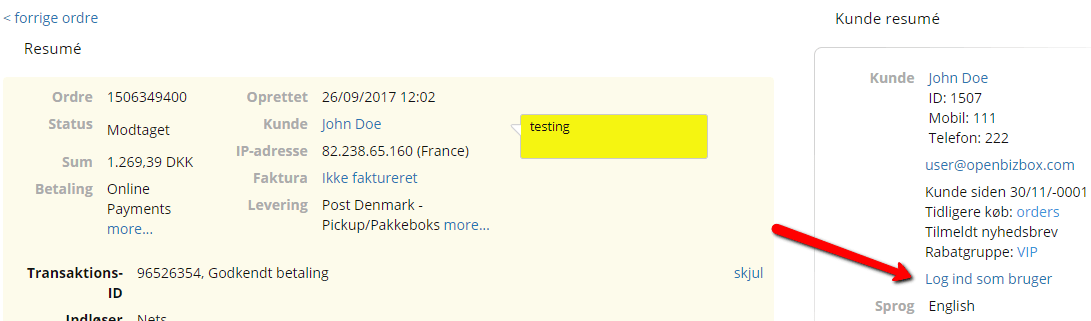
If you have a previous order from the customer, you can log straight in to the customer's account from the customer summary in the right-hand corner by clicking Log in as user.
If you need to log in to a customer's account from your shop's home page, you can use the master password.