
In this category Other topics
Monitor customers suspected of fraud (or anything else)
On this page
If you have a person who is suspected of fraud – for example misuse of card payments or claiming that products are missing from an order – and you would like to monitor their future orders, you can now be notified when new orders come in from the same IP address or email address.
Choose who is notified of suspected fraud
First, choose who on your team should be notified when “the alarm goes off”. You do this via the list of users in the admin
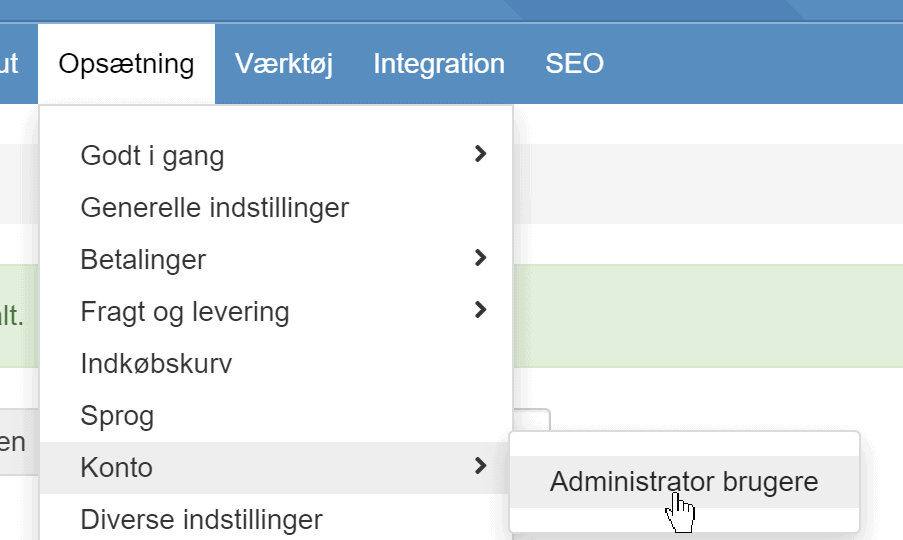
Click Edit next to the user/email address on your team who should be notified. Then enable the setting at the bottom
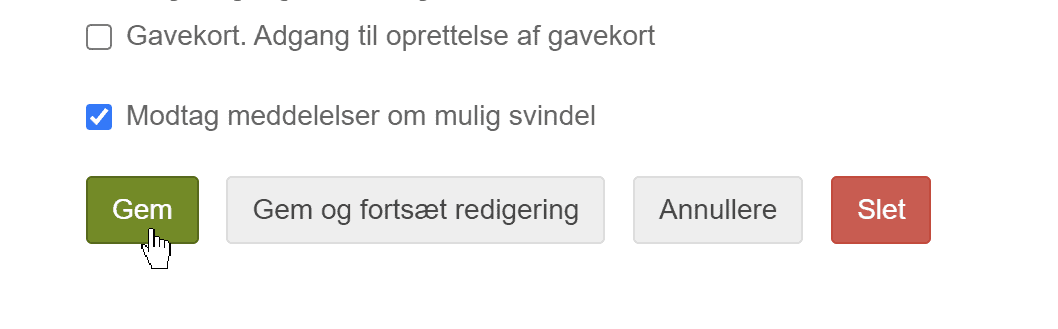
You can do this for everyone it may be relevant for (it is not limited to one email/person being notified).
Enable monitoring
You enable monitoring from an order you have received. Go to the order's detail page, like this one
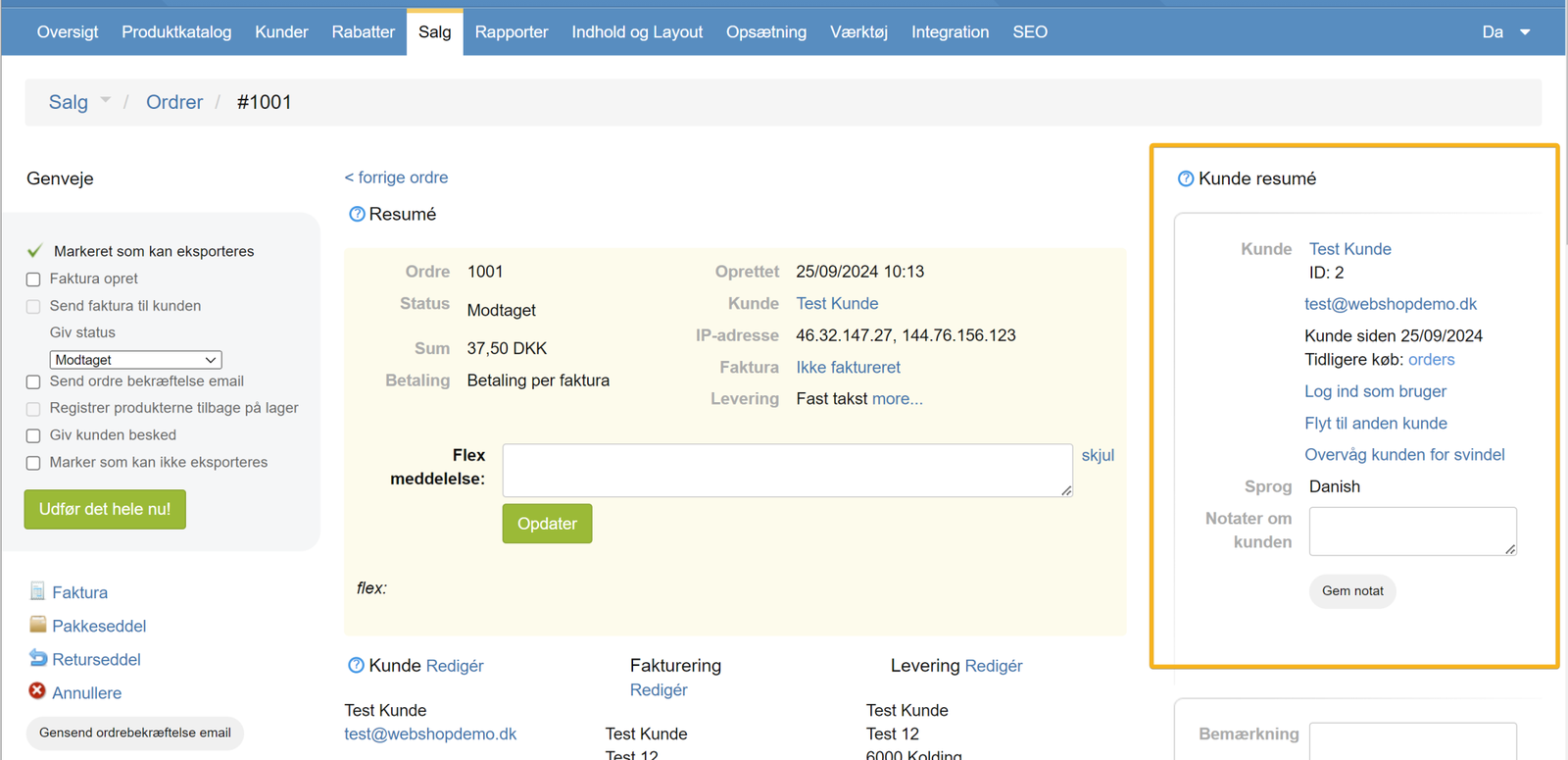
and in the section on the left, you can enable monitoring based on that customer/order:
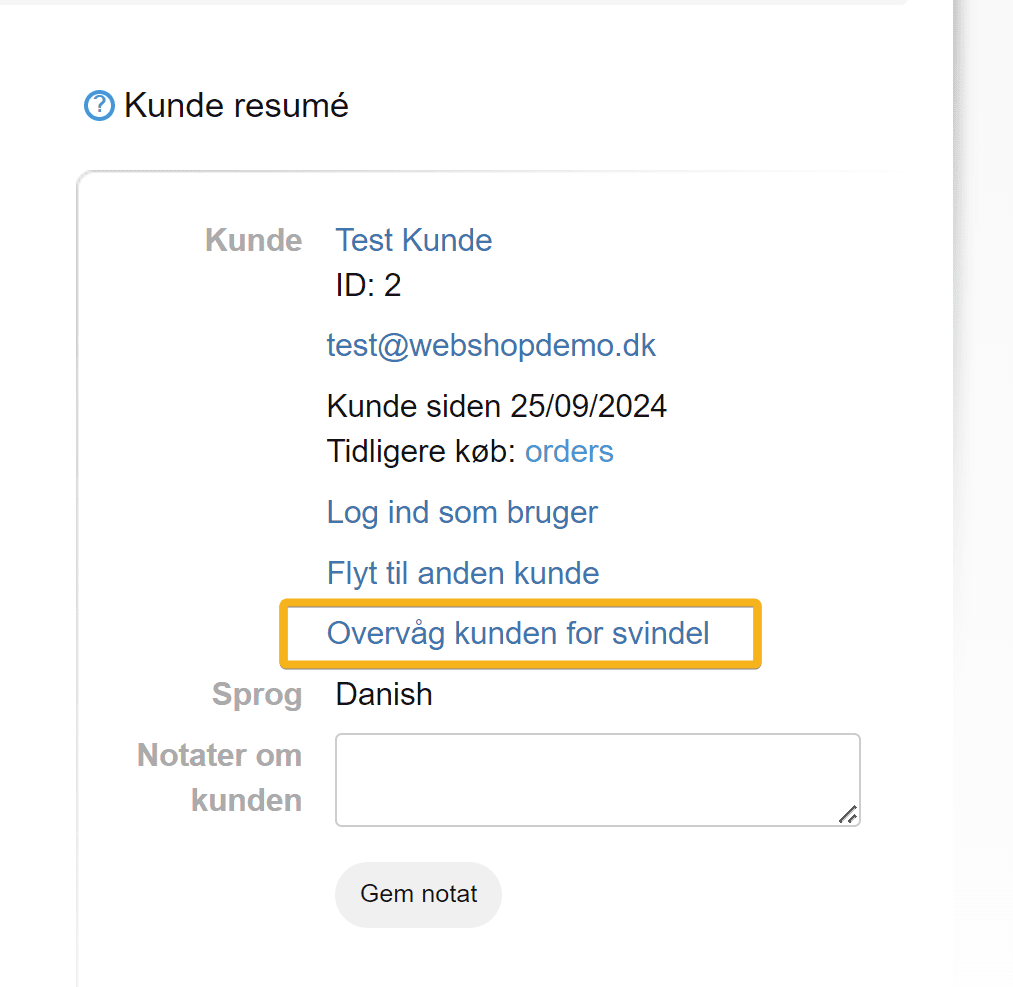
If a new order comes in from the same email address or IP address, it will trigger an alarm, and an email about it is sent to the chosen person(s) on your team.
List of everyone being monitored (and delete/stop monitoring)
You can see a list of everyone being monitored via
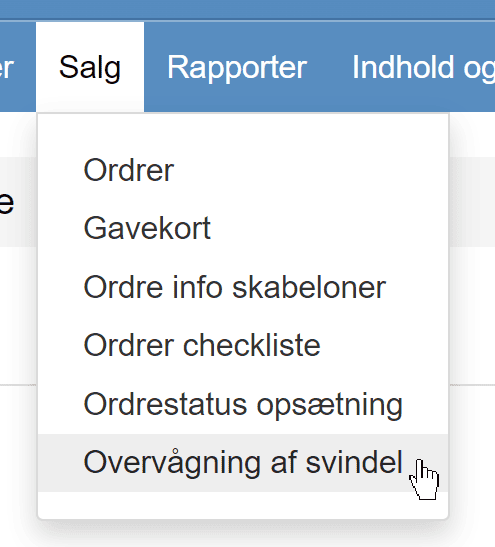
There you can also remove monitoring by clicking the delete icon next to someone in the list.
Block an email address from placing new orders
It is free and fairly easy to create a new email address with, for example, Gmail. So this option should be seen in that light.
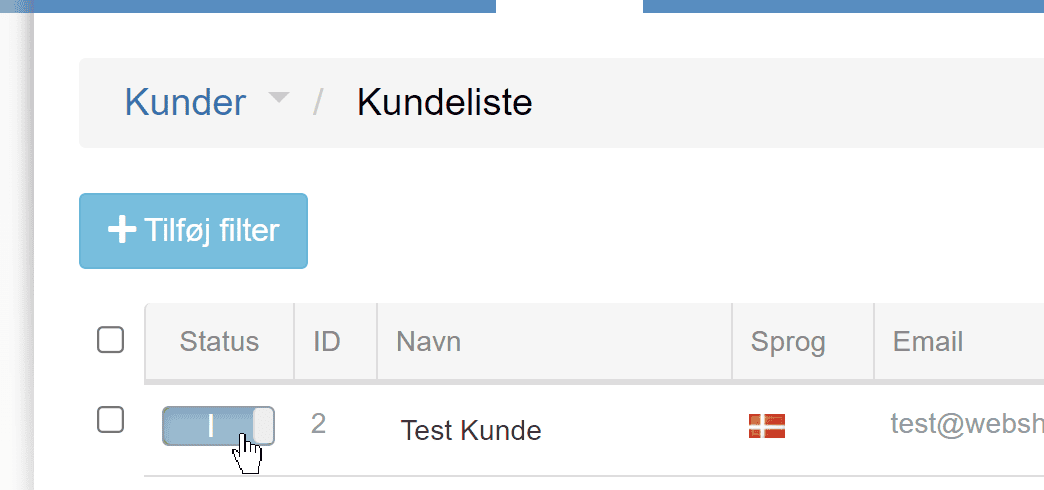
But some people may not bother to create a new email address after all. And you can stop them from shopping again by going to the customer list, searching for the person and then turning them off with the on/off switch in the list, or by editing the customer
Remember to save your changes.