
In this category Other topics
Users with login access to the admin
You can create an unlimited number of users with a login to your online shop's admin.
One of the advantages of each person having their own login is that you can see who did what, e.g. on an order. Each person can also have their own chat conversations with support here at Golden Planet instead of seeing replies to other people.
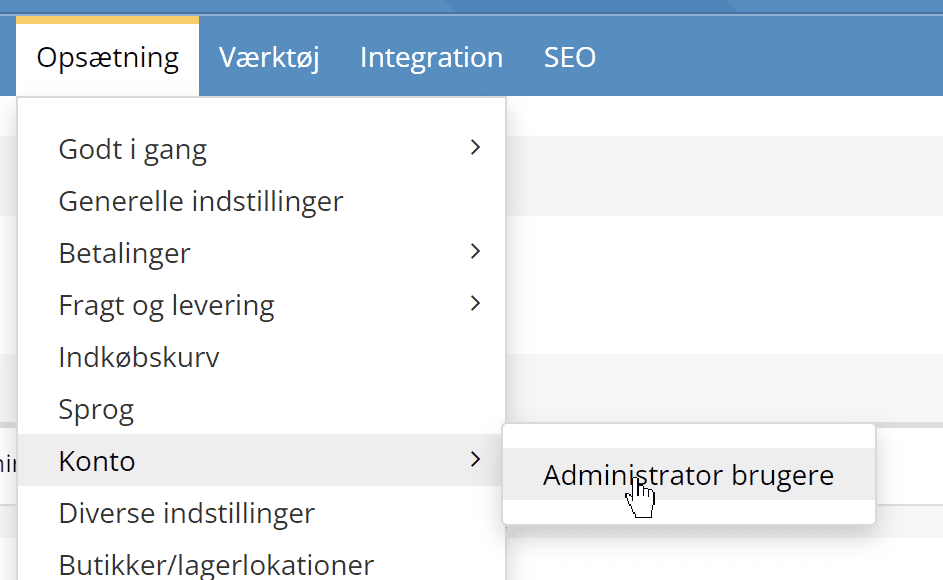
You create, delete and adjust users via this menu item:
You can give a user access to everything as Owner or Administrator. Alternatively, you can tick one or more of the other options:
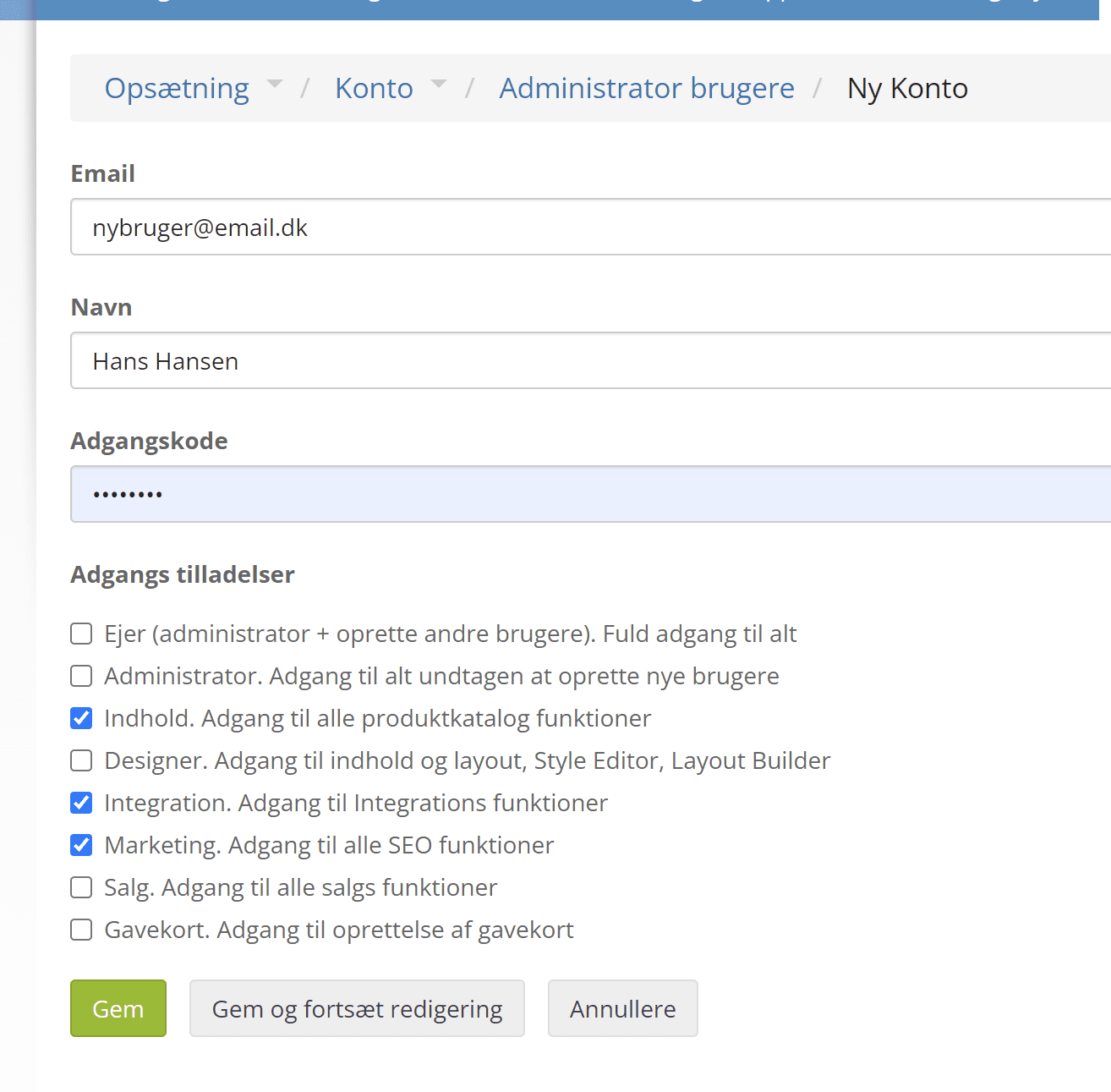
The user is created when you click Save. No automatic message with the password is sent to the new user – you have to give it to them yourself if relevant. A user can always change their password after logging in – this is also done via the admin users menu item.
Extra security with two-factor authentication (2FA)
If someone should get hold of a user's password – for example because it is also used elsewhere – two-factor authentication can stop them from using it to log in to your shop's admin.
When you enable “two-factor authentication” (2FA), a code is sent by email, which the user must also enter when logging in from a new device within 30 days.
You can enable this by going to the user settings
Click the user who should have two-factor authentication enabled (or turned off again). Tick as shown here:
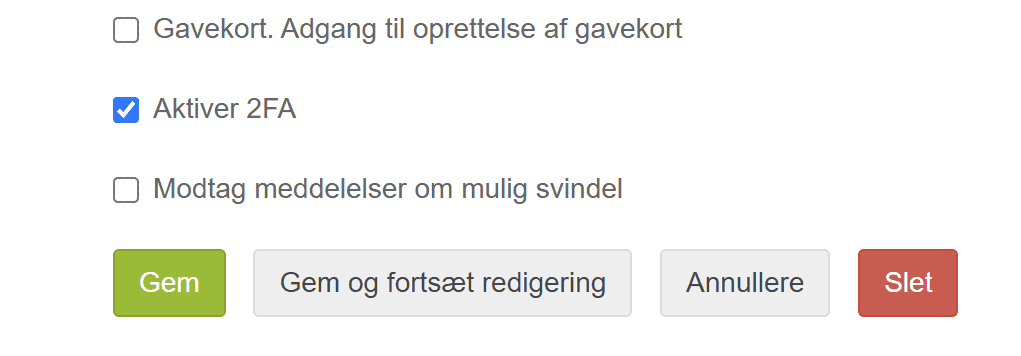
Click the Save button. The next time they log in, the user will be sent an email with a code to enter.