In this category Other topics
Edit customer emails
You can edit the emails that the system automatically sends to your customers. For example, you may want a different and more personal text in the welcome email or in the order confirmation email – this is how you change it.
Edit
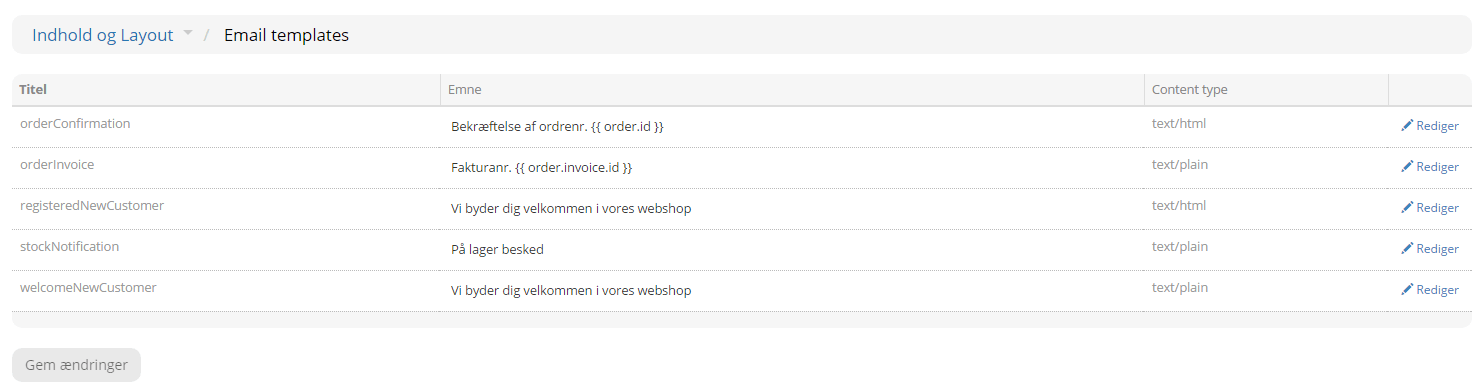
Go to Content and layout > Email templates.
In there, choose the email you want to edit by clicking Edit on the right.
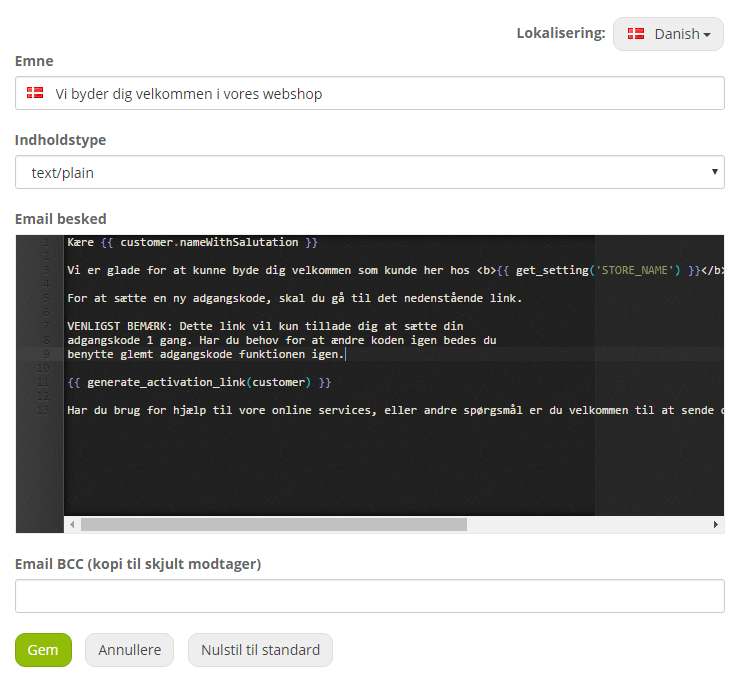
If the content type is text/plain, you can only change the text.
If the content type is text/html, there is a field for CSS code, where you can change the look of the email (only edit this if you know CSS), as well as a field for editing the HTML text.
You must choose one of the content types. You only need to edit one of them – e.g. text/plain if you are not familiar with CSS and HTML.
At the bottom, you can enter an email address that will receive a copy of the email sent to the customer.
Remember to save – and if everything goes wrong, it can all be reset to the default again.
Be careful when changing the codes, i.e. everything between {{ and }}, as they fetch the information directly from the system.