
In this category Release notes
What’s new in version 6.18
On this page
Here are the new options you have got in your online shop this time:
- Built-in tool for designing banner sliders
- Easier assignment of permissions in the admin
- Log in as a customer directly from the customer list
- New products can get a “New” label on images
- SEO analysis updated for page title length
Built-in tool for designing banner sliders
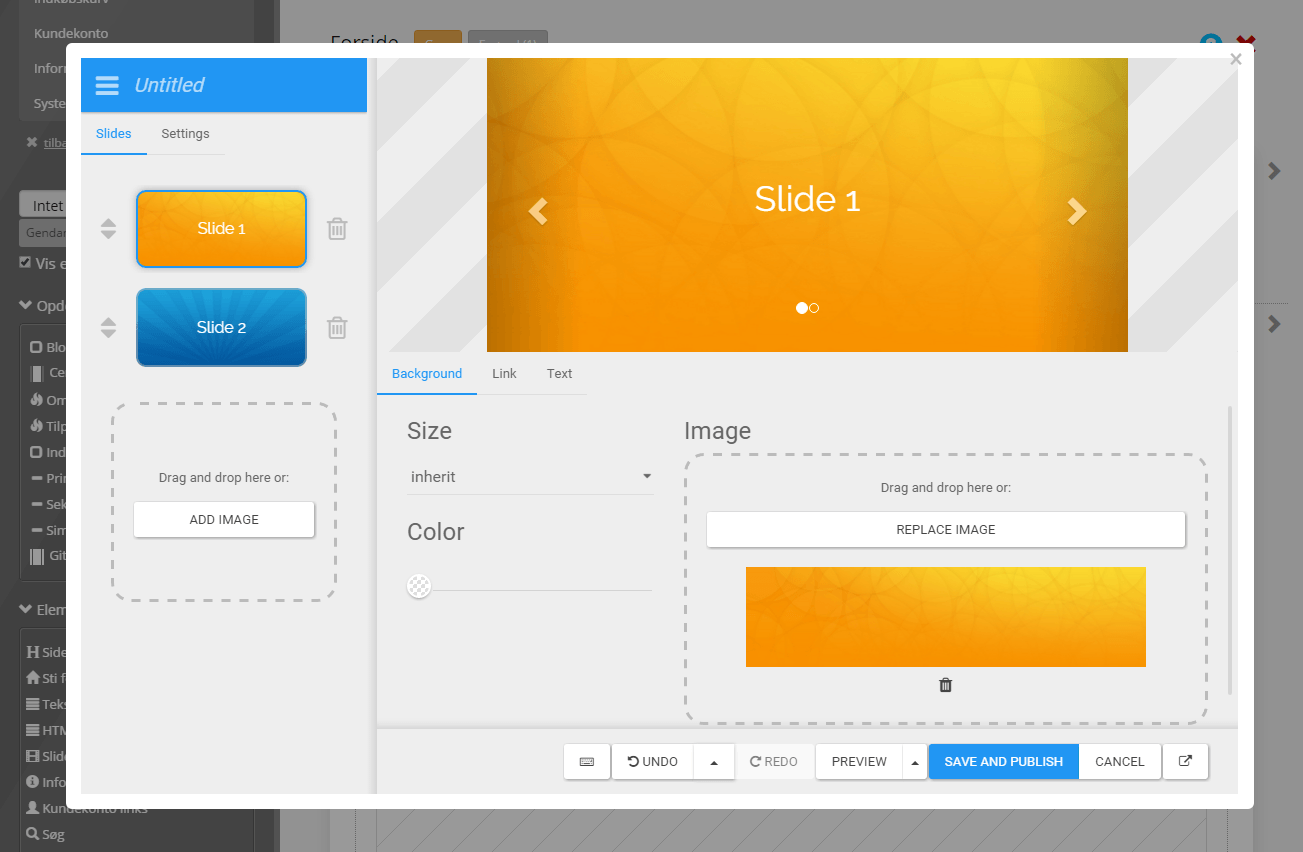
It has become much easier to create a banner in your layout. Either as a single banner or several in a slider.
You’ll find the new tool by choosing the layout tool at the top of your admin:

Then, under the elements on the left, you can drag Slider Builder to where you want the slider placed.
The designer opens automatically, and you can then set up your slider.
Easier assignment of permissions in the admin
If you have added users to your online shop’s admin, it has now become much easier to decide what they should have access to.
If, for example, you have a designer helping you, you can give them access to the design tools only.
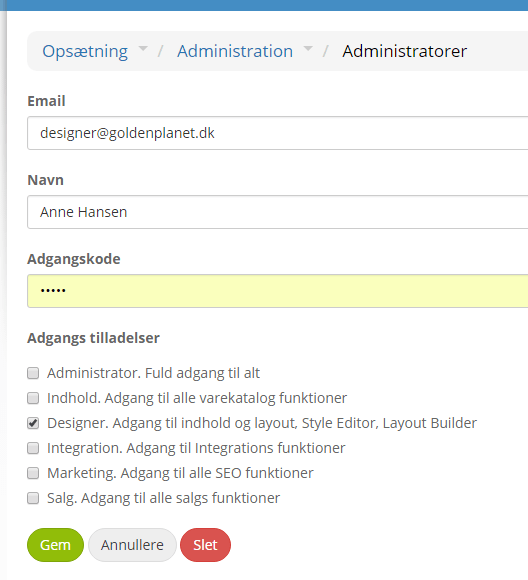
You set the access either when creating or when editing users. You’ll find user management under Settings > Administration > Administrator.
There you choose which parts a user should have access to. A user can easily be given access to several – e.g. design and integration.
Here is an example of a user who only has access to the design-related parts of the admin:
You should go through all your current users and make sure they have the right permissions under the new settings.
Log in as a customer directly from the customer list
All your customers can log in to your online shop to see previous orders, keep what is in their basket etc.
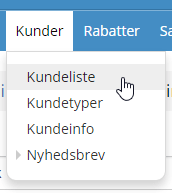
Now you can log in as a customer directly from the customer list. For example, if you need to help a customer put an order together or change their address book.
You do this by going to the customer list via the Customers menu:
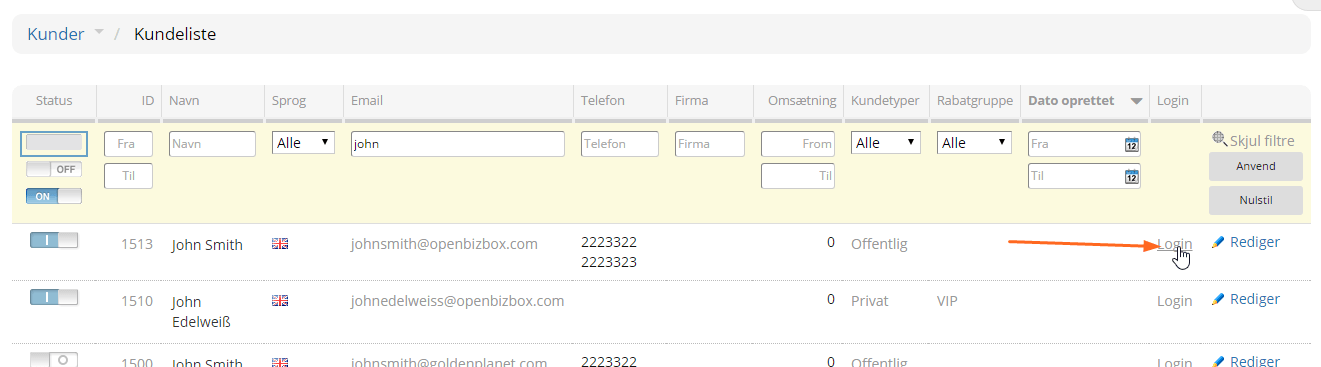
You can find the customer by filtering at the top. Once you have found the customer, click Login next to the customer you want to be logged in as:
When you no longer want to be logged in as the customer, click the Switch icon at the top right:

New products can get a “New” label on images
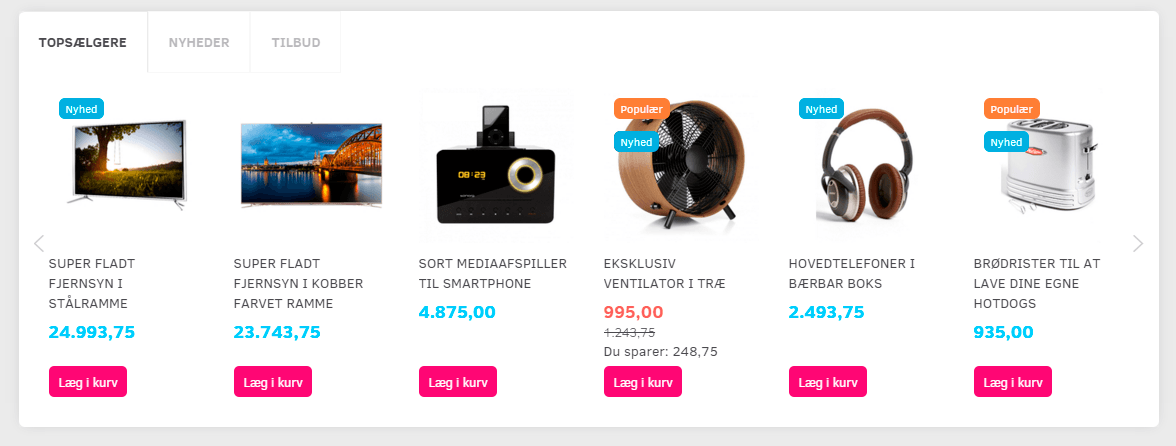
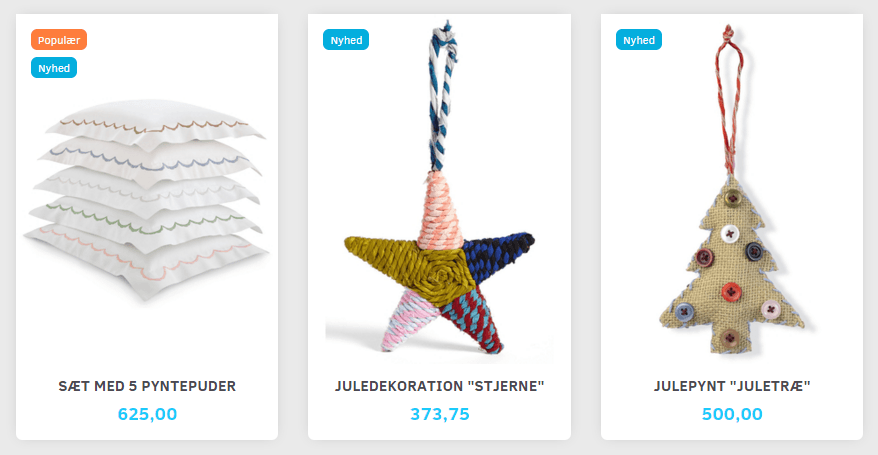
It is now possible to highlight new products by giving them a “sticker” with the title “New” on the image in sliders and product categories.
In a product slider it could look like this:
And here is an excerpt from a product category:
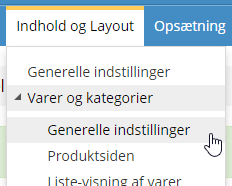
You activate it via Content and layout > Products and categories > General settings:
There you’ll find this new setting, where you enter for how many days a product should be shown as new (from when it was created):

SEO analysis updated for page title length
Most searches on Google now take place on mobile. That’s why it has become more important for your SEO to optimise page titles within the length typically shown on mobile devices.
The built-in SEO analysis has been adjusted so that your titles are analysed against a page title of at most 55 characters (previously it was 70 characters).
It may take up to 24 hours from when your shop is updated until all pages have a new SEO analysis.
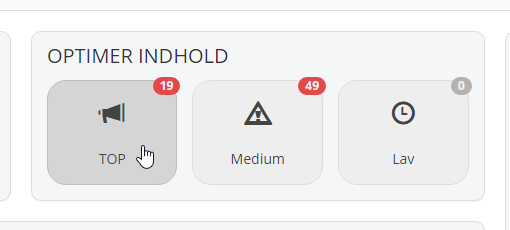
The SEO analysis is a really good place to start to get the foundation for good search engine rankings in place. You’ll find your SEO analyses via the Dashboard:
What’s coming in future updates?
Some of what we are currently working on for coming updates of your online shop:
- Extra tabs on products (unique per product): a clear way to divide up extra content on products.
- SSL encryption of checkout: so far the payment process itself has been encrypted, but now it will also be possible to enable encryption when name and address are entered (and to be honest, it’s mostly so you can make Google happy). SSL is expected to be ready now, but we want to see it working optimally in practice too – contact us if you would like to start using it.
- Filtering products by features: give your products features that customers can filter by (e.g. country of origin, organic, new/used etc.)