
In this category Release notes
Version 6.63
On this page
Five new features sent out in this update
- New options for XML product feeds
- Price campaigns: switch off the offer when your own stock is sold out
- Price campaigns: limit to the number of items in your own stock
- Let customers see prices with or without VAT
- Invoice email as an option in the checkout (e.g. for business customers)
New options for XML product feeds
Previously, some product feed settings were controlled from the individual categories, where you could exclude them. That worked well in many cases, but could also be hard to keep track of. The same was true of the individual variant groups.
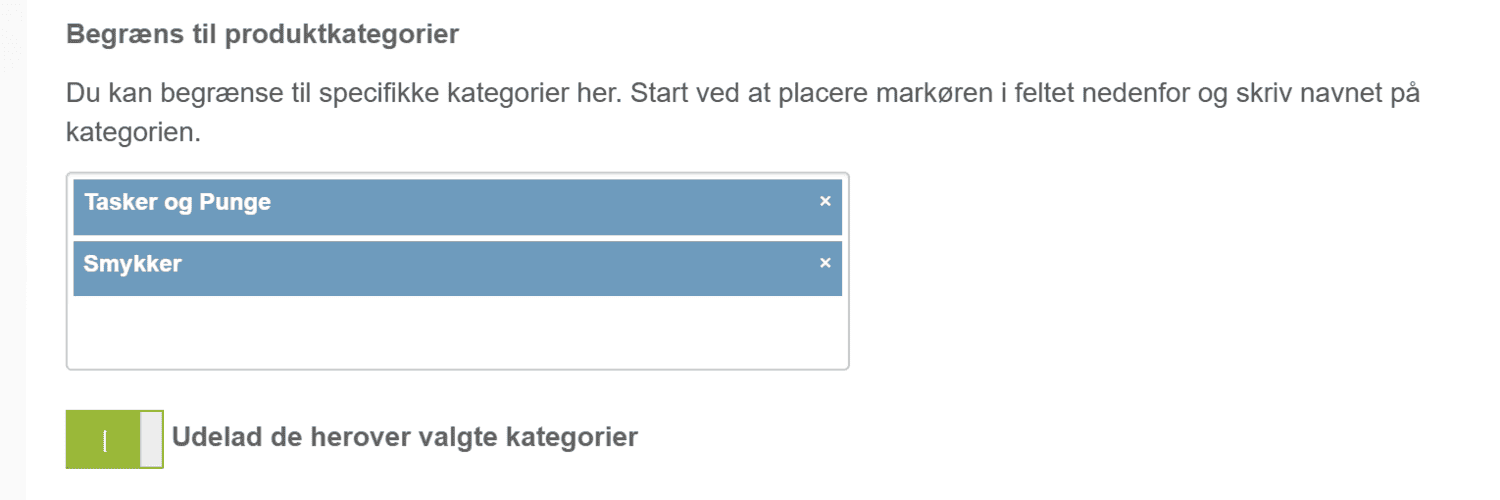
After this update, these are controlled on each product feed. You can now include or exclude categories on each feed:
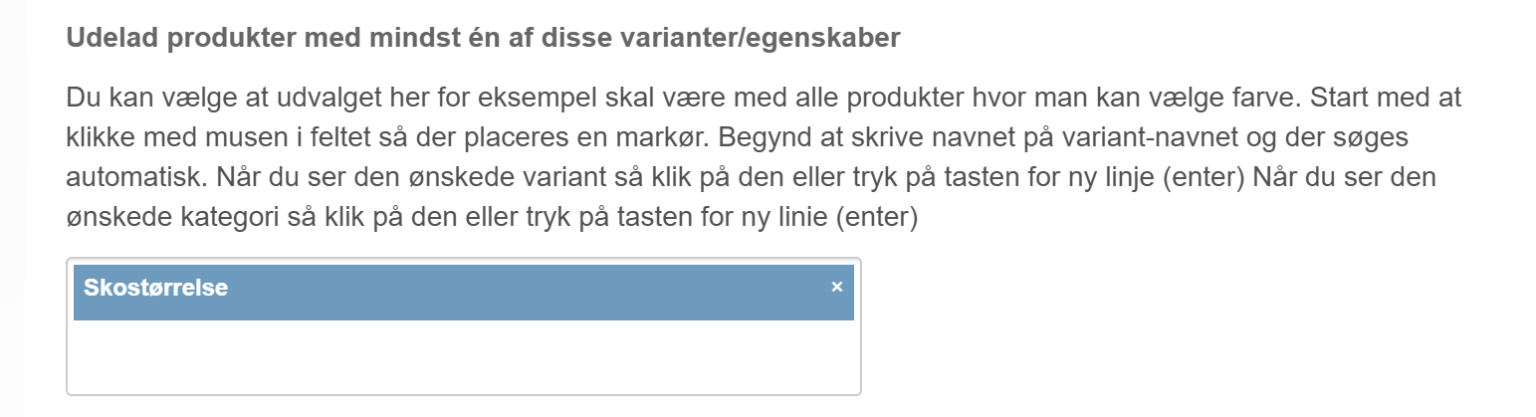
You can also specify variant groups that should not be included in a particular feed
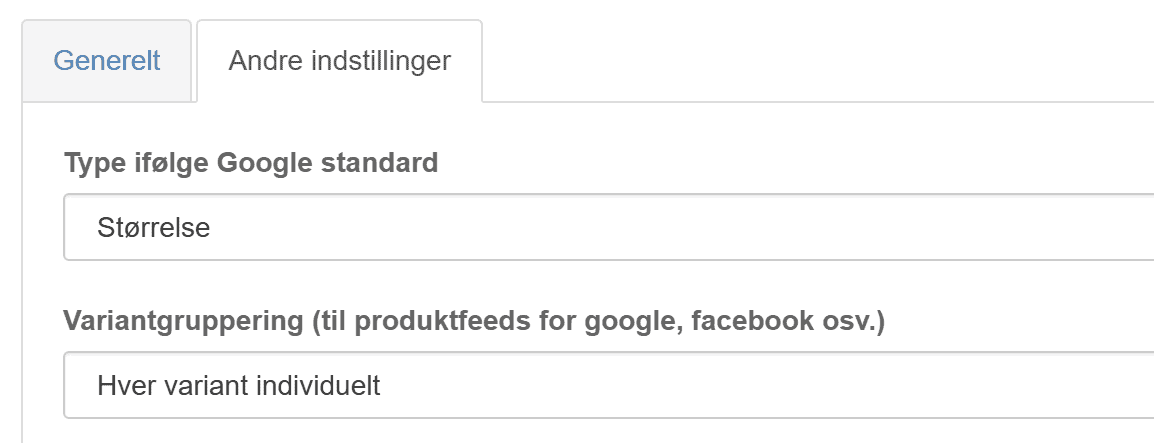
The setup of the individual variant groups has also become more flexible and easier to follow

Price campaigns: switch off the offer when your own stock is sold out
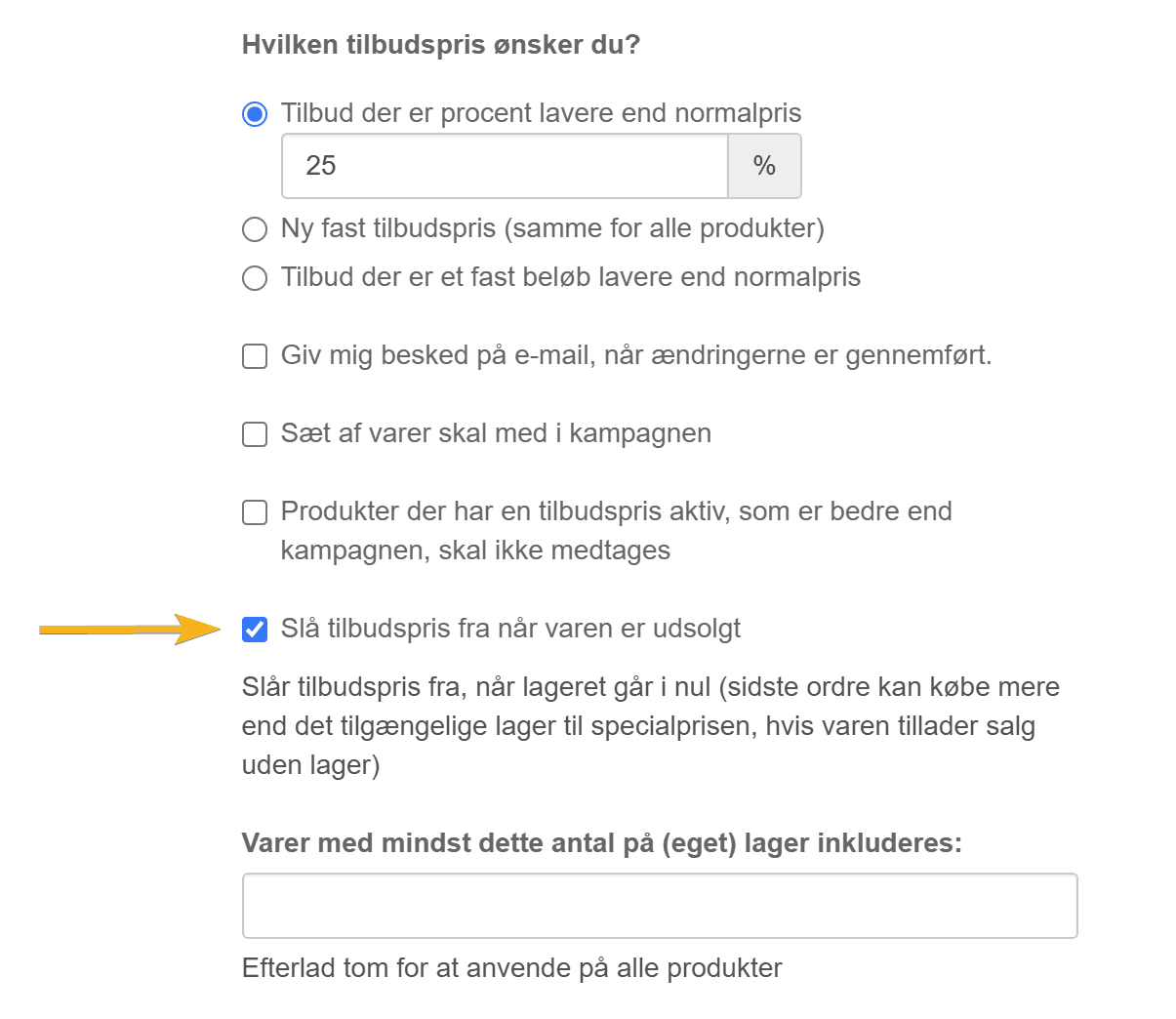
Now you can run a price campaign that is optimised for selling out your own stock.
You can choose to have the offer on a product switched off automatically when there are none left:
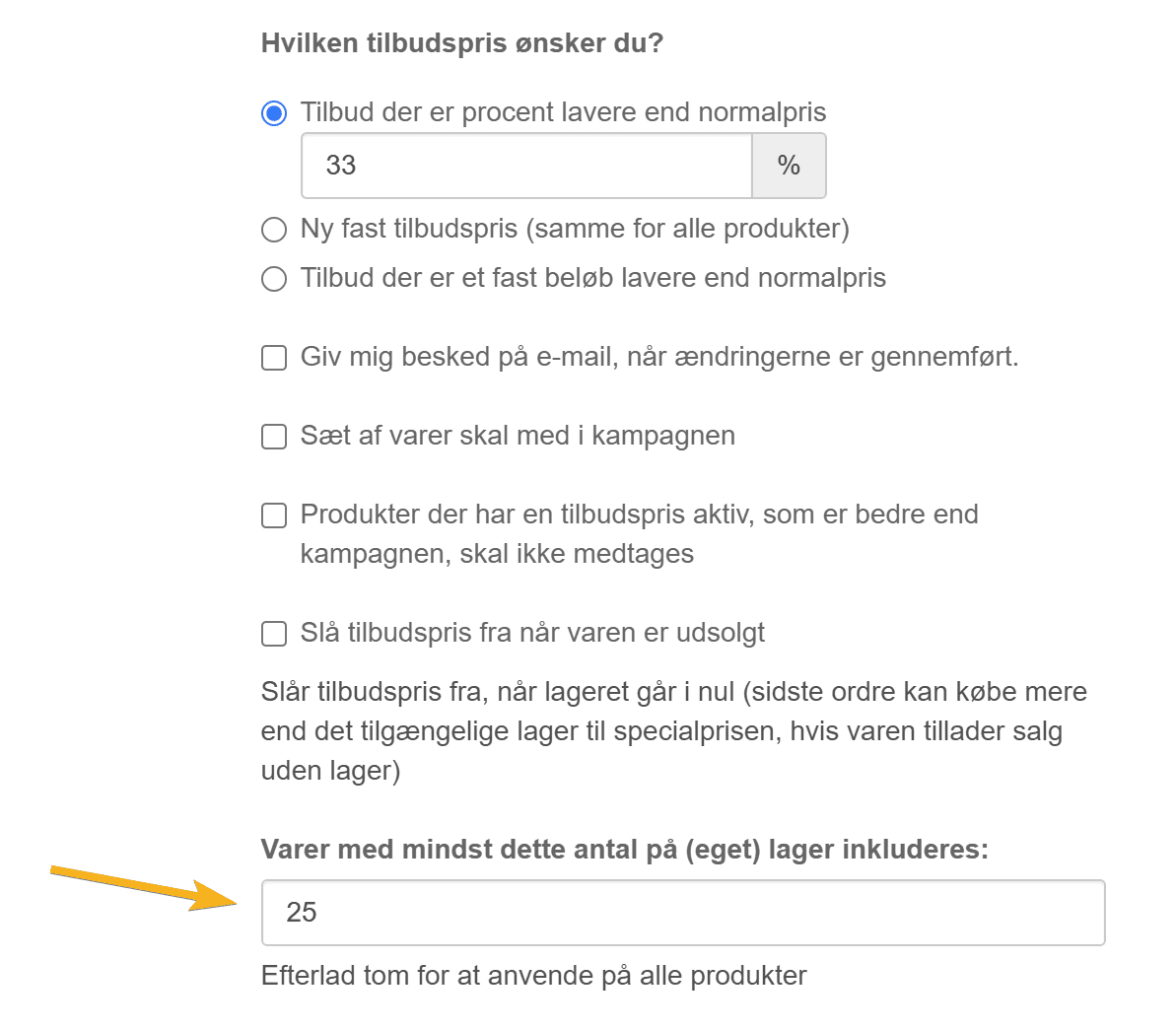
Price campaigns: limit to the number of items in your own stock
It is now also possible to run a price campaign only on products that are in your own stock – that is, sell at a reduced price only from your own stock, without having to order more in from the supplier:
Let customers see prices with or without VAT
As an alternative to showing prices both with and without VAT, you can now give your customers the choice of which price they want to see.
This is of course especially relevant if you have both B2B and B2C customers.
You can place the option to switch between prices with/without VAT wherever you like. For example at the top of every page – it could also be just below the price on product pages – or somewhere else.
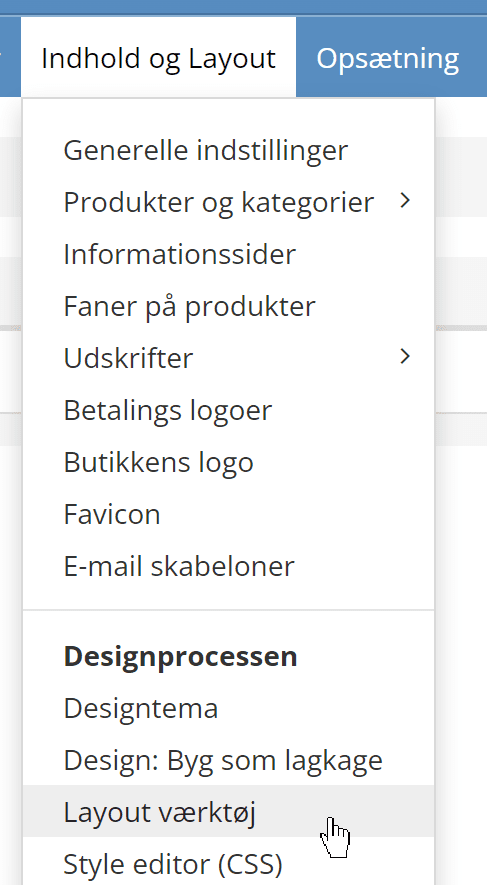
You can place it by going into the layout tool
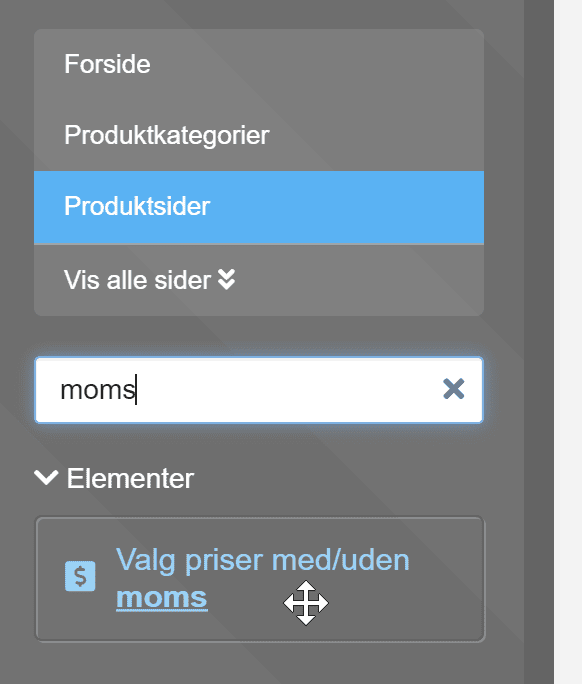
Go to the chosen page type – here, for example, product pages – and then to the VAT element to find it quickly
Drag it to the position you want – here below the price on product pages
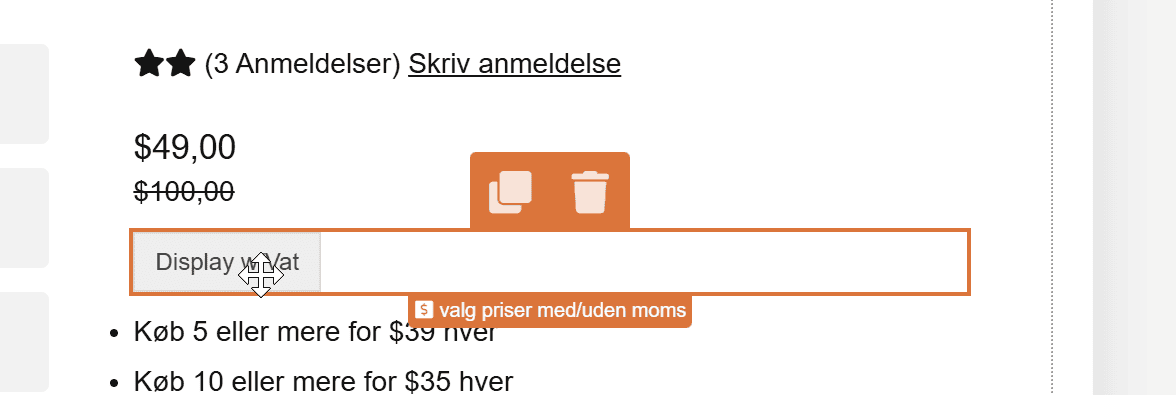
Save changes and see it in the shop.
If you need help with this, or perhaps want to adjust how it looks, feel free to write in the chat from the admin or send us an email.
Invoice email as an option in the checkout
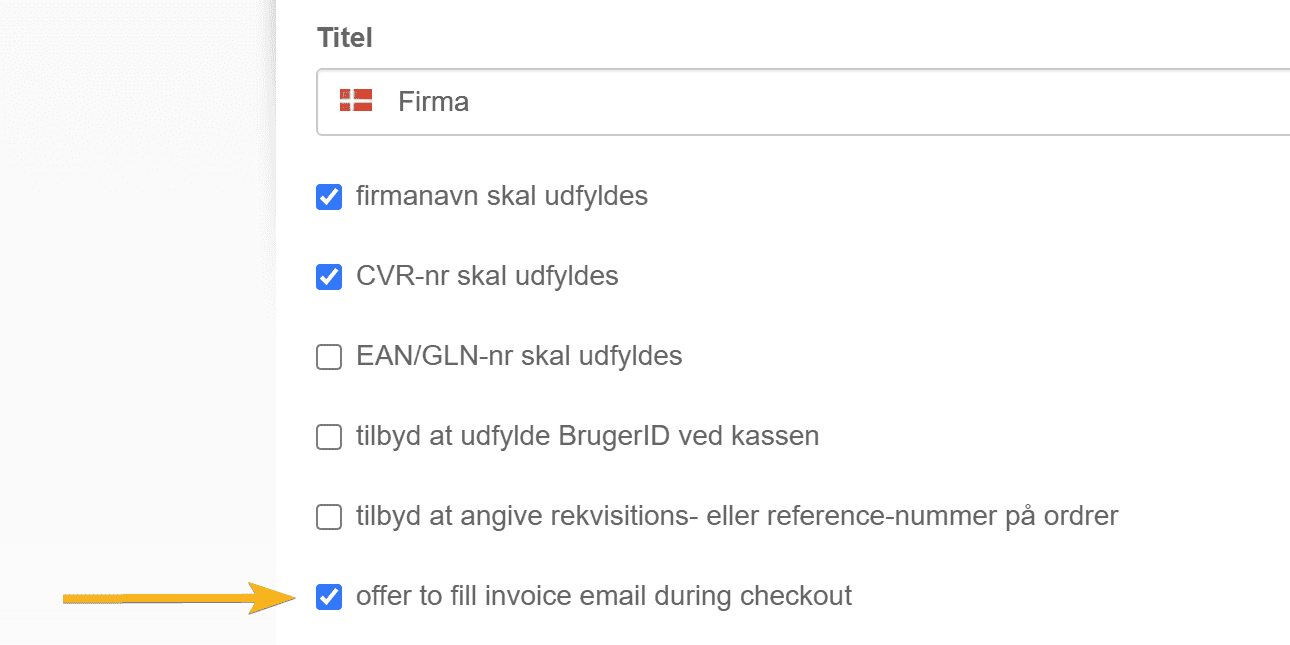
Another useful feature for those who sell B2B, or others who would like the invoice sent to a specific email address.
You can activate this option via customer types
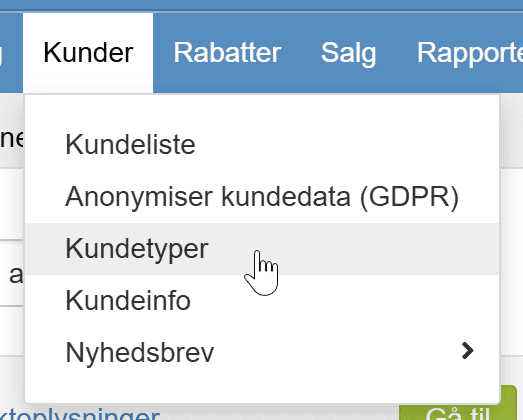
Click Edit on the customer type for which you want to offer the extra field in the checkout, and tick here
That's the biggest news in this update. Perhaps you didn't get round to looking at everything in the previous update – so you can take a look at it here.