
In this category Release notes
Version 6.44
On this page
As is our tradition, we don’t send out major updates while the Christmas trade is on. That doesn’t mean development has stood still, and in this update, number 44, you get:
- PostNord pick-up: search by address (important that you look at this if you use PostNord)
- Email templates per order status
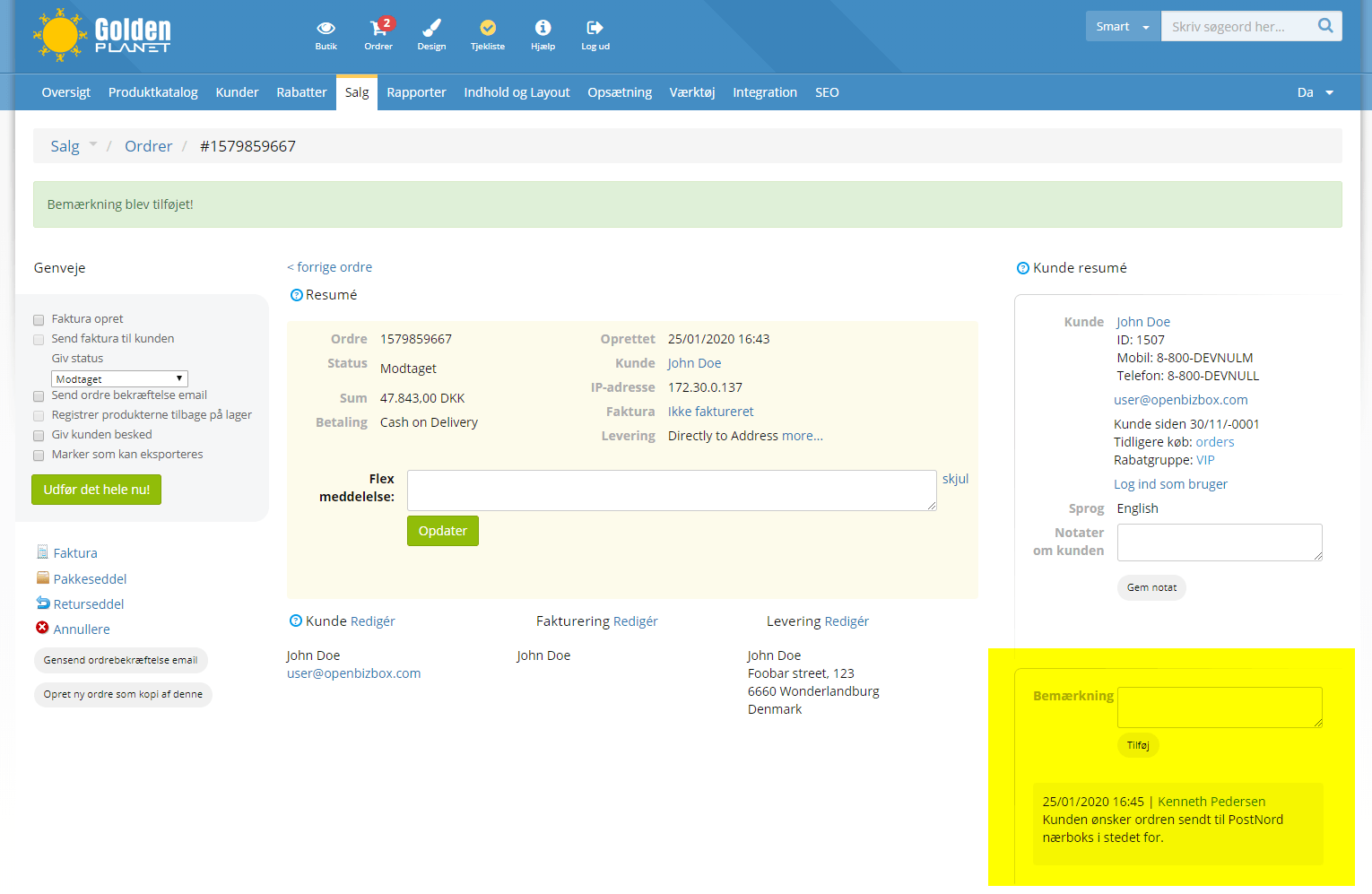
- Comments on an order without scrolling to the bottom
- Carry out actions on many orders from the checklist
- “Sold out” label on product images
- Create your own labels to show on product images
- Decide the order of delivery methods
- Include all subcategories in “Many products on sale”
- Exclude categories from discounts, many products on sale etc.
- Activate new languages in the admin only (translate before you publish)
- Categories in product feeds (e.g. for Clerk.io and PriceRunner)
- Get an email when an import/export has finished
- Remove a customer discount group from many/all products
- Add a product to the basket via a web address with the product number
Also read about a coming system update at the bottom of this page.
PostNord pick-up: search by address
PostNord and Swipbox are well under way rolling out parcel lockers (in Danish “nærbokse”) all over Denmark. When all the lockers are in place, the aim is for 98% of Danes to have less than 300 metres to the nearest locker. An easier and cheaper delivery option for your customers.
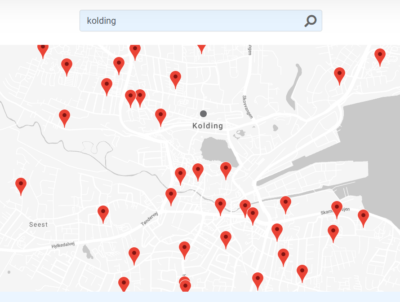
With that density, in many places it doesn’t work to search for pick-up points for a whole postcode. Here in Kolding, a search already looks like this:
You can read more about the parcel lockers here: PostNord Nærboks (opens in a new tab) (in Danish)
To activate search by address, you need to create a so-called API key with PostNord and insert it in the delivery module in your online shop. Here’s how:
-
Go to the PostNord Developer Portal https://developer.postnord.com/ (opens in a new tab)
-
Log in at the top right if you already have an account – otherwise click Create account
-
Once your account is created and you’re logged in, click the Create new application button
-
Write whatever you think suits in the fields Application Name and Description
-
You’re now shown an API key:
-
Select it and copy it (left-click the key, then right-click and choose Copy)
-
Go to your online shop’s admin
-
Use the menu at the top to go to Settings > Shipping and delivery > Delivery methods
-
In the list of delivery methods, click Edit next to your PostNord pick-up method
-
Click the PostNord settings tab
-
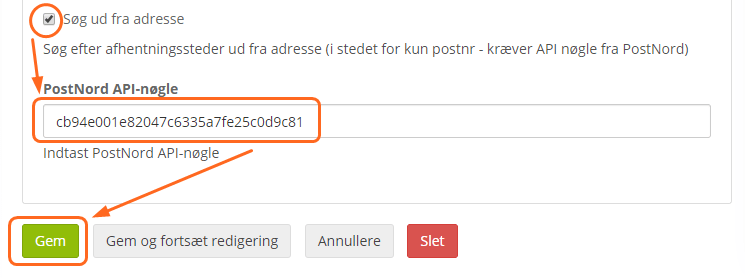
Enable Search by address, insert the API key from PostNord and click Save:

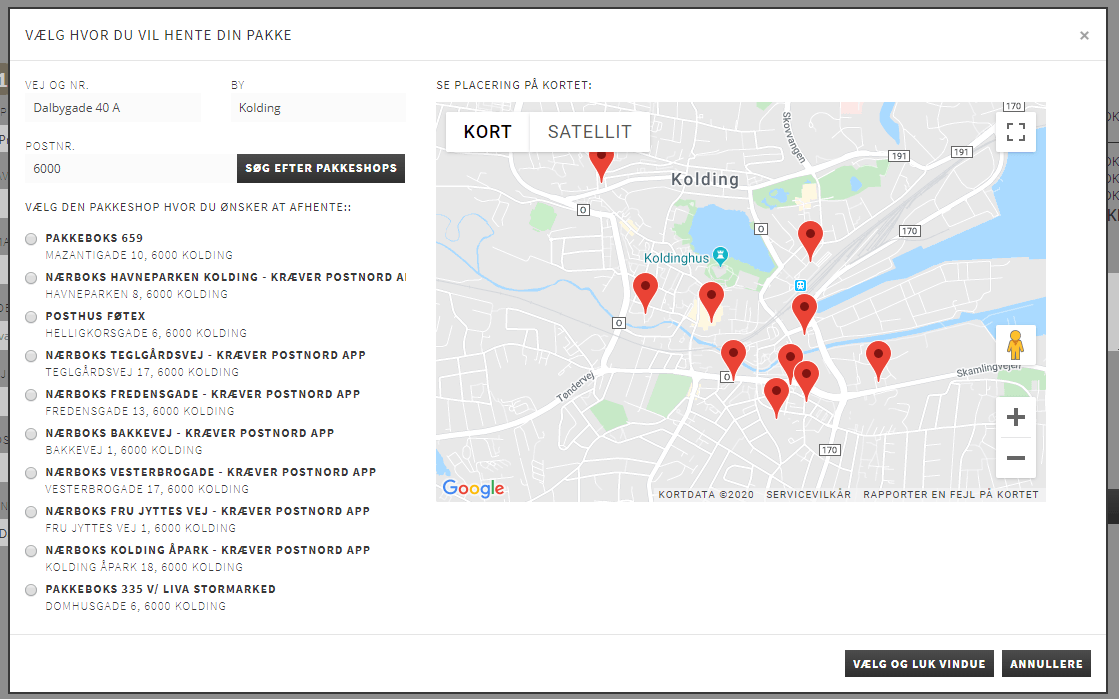
Once you’ve finished the setup, searching for PostNord pick-up points when ordering looks like this example:
Up to 15,000 searches can be made free of charge via the PostNord API. For more information, see this page (opens in a new tab) or contact PostNord.
Email templates per order status
You have always been able to create as many email templates and order statuses (received, packing, backorder etc.) as you like.
Now you can also link the 2 together.
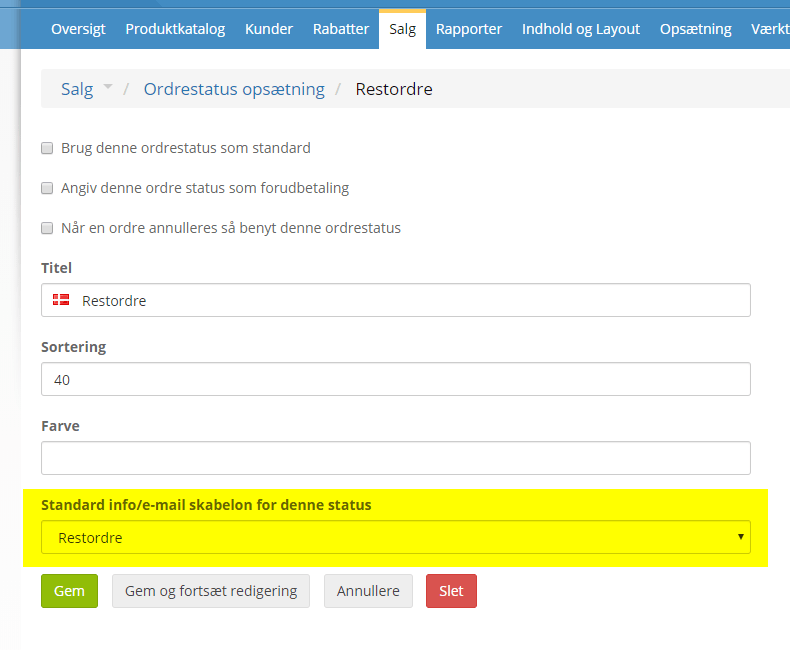
If, for example, you have a standard message that is sent to the customer when something is on backorder, and you have an order status for this, you can set it up so that this email template is automatically selected with that status.
The template is chosen when creating or editing an order status:
Comments on an order without scrolling to the bottom
A detail, perhaps. But when it comes to order handling, it can matter.
Internal comments on an order can now be both seen and written at the top of the page with all the details of the order:
Carry out actions on many orders from the checklist
For many people, the order checklist is a central part of daily order processing. It’s where many get the overview and see more details than the order list gives.
From the checklist, you can now select one or more orders and print packing slips, change the status etc.
“Sold out” label on product images
Make it clearer in product sliders and categories which products are currently sold out:
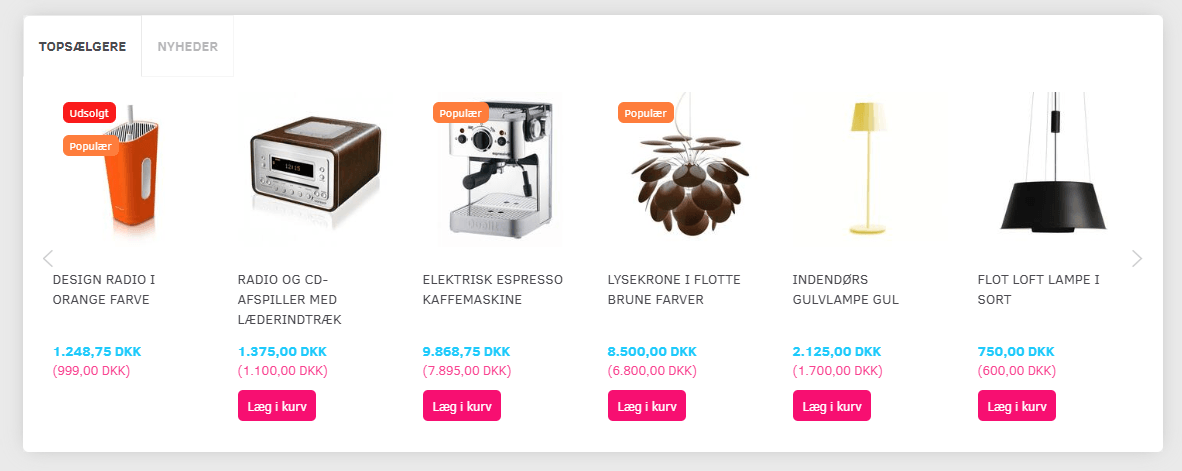
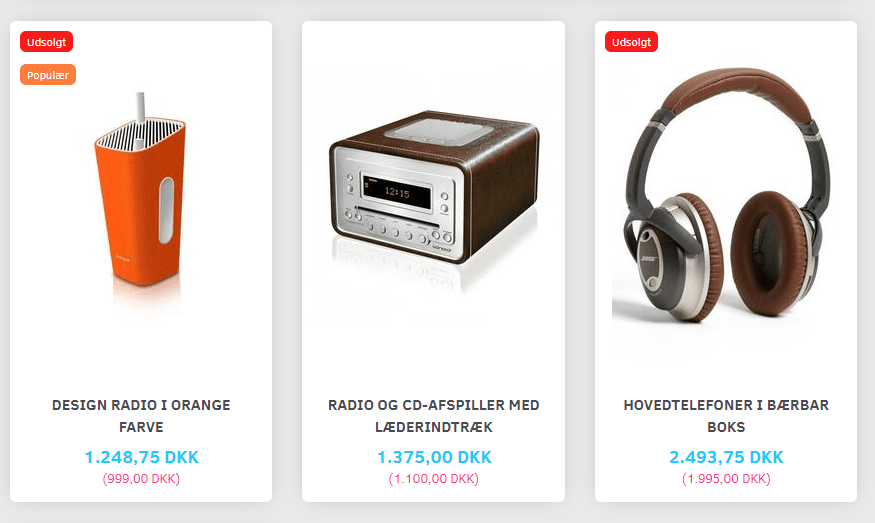
You can activate the new label via Content and layout > Products and categories > General settings
It is only shown for products that can’t be bought when they are out of stock.
Decide the order of delivery methods
By default, the delivery method chosen by most of your customers is shown first. The order is updated automatically from all orders over the last 90 days.
It is now possible to “override” the automatic sorting, so you decide yourself the order in which delivery methods are shown at checkout.
In the list of delivery methods, you can set the sort order by entering a number. The highest number is shown first, and so on.
Include all subcategories in “Many products on sale”
In the tool for putting many products on sale
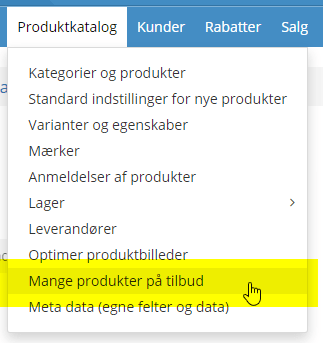
it is now possible to include all subcategories of the category/categories you have chosen. In other words, no more sitting and choosing every single subcategory.
Exclude categories from discounts, many products on sale etc.
While we’re on the subject of including categories or not: when setting up quantity discounts, free delivery etc., you have so far only been able to select the categories to include. That’s a pain – as we say here in Jutland – if it should apply to all categories except one.
So we have now made it possible to exclude instead of include. For example, if a discount should apply to everything except the “Outlet” category, where products already have reduced prices.
Activate new languages in the admin only (translate before you publish)

More and more shops choose to run their online shop in more than one language – not least by using the integration that translates products.
Previously, when you activated a new language, it was immediately active in both the front end (shop) and the back end (admin). So the language was live before you had finished translating etc.
Now you can activate a language for the admin only, and then in the shop when your translations are ready.
Categories in product feeds (e.g. for Clerk.io and PriceRunner)
For integrations that need a list of categories, you can now create a feed with this.
If you wish, you can also create a feed with products and categories merged into one feed.
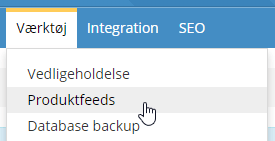
You’ll find the new options under Tools > Product feeds
Get an email when an import/export has finished
When a larger import or export has been started, it may take a while before it is finished.

Instead of checking the import or export page again and again, you can now simply have an email sent to you when it is ready.
Remove a customer discount group from many/all products
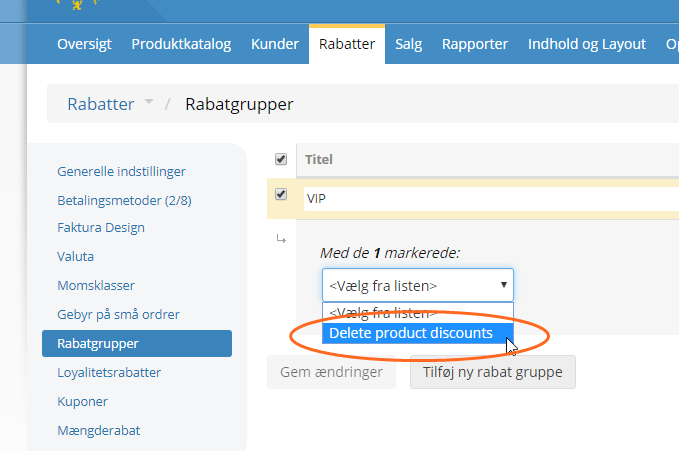
From the list of discount groups, you can now remove one or more groups from all products.
Simply select one or more discount groups in the list and then run the action Delete product discounts (it removes the discount/special price on all products):
We also have on our list of wanted features a way to add a discount to all products in the same way.
Add a product to the basket via a web address with the product number
Last but not least, a feature we developed together with an online shop that needed to have an order transferred from a wholesaler’s online shop.
In other words, an order can be collected in one online shop and then, with a “Buy from reseller” button, the contents of the basket can be transferred to your online shop.
It can also be used to send a customer a link by email that adds the products to the basket as soon as they click it.
For this to work, all product numbers must be unique in your online shop.
The products are put in the basket by creating a link like this:

100w4 is the model/product number and 10 is the quantity to be put in the basket.
Several different products can be added by separating them with a comma. For example “100w4:10,60w4:1” in this web address:

You can try the result in practice by clicking here (opens in a new tab)
System update on the way

For about 1 year, alongside the other updates, we have been working on a general update of the so-called frameworks etc. that the whole show runs on.
It is the kind of update you typically do every 5 years.
There won’t be any new features in that update – it is purely general maintenance for now and the future.
You will of course hear more when it is your online shop’s turn for that update.