
In this category Release notes
Version 6.61
On this page
Here is another update with new options for your online shop – the main points are:
- e-conomic integration now with One Stop Shop VAT
- Product feed per currency
- YouTube videos can autoplay
- Images for display on Facebook for information pages
- Automatic year in page titles
e-conomic integration now with One Stop Shop VAT
The One Stop Shop scheme (OSS) is a simplified VAT scheme for businesses that sell goods and services to consumers in other EU countries. The main purpose of OSS is to make it easier for businesses to handle VAT on cross-border sales within the EU.
With OSS, a business can:
- Register for VAT in one EU country
- Report and pay VAT on sales to all EU countries through one single VAT return
This removes the need for separate VAT registrations in each EU country where the business has customers, and so reduces the administrative burden considerably.
We have now made an integration so that you can connect your online shop to OSS in e-conomic.
Here is e-conomic's guide to setting up OSS (in Danish) (opens in a new tab)
After that, you can activate it in your e-conomic integration with this new setting


Product feed per currency
In our continued drive to optimise sales to more countries, it's now the turn of product feeds in several currencies and languages.
This lets you make a product feed where the prices are automatically converted into the currency and at the exchange rate you have set your online shop up with. For each language, you can also make a feed for the currency (or currencies) you use per country.
If you combine this with automatic rounding from a recent update, things run even more automatically.
When setting up a new feed, you'll see the new option to choose a currency
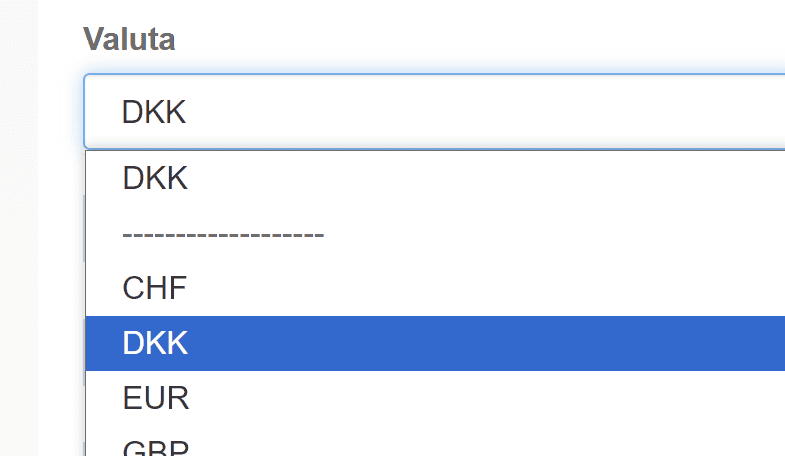
Read more about product feeds in general in this guide
YouTube videos can autoplay

If you have a YouTube video added alongside your product images, you can now set it to autoplay – without sound.
When the visitor browses through the images and reaches the video, it is already playing. This can be useful, for example, for short videos that show products in use.
You do this by adding the parameter “&autoplay=1” – for example like this

Images for display on Facebook for information pages

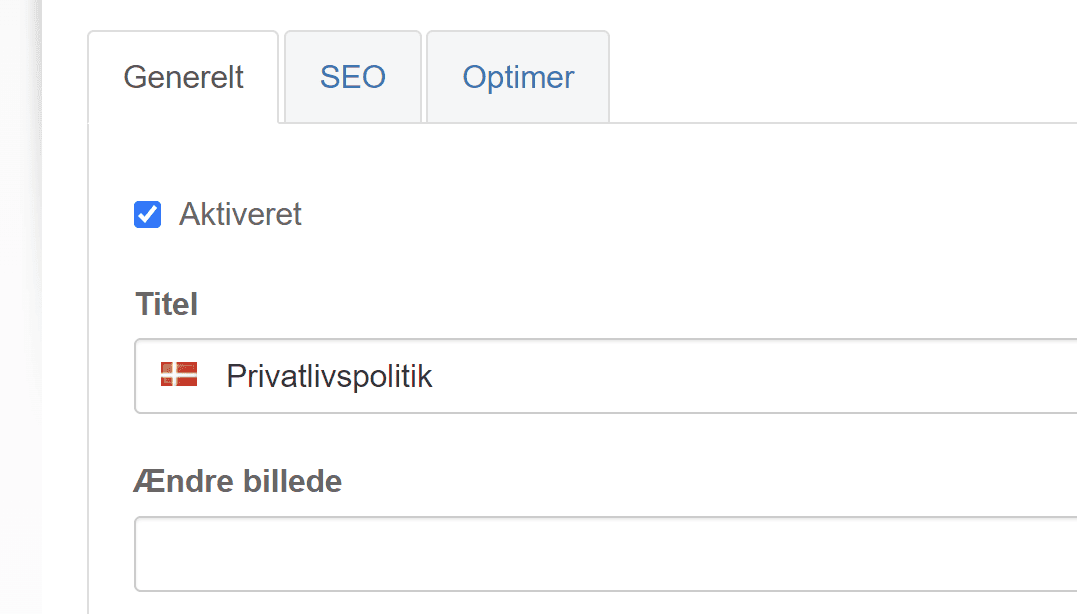
You can now decide which image is shown when pages such as contact us and other information pages are shared.
The image is set on the first tab
Automatic year in page titles
New dynamic parameters have been added to the titles of categories and products. You can use them in titles on the SEO tab – probably most relevant for categories

If, for example, you make a title like this one
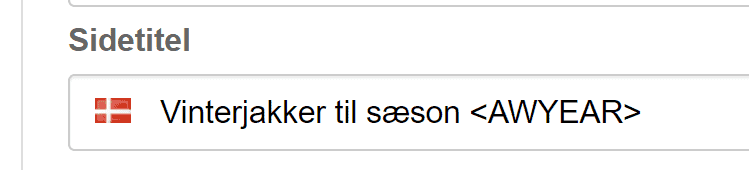
it will become the title “Winter jackets for the 2024/2025 season” when the calendar says 2024 – and the following year it will automatically change to “Winter jackets for the 2025/2026 season”
Here are the parameters you can use (insert them with the < and > characters as shown in the screenshots above):
-
YEAR
Shows the current year.
-
AWYEAR
Shows the year of the current autumn/winter season.
-
SSYEAR
Shows the year of the current spring/summer season.
-
NEXTYEAR
Shows the next year.
-
AWSHORTYEAR
Shows the current autumn/winter season in short form.
-
SSSHORTYEAR
Shows the current spring/summer season in short form.
That's the biggest news in this update. Perhaps you didn't get round to looking at everything in the previous update – so you can take a look at it here.