
In this category Release notes
Update: version 6.28
On this page
While the Christmas trade was going on, we were working on this update for your online shop. First and foremost, it contains these new features:
- Partial cancellation and crediting of orders
- Filtering at the top of product categories
- Mobile design updated and extended
- Ready for the new display in Google Images
- SMS notification can be “required” on PostNord shipping modules
- Order status emails can be sent as HTML
- Requisition number added to the e-conomic integration
- PostNord locations independent of PostNord’s servers
- Sales figures in a spreadsheet
- Cost price on variants
- User ID for public-sector customers (EAN)
Partial cancellation and crediting of orders
Until now it has only been possible to create a credit note for all the products in an order.
Now it is also possible to cancel an order partially and create a credit note from that.
It sounds obvious and simple – it isn’t quite, but now it’s finally here!
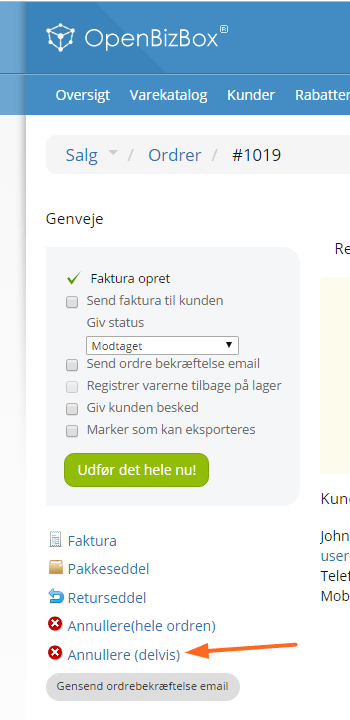
You’ll find the new option when editing an order that has an invoice:
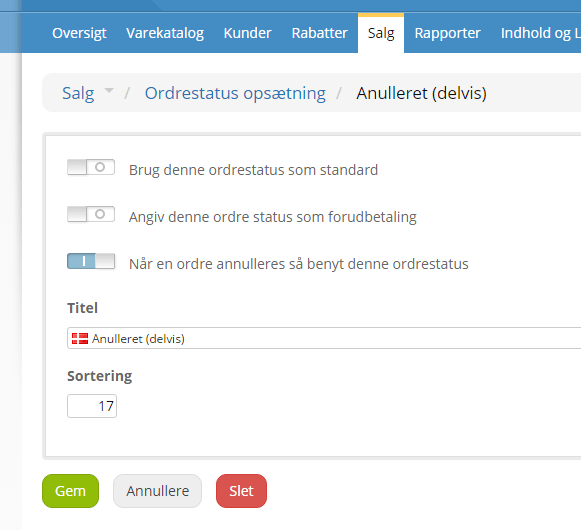
If you want to distinguish an order that has been partially cancelled from orders that have been fully cancelled, you can do so by creating an order status for the purpose. You do this via Sales > Order status setup. Click Add new order status and make sure you tick it as the one to be used for cancelling orders – in the sort order field, enter a value higher than the default/full cancellation and lower than the default for received – it could look like this:
Filtering at the top of product categories
The easier it is for your customers to find the products they are interested in, the more likely they are to shop in your store.
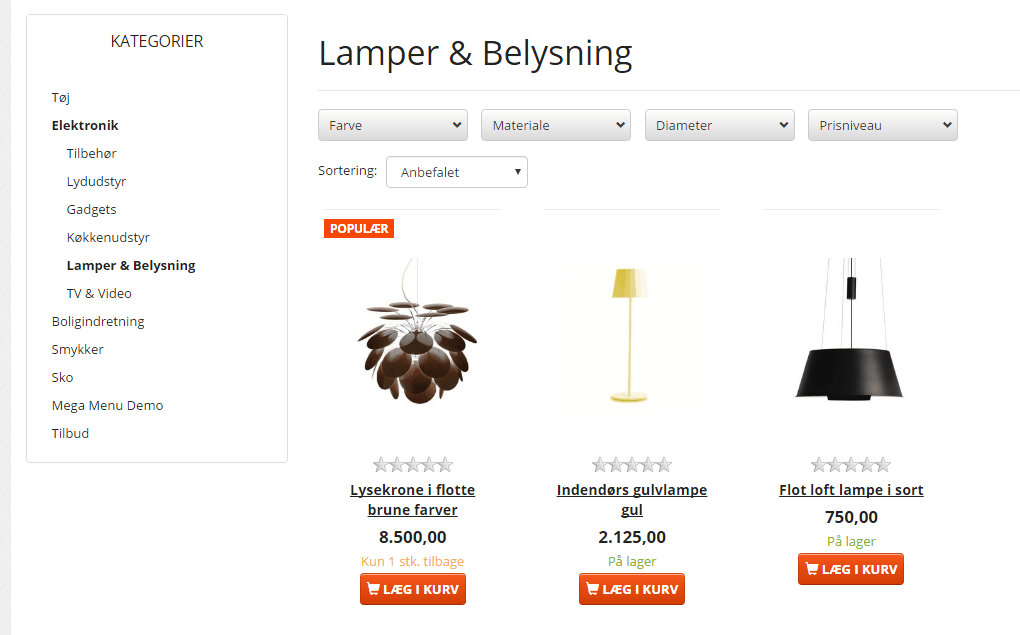
Now you can show filter options just above the list of products in categories. This is an alternative to showing filtering on the left.
If you sell lamps, it could look like this:
You activate this display in your online shop by going, in the admin, to Content and layout > Products and categories > General settings:
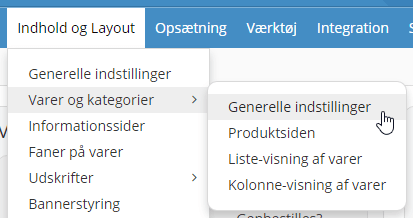
There you’ll find the setting Show horizontal filter.
Mobile design updated and extended
Serving visitors on mobile matters more and more. There are more visits on mobile, more people complete orders there, and it is said that Google will soon look at your mobile version first and only then at other screen sizes.
In this update we have therefore spent quite some time improving the mobile experience even further.
The most important changes are:
- Improved menu
- Path/breadcrumb on one line
- Filtering built into the menu
- Improved design of filtering
Ready for the new display in Google Images
In December 2016, Google announced that it will start showing product information, e.g. the price, in image search on mobile:
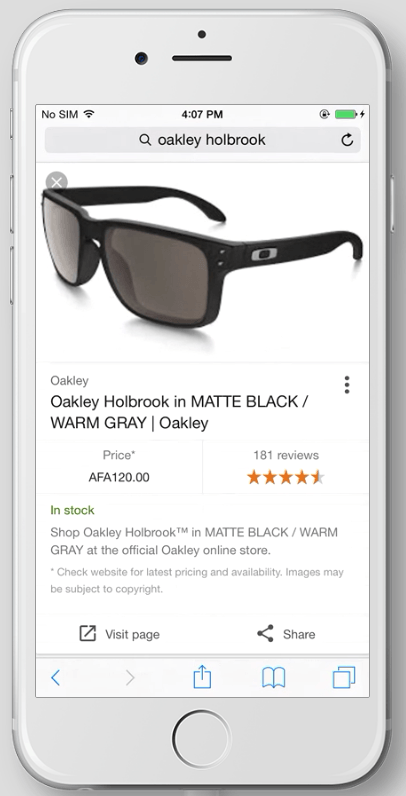
This requires an adjustment of the so-called rich snippets, which we have included in this update of your online shop.
This is expected to bring more visits from Google. That’s why we added this new option straight away.
You can read more about this here at Search Engine Land (opens in a new tab).
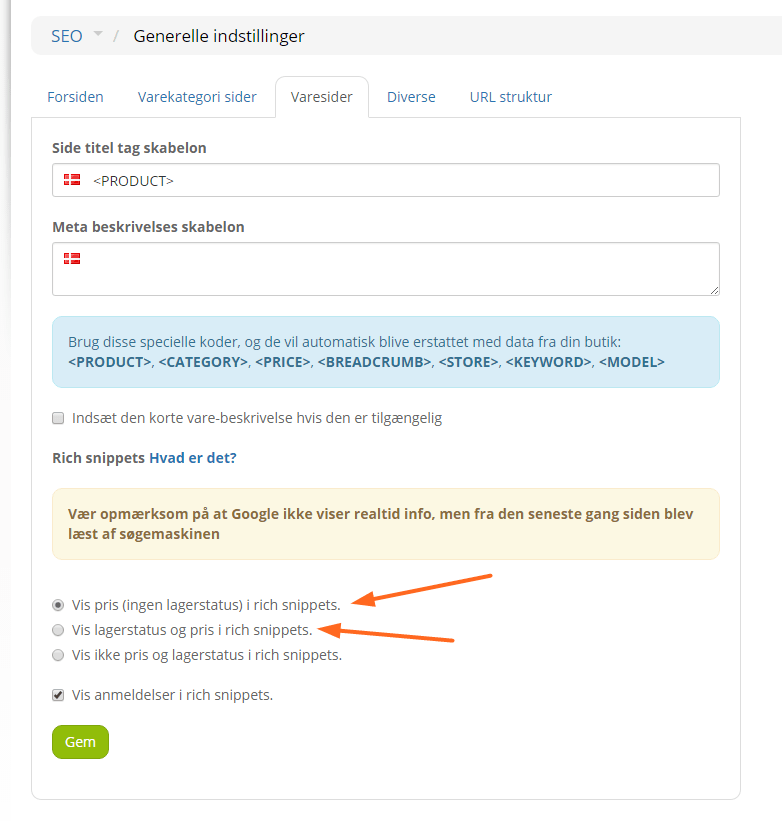
To get rich snippets in both web and image searches, you need to enable them via SEO > General settings.
On the Product pages tab, choose to show either the price only or both price and stock:
SMS notification can be “required” on PostNord shipping modules
Not everyone checks their email inbox every day. But most people read a text message shortly after receiving it.
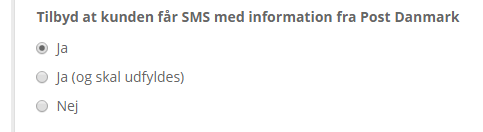
If you often have customers who don’t collect their parcel because they didn’t see the email from PostNord, you can now go to your PostNord shipping modules and make it a requirement that the mobile number for receiving a text message about the parcel MUST be filled in:
Order status emails can be sent as HTML
Emails sent, e.g. when an order has been dispatched, can now be sent in HTML format.
That way you can build in links, images etc. and at the same time present it to your customers in a nice layout.
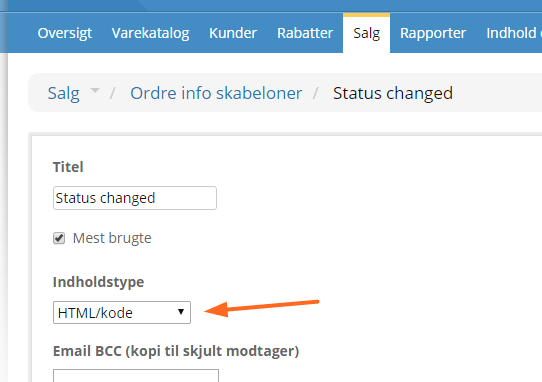
To send as HTML, simply set the content type on each order status template:
Of course, this only makes sense if the content is HTML that email programs/devices can understand. To write the code you can use an online tool such as BEE free (opens in a new tab).
Requisition number added to the e-conomic integration
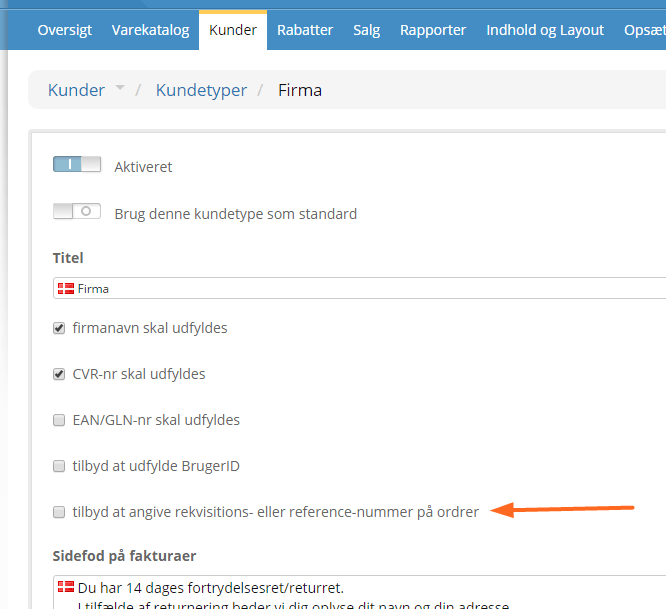
If you let your customers enter a requisition number for an order, and you use the e-conomic integration, this number is now transferred to the field Text 1 on your orders in e-conomic.
The requisition number can be activated per customer type:
PostNord locations independent of PostNord’s servers
When trade is extra busy, it has unfortunately often turned out lately that PostNord’s services can’t keep up. That happened on Black Friday, for example.
Among other things, it meant that PostNord couldn’t provide pick-up points to choose from for delivery.
We have therefore now built our own “copy” of PostNord’s pick-up point service. It is updated all the time and keeps going undaunted if PostNord’s servers go down next time.
Sales figures in a spreadsheet
Now you can export sales figures from your online shop to analyse them every which way in a spreadsheet.
This lets you review your products much more easily and quickly, for example in relation to stock and sales figures.
You can also use it if you want to see how much you have sold in a particular product category, which colours sell best etc.
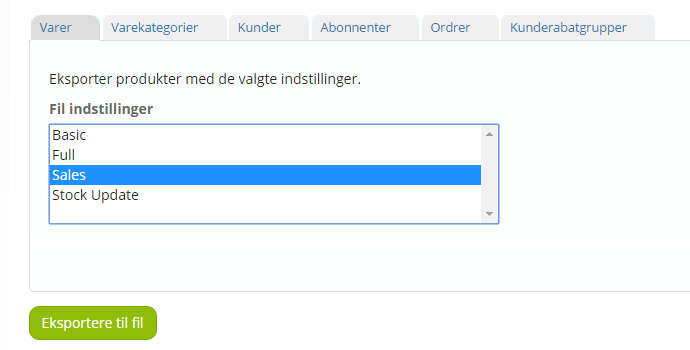
You get the new export option by choosing Sales in Tools > Export to file:
Cost price on variants
When exporting and importing products, it is now possible to work with the cost price on product variants too.
A later update will also make this possible via the normal product editing.
User ID for public-sector customers (EAN)
Some public-sector organisations need a user ID on their EAN invoice (Danish public-sector e-invoicing).
We have therefore added this as an option when public-sector organisation is chosen as the customer type at checkout.