
In this category Release notes
Version 6.50
On this page

Update after update, we have now reached the round number 50 in version 6.
- Shipping by postcode (e.g. for same-day delivery)
- Ensure unique product numbers on all products
- Keep selected products active in the shop when sold out
- Import/export of shipping classes via CSV files
- Gift card/discount coupon field more visible
- Language updates: Spanish, Dutch, French, Norwegian and Italian
- Optimised for busy periods
- Product feed updated every hour (requires a dedicated server)
Shipping by postcode (e.g. for local or same-day delivery)
You can choose to make some delivery methods available only for selected postcodes. Either one particular postcode or ranges.
You can use this, for example, for:
- Local delivery (if you deliver to the local area yourself)
- Same-day delivery (via delivery methods that offer this within a certain radius)
- A separate shipping price for islands without a bridge connection
Ensure unique product numbers on all products
A product number should usually only be used in one place. Now you can make sure that no product is created with, or changed to, a product number that is already on another product.
Before you activate the new option, you need to make sure that all your current products have a unique product number. You can do this from the product list by choosing the view With duplicate model/product no.

Remember that a product number can be at most 25 characters long (because that is the maximum, e.g. for the integration with e-conomic).
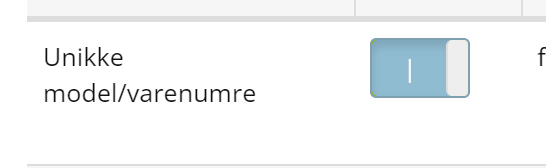
You can make product numbers unique via Default settings for new products
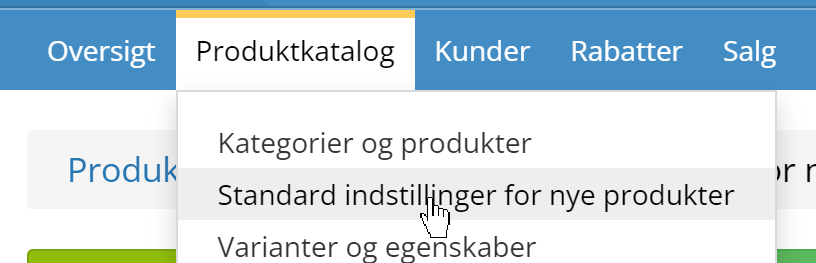
where you'll find
Keep selected products active in the shop when sold out
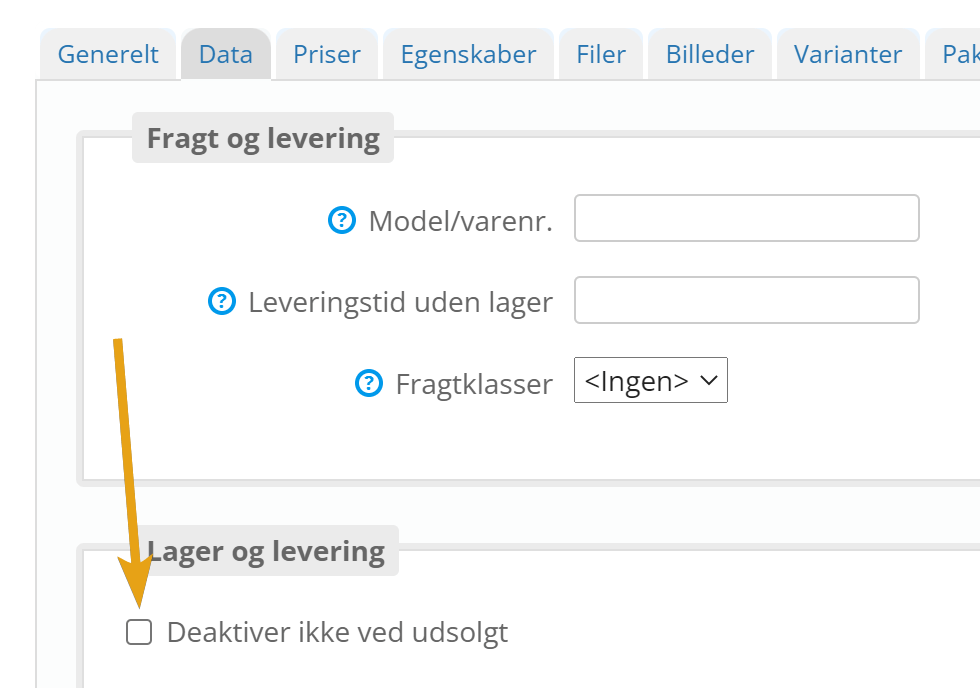
You can typically use this new option if your general setting deactivates products when they sell out, but you want some exceptions – e.g. products that come back into stock regularly. It can also be an advantage because your customers can then sign up to be notified when these selected products are back in stock.
You'll find the new setting when editing products:
Import/export of shipping classes via CSV files
When you have many products that need a particular shipping class, you can now change it via CSV import/export.
Gift card/discount coupon field more visible
After the launch of gift cards in version 6.49, several of you asked for the gift card field to be shown ready for input in the checkout. With this update, it is.
Language updates: Spanish, Dutch, French, Norwegian and Italian

Your online shop is ready to be launched in many different languages – and in this update we have updated the Spanish, Dutch, French, Norwegian and Italian translations of the shop features for customers (texts on buttons such as “Add to basket” etc.).
Remember you can also translate your products via the integration with Google Translate.
Optimised for busy periods
We have had our foot to the floor on the test track and looked at even more optimisation for the times when your online shop is extra busy all at once. We have spent more than 70 hours on this optimisation, so we can be even better prepared for e.g. the next Black Friday.
Product feed updated every hour (requires a dedicated server)
All product feeds for e.g. Facebook, PriceRunner etc. are updated for everyone every night, when there is less going on serving customers in the shop.
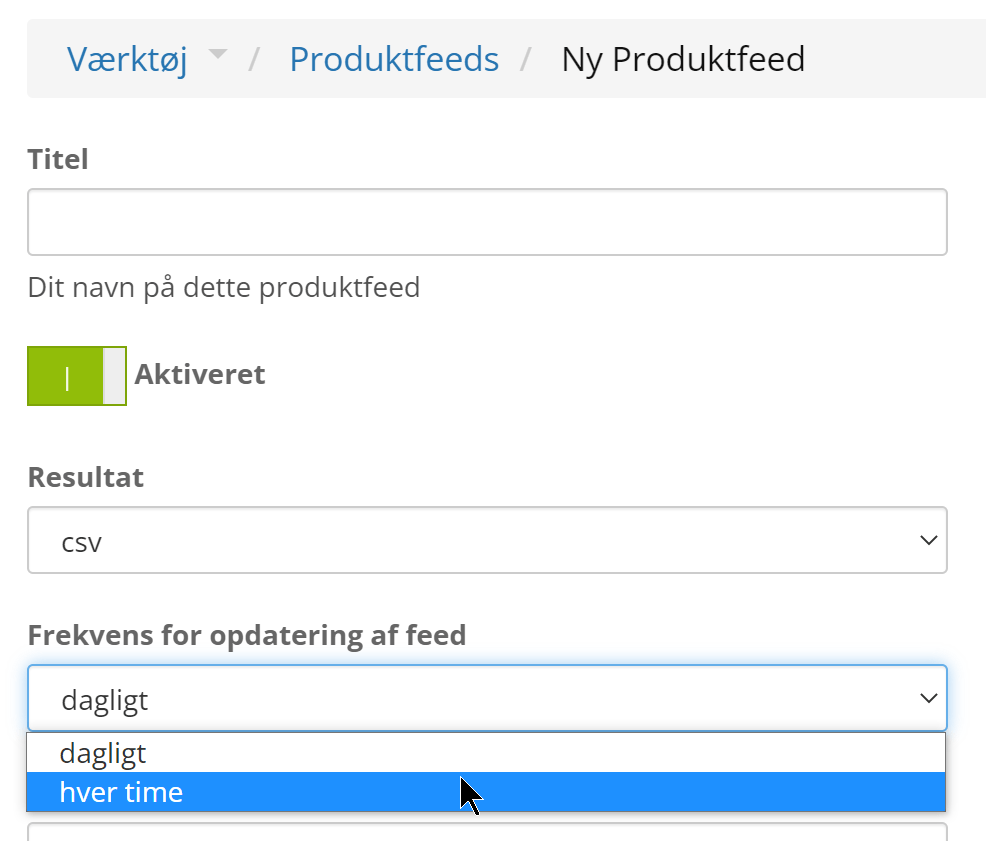
If your online shop is on a dedicated server, you now have the option of using the extra computing power to update feeds every hour. This lets you get new products and changes out to your marketing even faster.
You'll find the setting when you create/set up each XML product feed:
If you'd like to hear about the options for a dedicated server, just get in touch with us.