
In this category Release notes
Version 6.53
On this page
We have worked on this update for an exceptionally long time. It was made mainly to upgrade the core engine – technically called the framework. So above all it is a very large system update, with less focus on new features.
There are several hundred hours of work in switching a framework like this. As always, of course, we have tested both automatically and manually. Even so, there is a slightly higher risk with such an extensive update. Should you come across an error, please write in the chat or send a description to support@goldenplanet.com.
The new features that are included in this update or were sent out recently in smaller updates:
- Maximum purchase per product (per order)
- Klaviyo synchronisation with a list of recipients
- iDEAL payment method (for the Dutch market)
- Max price (in connection with the new price marketing rules)
- Move sale price to standard price
Maximum purchase per product in an order
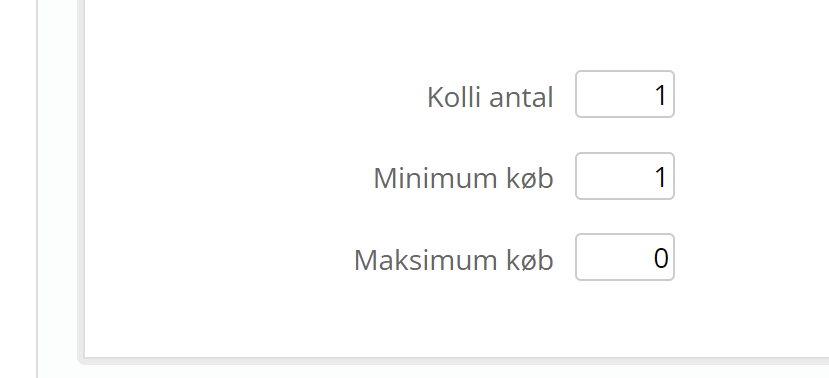
Do you have a great offer that is first and foremost meant to bring customers and new orders into the shop? Then you can decide the maximum number of a product that can be bought in one order. For example “Max 1 per customer”.
You'll find it in the new field on the Data tab when editing a product

in the Stock and delivery section

the field is at the bottom here
Klaviyo synchronisation with a list of recipients
The integration with Klaviyo has been extended so it can synchronise newsletter subscribers to a list. This is especially useful if you use the option to sign up for the newsletter while placing an order (in the checkout).
Read more about Klaviyo and the setup here (new point 4 on synchronisation).
If you'd like an introduction to what Klaviyo can do compared with Mailchimp, you can watch this video:
 Play video: Klaviyo vs Mailchimp | Best email marketing platform for ecommerce 2022 (opens YouTube)
iDEAL payment method (for the Dutch market)

Your online shop is now extra ready for the Dutch market. Just switch on the Dutch language and translate your products – and now your customers there can also pay with iDEAL, which is very popular in those parts.
First you need an agreement with Trustly. Then you add the agreement in your QuickPay Manager (opens in a new tab). There is more about this in QuickPay's guide here (opens in a new tab).
Finally, you go into the payment methods in your shop's admin and add iDEAL.
Max price (in connection with the new price marketing rules)
Hardly anything is on offer at Bilka (a Danish hypermarket chain) any more. That's because news of the new Danish rules on price marketing has reached them.
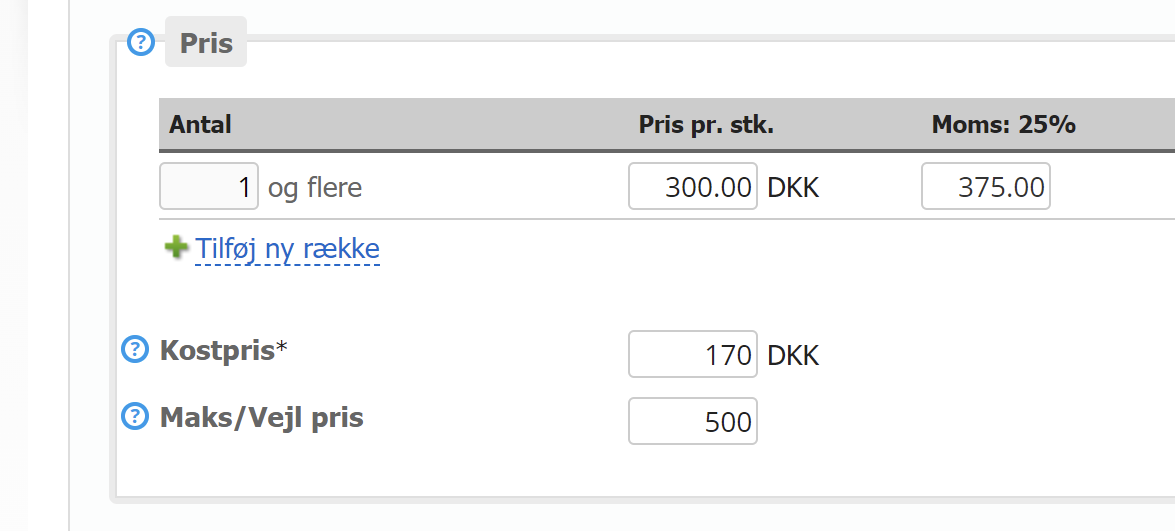
When you set the standard price, it can be handy to have information about what the recommended or maximum price should be. That's why we have made a new field for this in product editing:
We have put together a presentation of the new price marketing rules here
Move sale price to standard price
This feature is made to make it really easy for you to comply with the new price marketing rules by moving all sale prices into the standard prices. See the guide on our page about the new rules.