
In this category Release notes
Version 6.56
On this page
In this update you get the following for your online shop:
- “Viewed” history for customers (slider with “Recently viewed”)
- Link to an (abandoned) basket
- Create a customer from the admin
- Vipps payment option (MobilePay in Norway)
- Possible to switch all “Other integrations” on/off
- Export and import of product translations
- Address search for GLS parcel shops
- PostNord SMS and email removed as order lines
Recently viewed – help customers find products again

As a customer, it can be a challenge to find your way back to the products you have previously shown an interest in in an online shop. It can be hard to navigate around and find specific products again, even with the back button or by swiping on mobile. Those methods often take the customer back to previously visited categories, the basket and other pages they have visited – and without an overview.
- Navigation challenges: Customers can find it hard to get back to products they visited earlier in the online shop.
- Better customer experience: We are introducing a feature that shows the most recently visited products.
- Easier buying decisions: This feature helps customers find and review their potential purchases easily.
It could look like this:
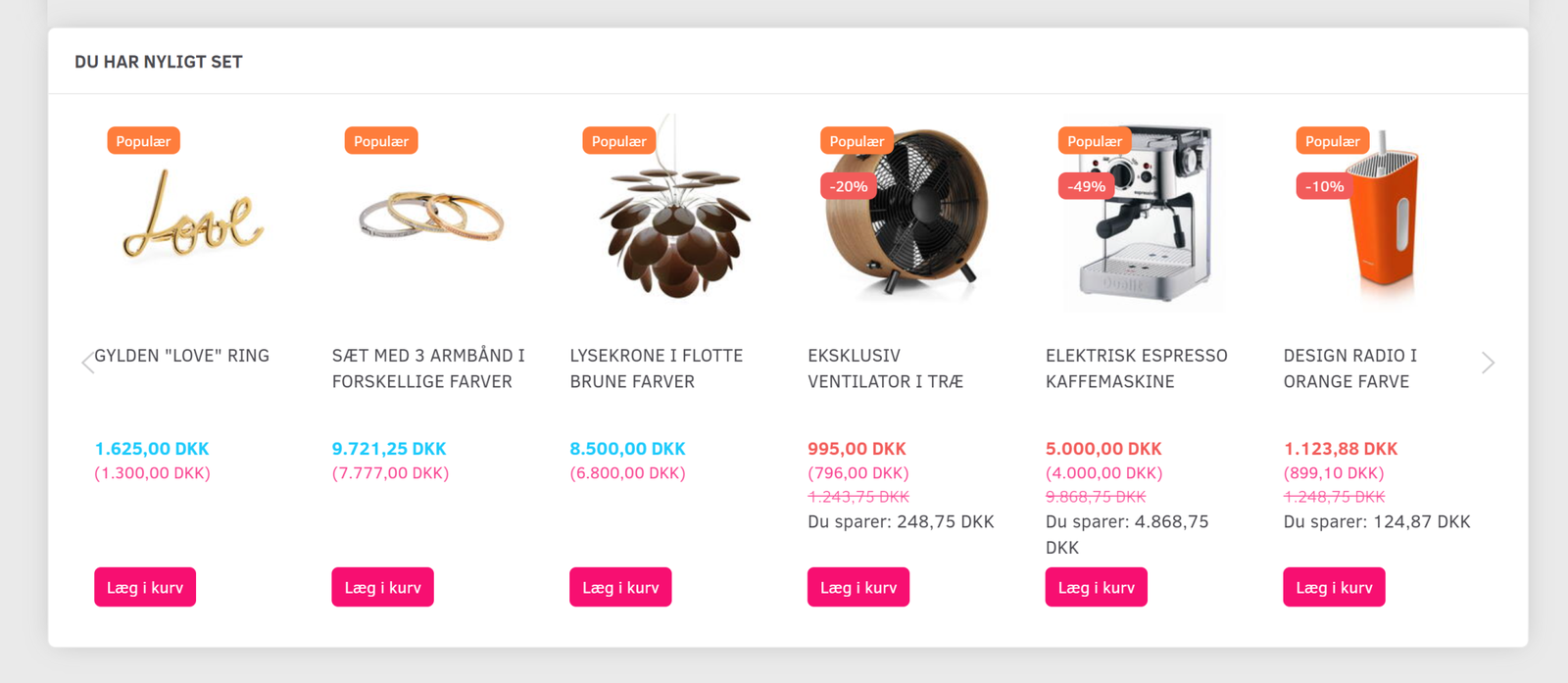
Try clicking around on a few products in webshopdemo.dk (opens in a new tab) (in Danish) and look at the bottom of the product pages after you have viewed a couple.
Here is a guide to adding a slider like this to your online shop
As always, it is of course also possible to get our help to build the slider in – just contact us via chat or email at support@goldenplanet.com
Link to an (abandoned) basket
It has now become possible to retrieve the contents of a customer's basket – that is, the products a customer has put in the basket – and rebuild it, even if the customer added the products on their mobile but clicks the link from another device, such as a computer at work.
This technology also makes it possible to send a reminder email to a customer who has added products to the basket but not completed the purchase.
The process works through tracking to platforms such as Klaviyo. It usually starts with a newsletter recipient clicking a link and starting to add products to the basket. The tracking information is sent to Klaviyo, which can then identify who has put which products in the basket. As the customer is subscribed to the newsletter and has agreed to receive marketing emails from your shop, you can now send a reminder, for example the day after a basket was abandoned.
This improvement has several benefits:
- Higher conversion rate: Turn “almost-purchases” into completed sales with reminder emails.
- Stronger customer loyalty: Show that you value your customers' business and increase their loyalty.
- Personalisation through data: Tailor your marketing to customers' behaviour to make the experience even better for the customer.
Create a customer from the admin

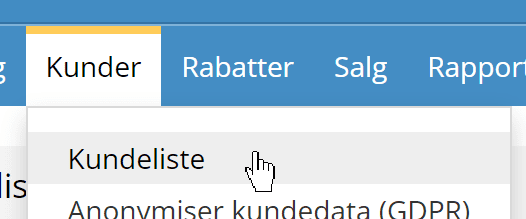
If, for example, you create orders for some customers yourself, after this update it is possible to create a new customer directly from the admin.
You do this via Customers > Customer list
Vipps (MobilePay in Norway)

Danish online shoppers are crazy about MobilePay – of course, because it's the easiest way to pay.
Now you can offer the same to Norwegian customers. In Norway it's called Vipps – and is in fact MobilePay, just with a different name.
Like MobilePay, it is activated in your QuickPay – via QuickPay Manager (opens in a new tab) – and then added in your online shop (where QuickPay just needs to be set up already for card payments).
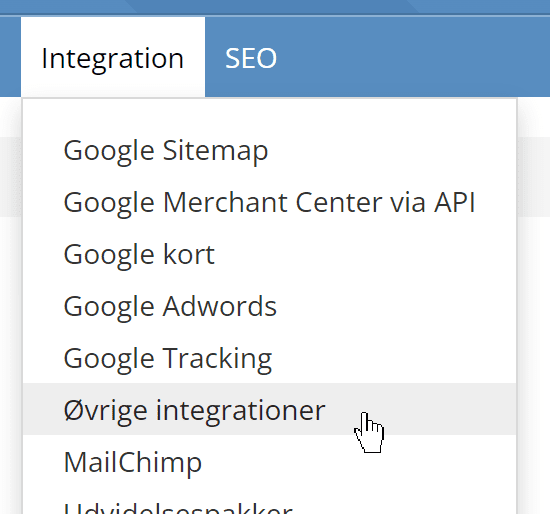
Possible to switch all “Other integrations” on/off
To make it easier to find out whether code inserted via Other integrations is the cause of unexpected behaviour, we have added a feature that deactivates all integrations with one click. This replaces the need to switch each integration on/off by hand from a long list.
You'll find this new activate/deactivate feature at the bottom of the list of other integrations.
Export and import of product translations

Until now, the export of products has included titles and descriptions in your shop's default language.
Now you can also export and import products in several languages.
You can, for example, use this to translate all your products into a new language in a spreadsheet – which you can do for free in e.g. Google Sheets. Then you can import the translation onto your products.
Address search for GLS parcel shops

When there are many parcel shops within one postcode in the larger cities, there can be so many that the one you're looking for doesn't make it into the list. With an extension to the GLS integration, it is now also possible to enter a street name/address when searching. You can still search by postcode alone.
PostNord SMS and email removed as order lines
To save some space on packing slips, invoices etc., we no longer show the two lines about SMS and/or email notification for PostNord. They never cost anything anyway.
That's the biggest news in this update. More is already on the way…