
In this category Release notes
Version 6.51
On this page
We can just squeeze in one more update before we head into the new year. Here you get
- Emails are sent via a separate process
- Barcode with the order number on the delivery note/packing slip
- Export of gift cards to CSV
- Option to charge a fee on payments with business cards
Emails are sent via a separate process
This change matters a lot if you have chosen to send emails from your online shop via an SMTP service such as Sendinblue.
Previously, orders could not be completed if the external SMTP service didn't respond at that very moment.
So we have built a separate service that receives the email message first and then passes it on to the external SMTP service.
Barcode with the order number on the delivery note/packing slip
No more typing in the order number if you have the packing slip/delivery note and a barcode scanner to hand.
Just above the order number on the packing slip/delivery note, you now have a barcode with the order number:
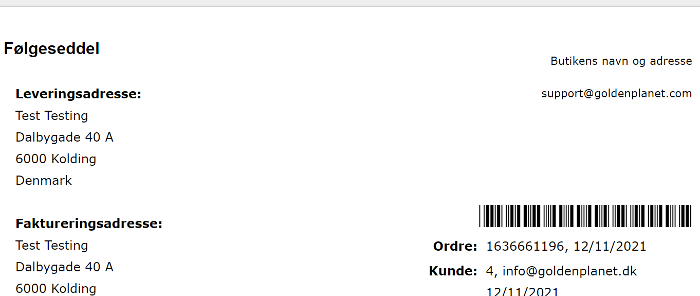
If you pack from a printed invoice, you'll also find a barcode with the order number there.
Export of gift cards to CSV
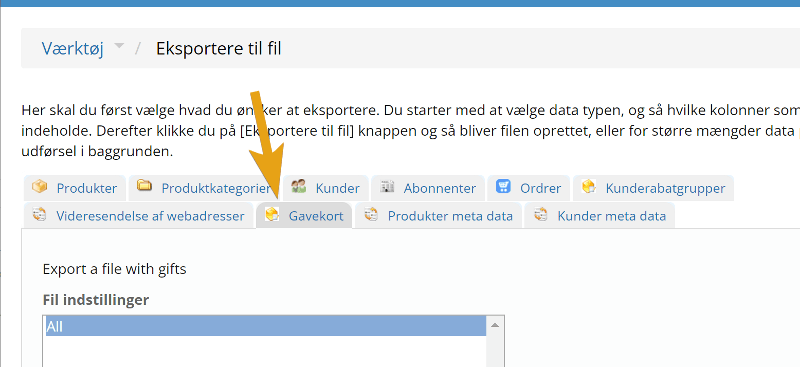
If, for example, you want to make a statement and calculation of the remaining balance on all gift cards, you can now export them to CSV and so get them into a spreadsheet. You'll find the new option in the export function:
Option to charge a fee on payments with business cards
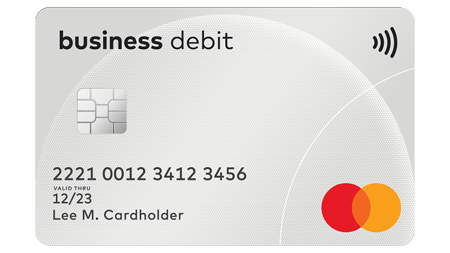
A few years ago, the law stopped allowing fees on card payments.
However, this only applies to personal cards. The tricky part is that if a business pays with a personal card, you still may not charge fees.
As so often before, the card issuers' technology was not quite ready, when the law came into force, to make it possible to charge a fee on business cards.
That should now be sorted out. We have now added an option for you to set the QuickPay payment window to charge a fee on the order. Combined with the setup in QuickPay, a payment fee can be added automatically when someone pays with a business card.