
In this category Release notes
Version 6.47
On this page
Hang on, didn't an update just come out? Yes, it wasn't long ago. Now you get another one, and its main features are:
- Show customers when offers expire
- See how many product sets have been sold
- List of orders where a discount coupon has been used
- Export all products for customer discount groups
- New user role “Owner” for logins to the admin
- The pick-up point is shown on the order checklist
- Limit a product feed to certain types of variants
- Search engine updated
- Kelkoo export list moves to a product feed
- Better insight into the API for integrations
Show customers when offers expire
“Don't put off your purchase until tomorrow, because then the offer will have expired”
The purpose here is of course both to help customers and to get them to complete their order as quickly as possible.
From the general settings of products and categories
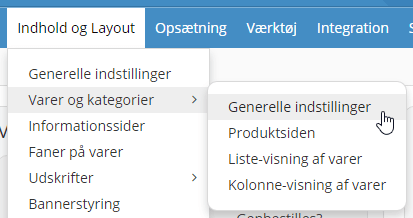
you can set how many days before an offer expires it should be shown to customers – like this example
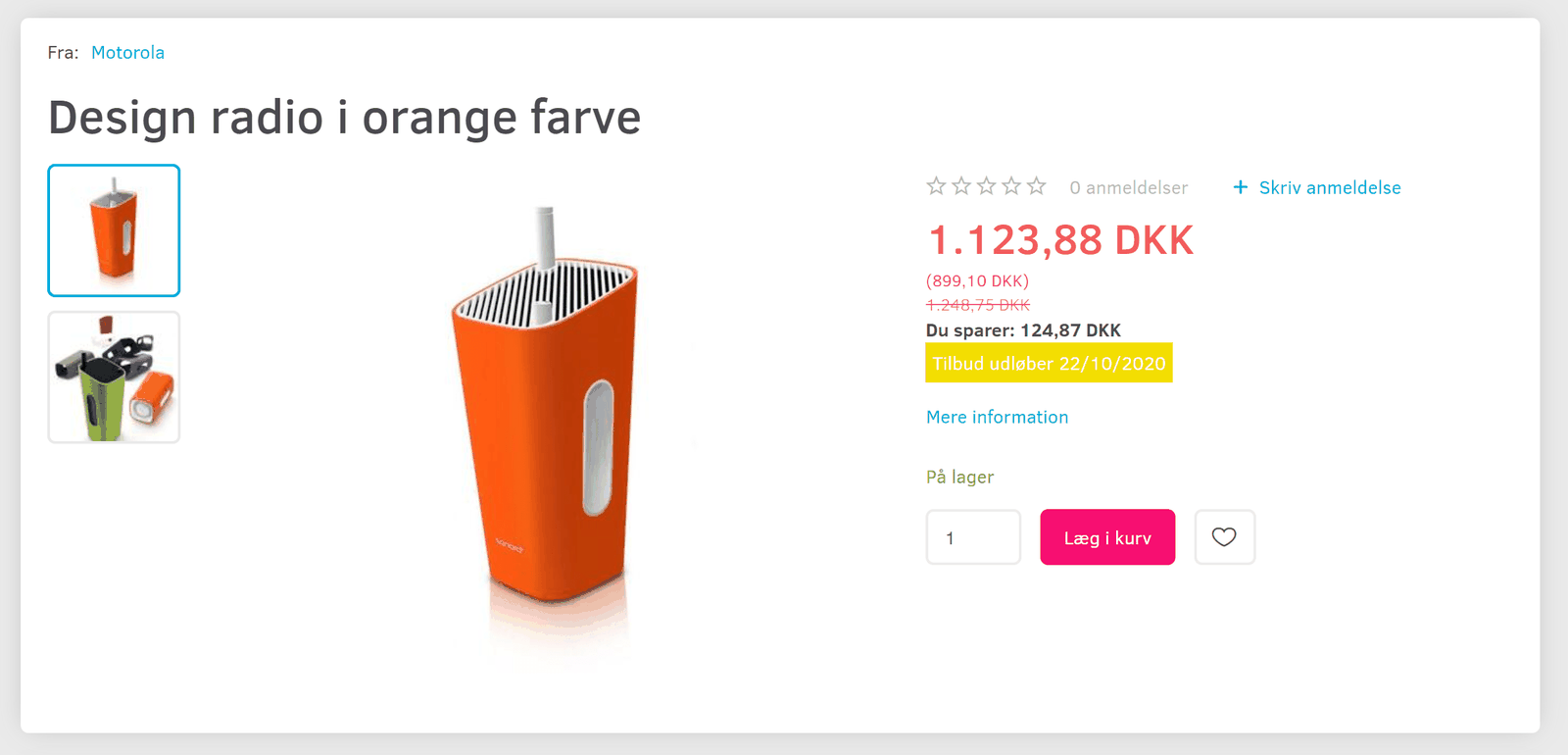
Customise the design of the offer-expires block
You can of course have a different background colour, text size etc. on this new display of an offer's expiry date.
If it's only the background colour you want to change, you can do that via the Style Editor
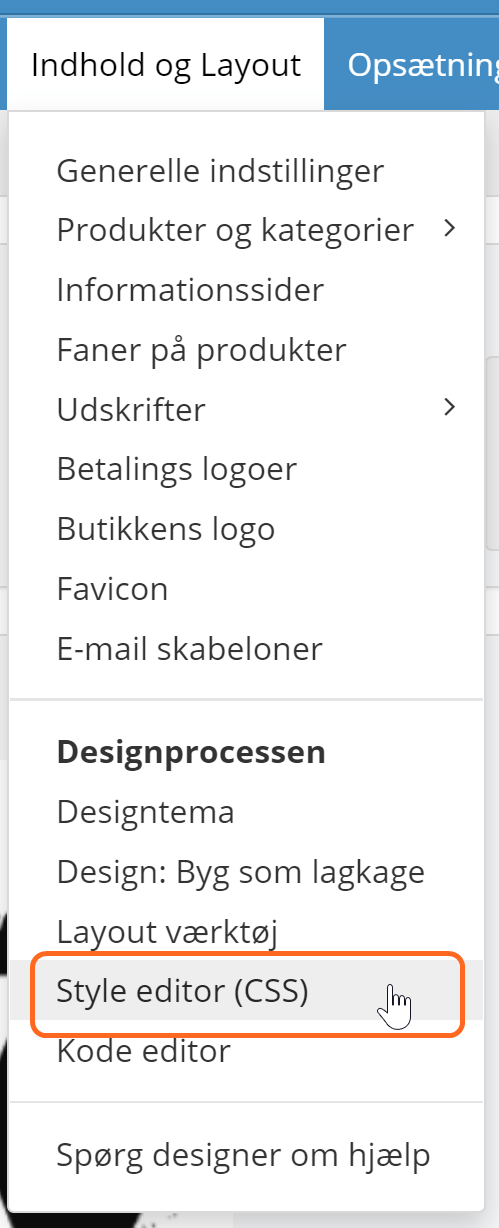
where you'll find the background colour under Colours > Prices:
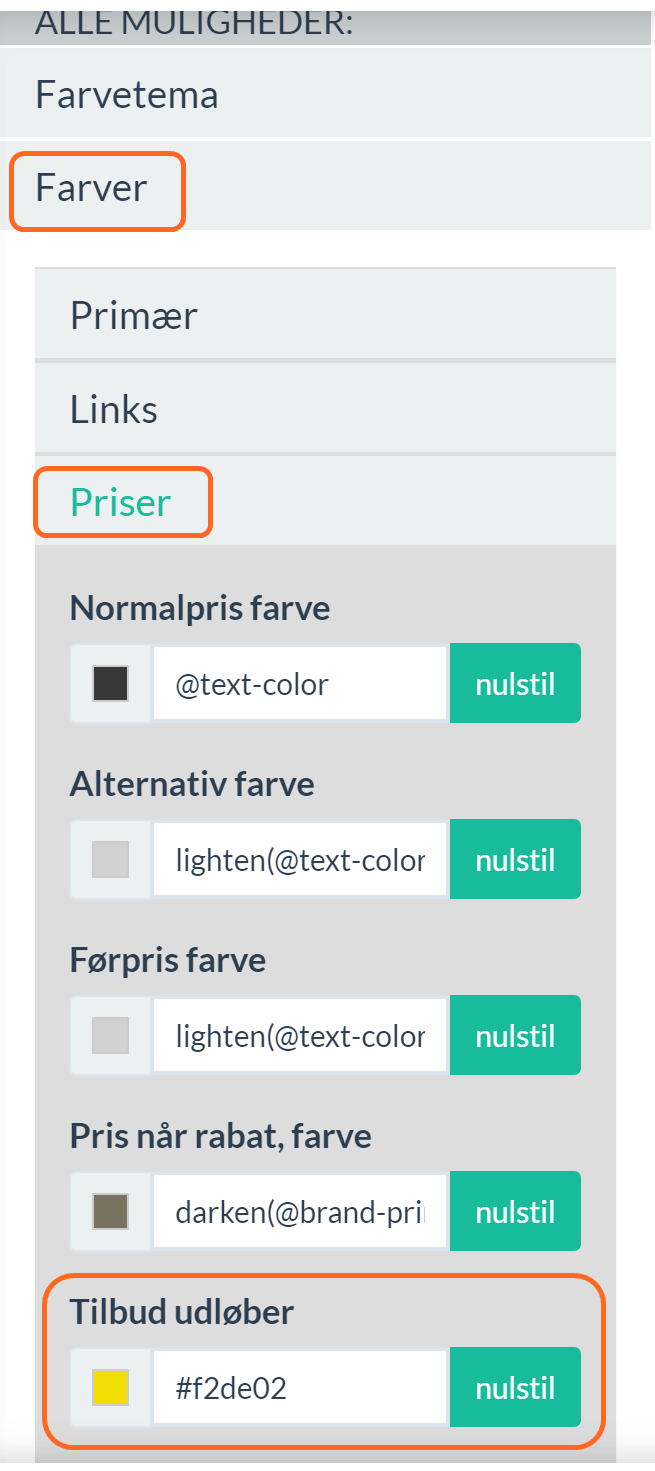
If you want to change more than the background colour, you can do it as shown in this PDF with a style guide.
Alternatively, you can order the design change via this page. It costs €50. Feel free to give the colours you'd like using this colour wheel (opens in a new tab).
See how many product sets have been sold
When you sell a set of products – as described on this page – stock management, and so also sales, are calculated on the products that make up the set.
They still are. But now you can also see how many sets have been sold via the product list.
You can see how to show sales figures in the product list in general with the help of this guide.
List of orders where a discount coupon has been used
Another detail, you could say. But the kind that sometimes makes things run as smoothly as possible in your daily work.
Now you can get both an insight into and an overview of which orders have come in with a discount coupon. You can also use it, for example, to find out whether a customer has used a particular discount coupon.
In the list of discount coupons you'll find the new option Orders on the far right of each coupon:

Export all products for customer discount groups
Importing and exporting products can save a lot of time, for example when many products need updating.
Until now, when exporting products with discounts for customer groups, it was only possible to export the products that already had a discount/price set.
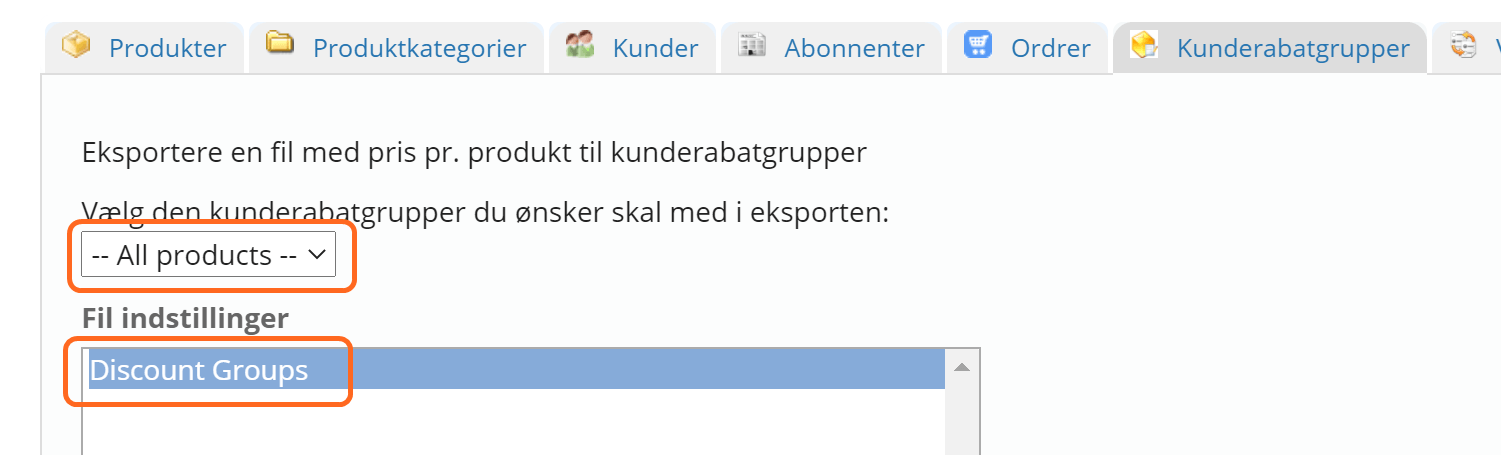
Now you can export all products – both with and without a discount/price set for customer groups. This lets you set a discount/price on all products for a customer group in a spreadsheet and then import it to update your online shop.
When exporting, just choose to export all products to use this new option:
New user role “Owner” for logins to the admin
Here at Golden Planet you don't have to be upgraded to “the big solution” to be able to add a login for each person who needs access to your shop's admin. You can create as many as you need. To improve security around this a little, only users with the role Owner can now add and delete users:
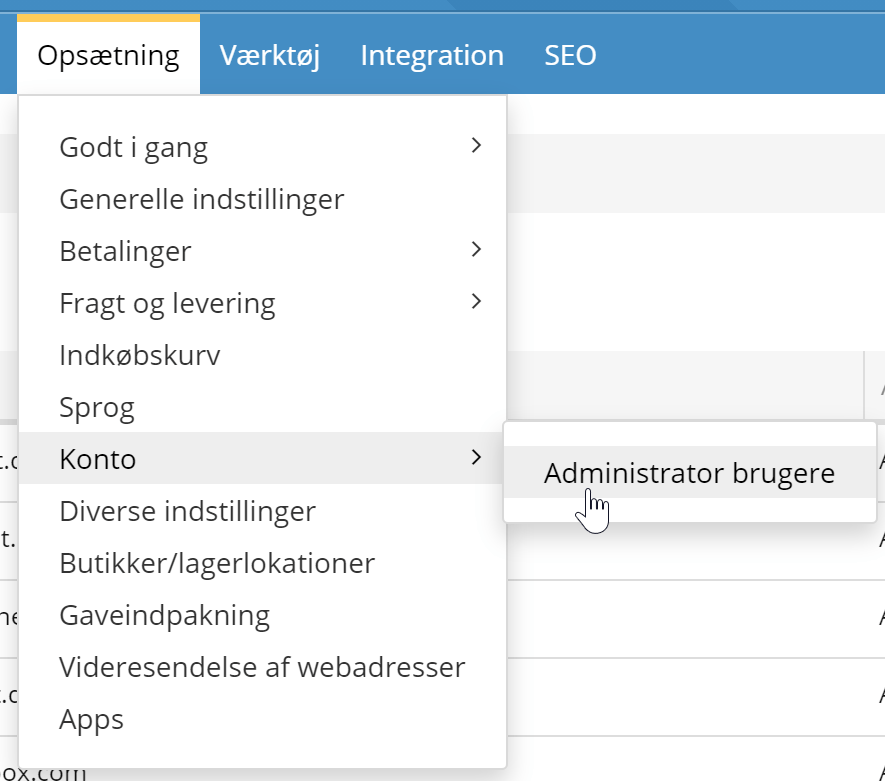
All users who had the role Administrator before this update have now been given the new Owner role. If there are users who should not be able to create other users, you can now go in and change it to Administrator or another role/access level.
The pick-up point is shown on the order checklist
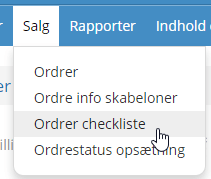
This addition is for you if you have several pick-up points. For example, several physical shops. You can now see on the order checklist where each order is to be picked up.
Limit a product feed to certain types of variants
Now you can make a product feed that is set up specifically and limited to a certain type of variant. This can be useful, for example, if you sell products that need special setup and parameters.
Search engine updated
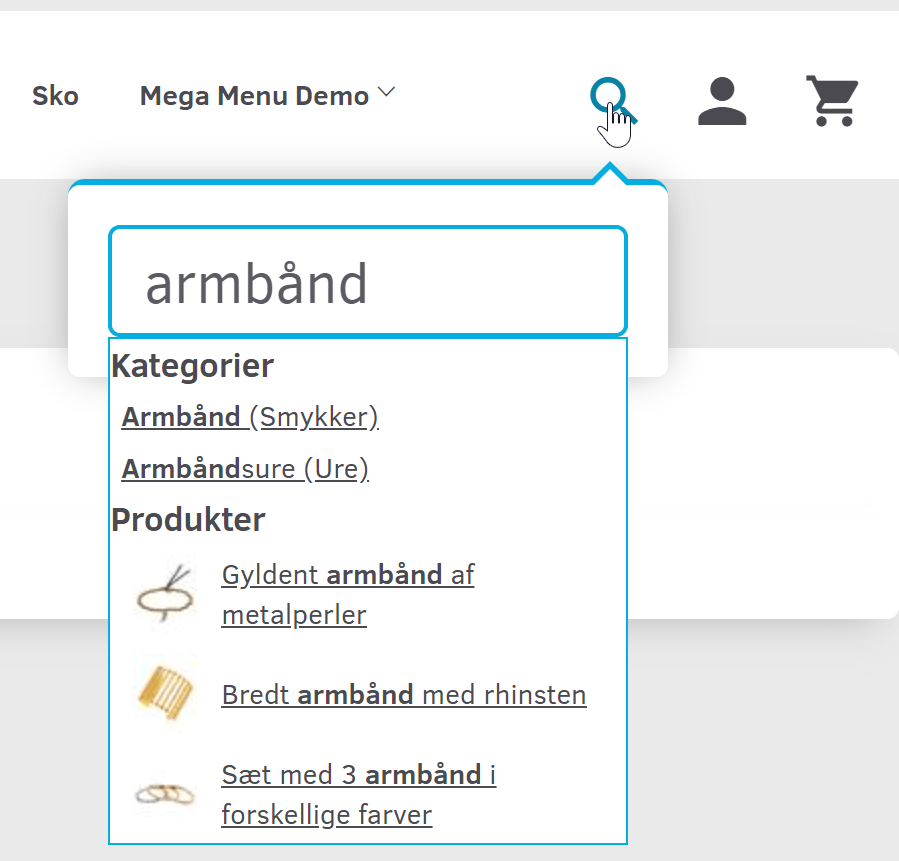
Search plays an important part for many customers looking for particular products.
Behind it is a search engine that needs regular “oiling and maintenance”.
In this update it has had a major service.
Kelkoo export list moves to a product feed
A good few years ago we made an integration with Kelkoo. It is no longer relevant – like most others, they now use an XML product feed. Everyone who had an active Kelkoo list has been told directly to switch over.
Better insight into the API for integrations
Integrations with stock systems, ERP, POS etc. play an ever-growing role for an online shop. The prerequisite is a well-developed API – check, we have that. For the developers out there who build these integrations, it's important that they can find the levers to pull quickly and easily.
We already have documentation for the API, of course. Now we have extended it further by presenting our API with a service that is really good at it: Swagger.io
Among other things, this makes it possible to compare the latest version 3 of the API with earlier versions. Version 3 is where all new features are generally added and improved. If you have a slightly older integration, it's a good idea to encourage your developer to use Swagger.io to move everything over to version 3.
Coming soon
That's all for this time. We're already working on the next update – there's always more on the way.