In this category Release notes
Version 6.54
On this page
- Apple Pay payment option
- Anyday payment option (pay in instalments)
- Much easier to change standard texts
- Group products by colour groups
- Wish lists have more options
- CoolRunner module now includes Posti (collection in Finland)
- Product selections based on variant group
- Product feeds get an “Update now” option
- Stock locations on the order page
- PostNord can have both email and SMS as mandatory
- hreflang tags on pages in several languages
- Titles for API keys
Apple Pay

Paying without having to take your card out of your pocket is becoming ever more popular.
In Denmark, Apple Pay is for most people an alternative or supplement to MobilePay. For your customers outside Denmark, it is an alternative to card payment because, as you know, MobilePay is not an option there.
To activate Apple Pay, all you need is the QuickPay module for your online shop here and an acquiring agreement with Clearhaus.
You can choose to run all your non-Dankort payments (Dankort is the Danish debit card) through Clearhaus, or only Apple Pay payments. In most cases Clearhaus is cheaper than Nets and, from what we hear, always better at customer service.
See how to add Apple Pay in this guide
Anyday payment option (pay in instalments)
Anyday gives your customers the option of splitting the payment into several instalments for purchases over €45. This can be especially relevant at a time when many people are hit by higher fixed costs such as energy, heating and food.
Once the customer has been approved by Anyday, you as the shop owner get the full amount for the order, as if it were a card payment. The customer then pays the instalments to Anyday.
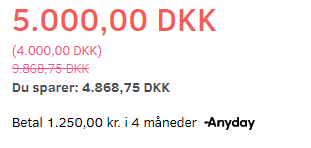
A so-called widget can be inserted, so that customers can see below the price how much the product will cost in instalments:
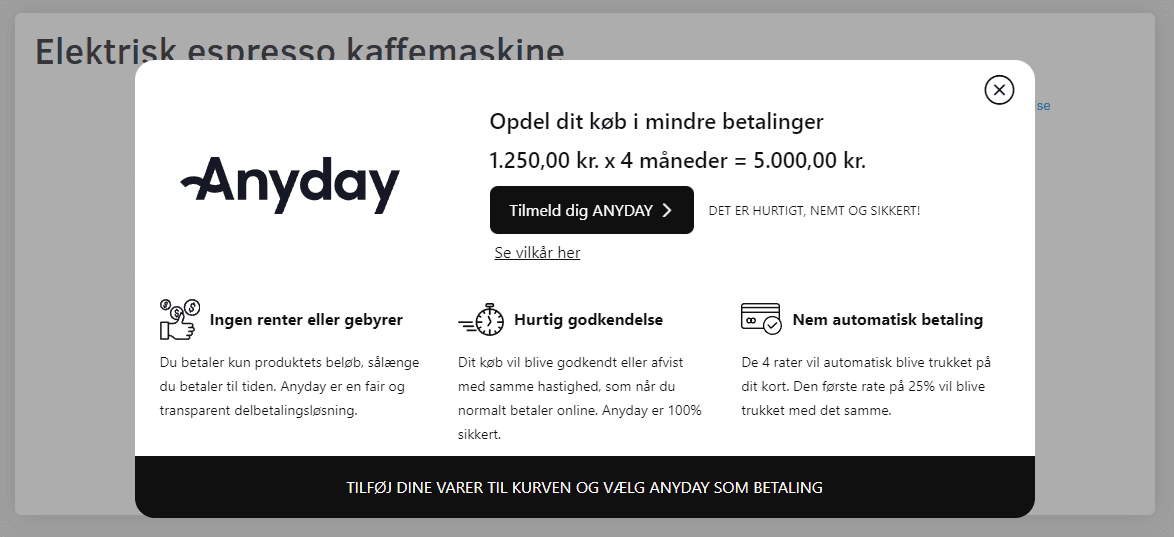
Clicking the text about Anyday opens a pop-up that explains what it's all about
See how to add the Anyday payment option in this guide
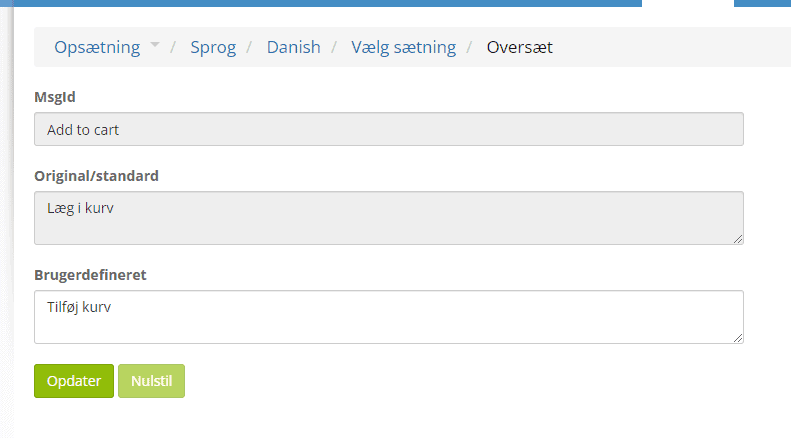
Much easier to change standard texts
Until now, changing standard texts such as “Add to basket”, stock status etc. has been a rather technical job of editing language files.
Now you can simply search for the text, change it and save:
Group products by colour groups
Variants/attributes have an extra option to group products by colour and present it as a choice in a colour box. Here is an example of how it can look in the shop:
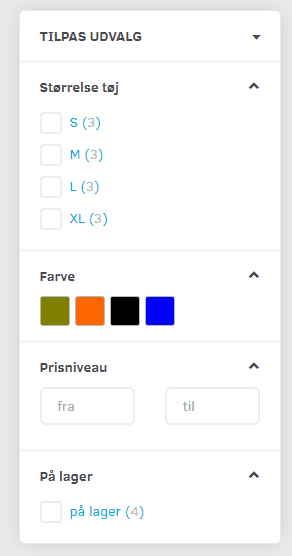
So instead of showing a long list of colours such as “Navy, marine blue, light blue, dark blue etc.”, you can group all the blues together in one choice.
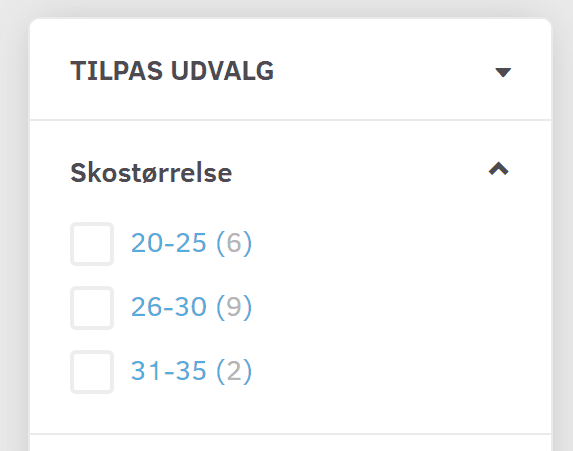
Likewise, if you have many different sizes, for example – you can group them into a few ranges that the customer chooses from:
Wish lists have more options
Christmas is just around the corner and it's time to make wish lists. Many people, though, also use wish lists as their own reminder lists, and for B2B. The new options include
- Renaming lists
- Moving a wish list to the basket
- Easier sharing of a list
CoolRunner module now includes Posti (collection in Finland)
If you deliver to Finland, collection from Posti is an important delivery option.
To use this option, you need an agreement with CoolRunner (opens in a new tab) (in Danish).
Product selections based on variant group
Product selections are product categories that update themselves dynamically based on the criteria you set.
It is now possible to choose variant/attribute groups for them. For example, all products where you can choose a size.
Read more about product selections here
Product feeds get an “Update now” option
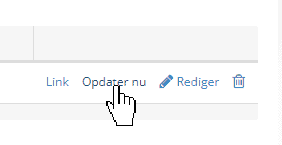
If, for example, you have just added some new products and would like them in a product feed sooner, you can now click Update now next to your feed in the list.
Stock locations on the order page
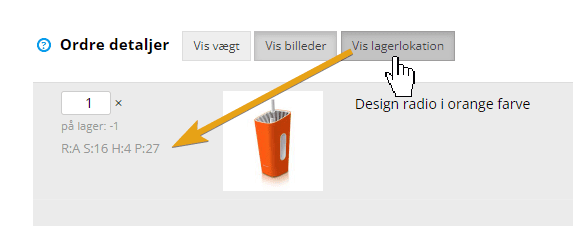
Stock locations – which make it much easier to pack an order in the stockroom – are now also shown on the order details page. Click Show stock location and they are shown next to each product in the order:
PostNord can have both email and SMS as mandatory
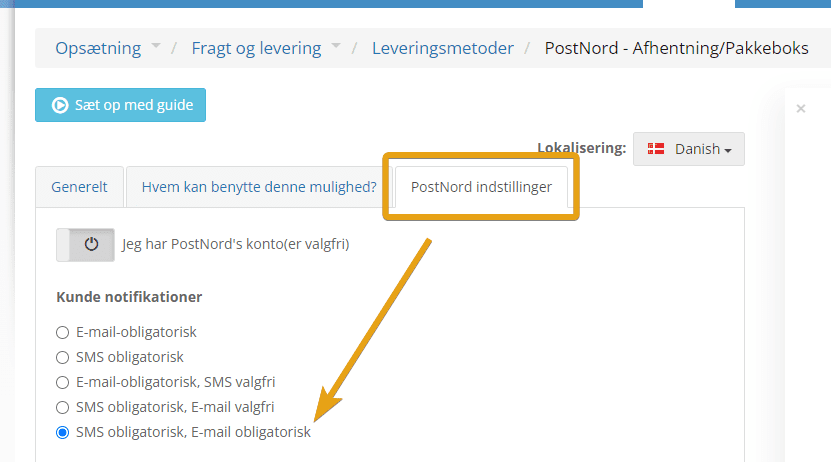
Some people don't read their text messages – others may struggle to keep up with their email inbox.
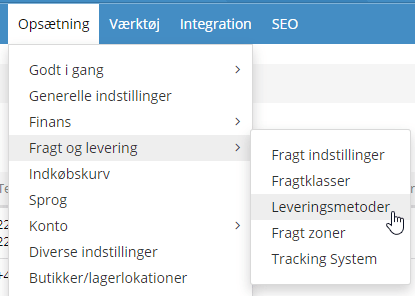
If you'd like to send PostNord notifications to customers in both places, you can now activate this via the PostNord modules under shipping and delivery
hreflang tags on pages in several languages
hreflang mainly helps search engines tell languages apart. You can read more about hreflang here (opens in a new tab) (in Danish) – and in many other places.
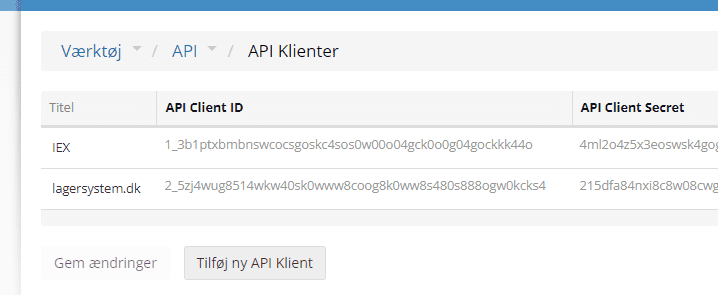
Titles for API keys
It's becoming more and more common to have several API keys created for different external integrations – with stock systems, ERP etc.
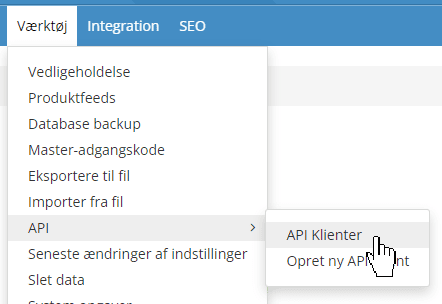
Now you can keep better track of which key is for what by giving them a title: