
In this category Release notes
Version 6.57
On this page
In this update you get the following for your online shop:
- Increase speed by activating a new image format (WebP)
- Create invoices in e-conomic directly from your online shop
- Add a logo/icon to show in Google search results
- Attach PDFs to emails such as the order confirmation
- Product feeds: free products and date created
- Export sign-ups for back-in-stock notifications
- Add an email address to back-in-stock notifications
Increase speed by activating a new image format (WebP)
WebP is a modern image format that offers superior lossless and lossy compression for images on the internet. It was developed by Google and aims to give a better compression rate than formats such as JPEG and PNG, which makes images smaller in file size without sacrificing too much image quality.
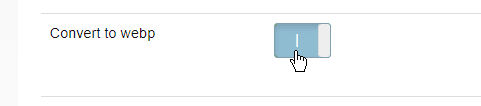
Now you can optimise all your product images to WebP in a flash.
You'll find the option in the new collection of settings for images
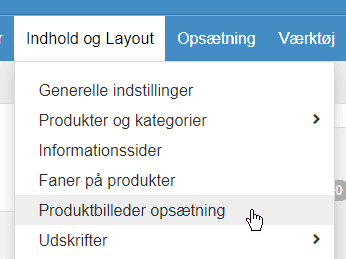
and below that
Create invoices in e-conomic directly from your online shop
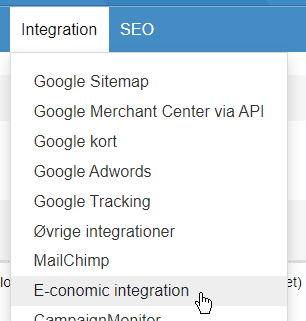
The integration with e-conomic has been extended with the option to create an invoice for an order directly from your shop's admin.
It can be either a draft or booked straight away. You can choose by hand the orders to be invoiced, or you can let it happen automatically for all orders when they get a certain status – for example Completed or Dispatched.
You'll find the setup for how invoicing should work, of course, in the setup of the e-conomic integration
Add a logo/icon to show in Google search results
A favicon is a small icon that represents a website in browser tabs and in Google's search results.
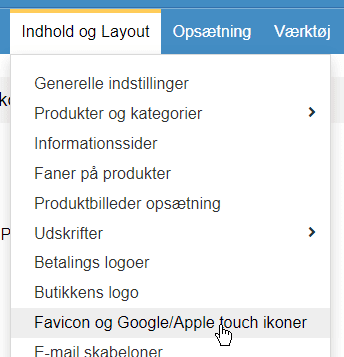
You can add your own icon for both the favicon and the Apple touch icon via
Attach PDFs to emails such as the order confirmation
Attach your own documents to standard emails such as order confirmations. Perhaps you would rather attach your terms and conditions as a PDF than as text inserted in the email message. It could also be a standard returns form that you want to attach.
You'll find the new option, of course, via
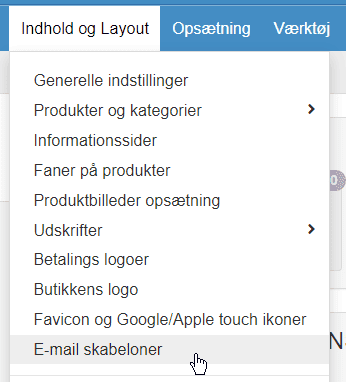
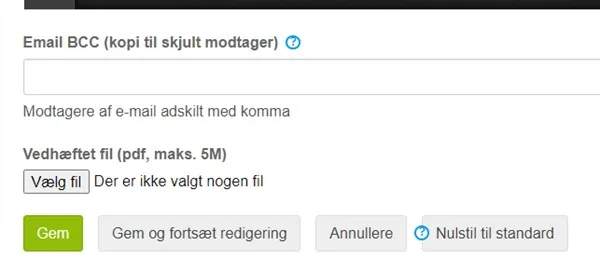
For the email template in question in the list, click Edit on the far right. At the bottom you'll find
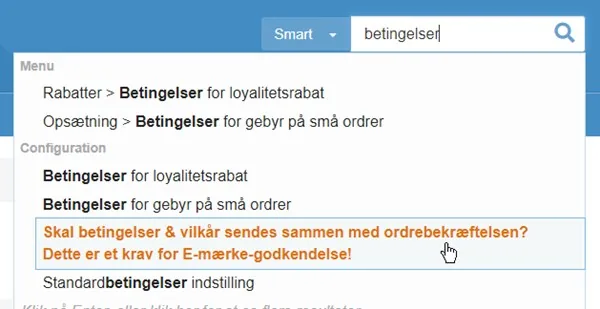
If you attach your terms and conditions as a PDF, you'll probably want to switch off the text version in the email – the easiest way to find it is to search for terms and conditions at the top left of the admin
Product feeds: free products and date created
There are two new options for product feeds
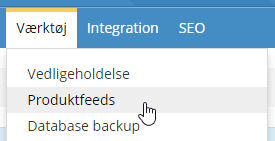
The first is that you can choose to include free products in a feed – that is, products with a price of zero. This can be relevant if, for example, you use a feed for a search function where really all products need to be included.
The second is an option for when you want to be able to tell new products apart from others in a feed. This can be relevant, for example, if you want to run a Facebook campaign focused on new products. See the section “Date the product was created” in the guide to product feeds.
Export sign-ups for back-in-stock notifications
What would you use that for? It sends them by itself!
You might think. But it is of course for when people have signed up for a product that, against expectations, never comes back into stock. Then you can easily pull out a list of everyone who signed up and send them an email with that information – and, naturally, with suggestions for what they could buy instead. Remember to send the email with all the recipients as BCC, so they can't see all the recipients.
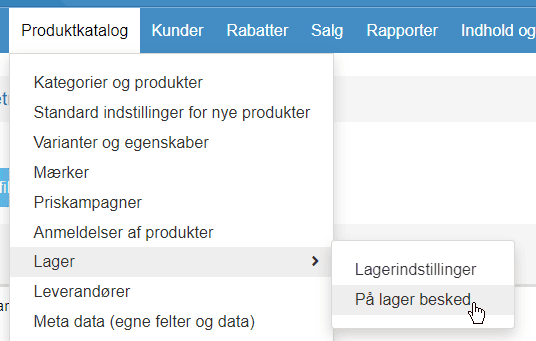
The list of recipients is exported from
Add an email address to back-in-stock notifications
For back-in-stock notifications, you can now also add an email address as a sign-up yourself. This could be useful, for example, if you receive a sign-up some other way, or perhaps move some sign-ups from one product to another.
That's the biggest news in this update. More is already on the way…