
In this category Release notes
Update: version 6.32
On this page
The summer holidays are nearly over for most people, and we are ready with another update. The most important topics in this update are these:
- Bring parcel shops as a new delivery method
- New and improved layout builder
- Copy a product incl. all categories
- Easier to create and adjust categories
- Optimisation of images for Facebook
- Filter by “products in stock”
- Integration for “abandoned basket”
Bring parcel shops
It is now possible to use Bring parcel shops as delivery points.

There is no integration for shipping labels etc. yet, though.
Go to Shipping and delivery > Delivery methods and add Bring delivery as a new delivery method.
You can set either a fixed price or a price by weight.
The method finds a number of parcel shops from the postcode the customer has entered, which the customer can then choose between.
Improved layout builder
Our layout tool has had an overhaul. It is now faster and more precise. Here are a few of the new features:
-
One of the first things you will probably notice is the settings panel on the right of the screen. Instead of having to double-click the element to edit it, you can see and edit the settings in the panel when the element is selected.
-
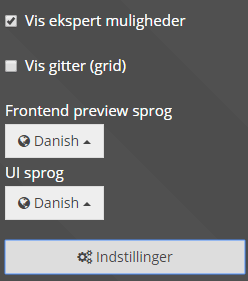
If you have several languages on your site, it used to be a little difficult to change the language while you were working in the layout tool. Now there is a settings menu in the bottom left corner; click it and you can quickly change the language.
-
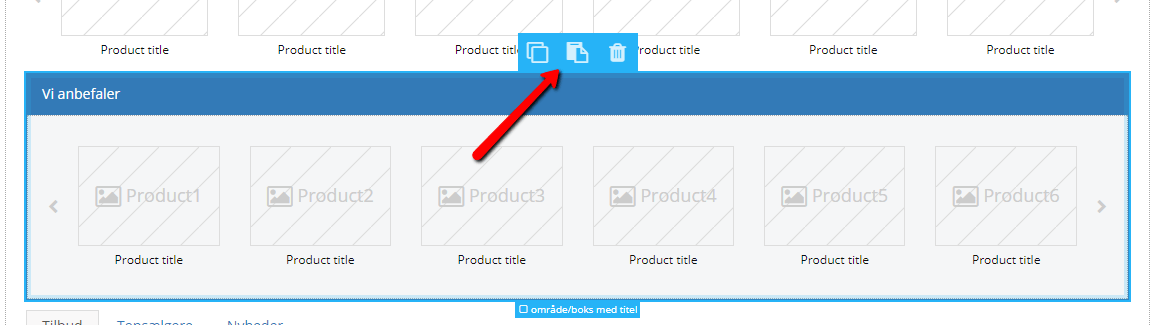
Copy, Paste and Delete are now on the elements themselves.
-
There is a search field in the top left corner, so you can search for elements.
-
It is possible to undo and then redo an undone move. You’ll find this at the top of the page, by the Save button.

There are many other new features, so take a look.
If you want to get started with sliders, see the guide to the Slider Builder.
Copy a product, including categories
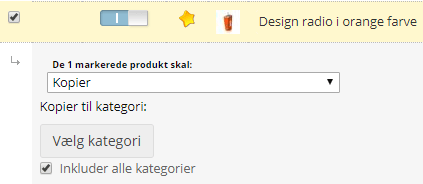
You can now copy a product, including the categories it is in. When you have selected the product(s) to be copied in the main list, you can tick that all linked categories should be included in the copy.
Create and adjust categories
The product catalogue is now shown as a tree structure, where you can create a category or subcategory directly.
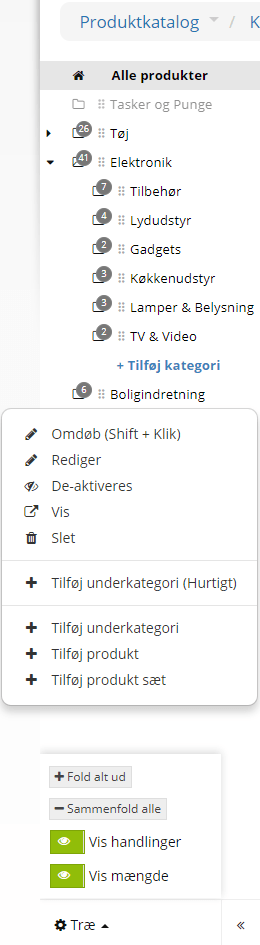
When you click, e.g., Add category, a text field appears so you can name the category straight away and move on quickly.
By clicking the 6 dots, you can “drag and drop” the categories to move them. That is, you press and hold the mouse button while you move the category to where you want it, and only then release the mouse.
When you hold the mouse over a category, a small cog icon appears on the right. Clicking it gives you lots of options – among other things, the category can easily be renamed, deactivated, deleted or edited, and products can be added.
At the bottom there is a larger cog icon, where you can edit how the tree structure is shown; for example, you can decide whether to show the number of products in the different categories.
Optimisation of images for Facebook
Previously, Facebook hasn’t been able to use the correct images if, for example, you linked to a particular product in your online shop.
Now the images are optimised to meet Facebook’s requirements, so Facebook will now use the correct images, via Open Graph.
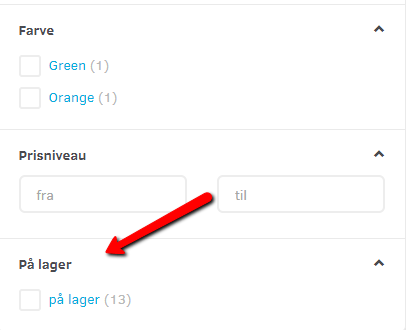
Filtering products in stock in categories
It is now possible for customers to adjust the selection in categories so that only products that are in stock/available to buy are shown.
Integration for “abandoned basket”
An integration for abandoned baskets has been created. Among other things, it provides a link to the customer’s basket, which can be used, for example, for integration with AddWish, which can send a message to visitors who have put products in the basket but not completed the order. Contact AddWish to find out more.