
In this category Release notes
Version 6.59
On this page
Here is another update with new options for your online shop – the main points are:
- Unique discount codes for campaigns
- Show product images on packing slips
- Rounding prices – each currency can have its own rule
- Redirect a product to its category when sold out
- Manage quantity discounts centrally with templates
- Sales prices calculated automatically from cost prices
Unique discount codes for campaigns
Discount codes are often shared on sites that list them so they can show some adverts at the same time. Then campaigns such as “Sign up for our newsletter and get 10% off your first order” go down the drain, because the customer already has a coupon ready.
Now you can make it so that everyone who signs up for the newsletter is sent a unique discount code – instead of the same code for everyone.
The guide to discount coupons has been updated so it shows the new options too.

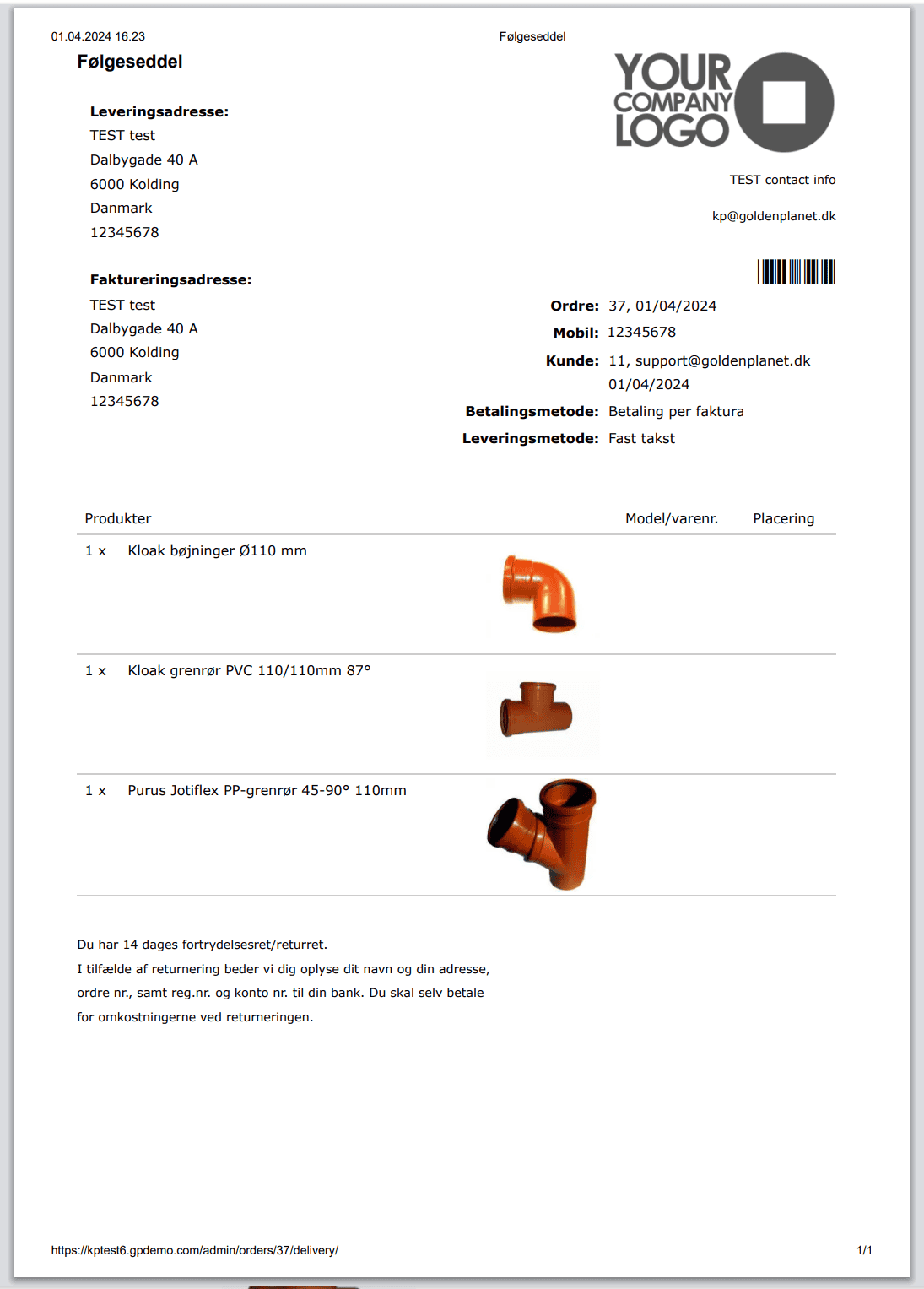
Show product images on packing slips
Get help finding the right product with images on packing slips/delivery notes. Here is an example of a delivery note with images
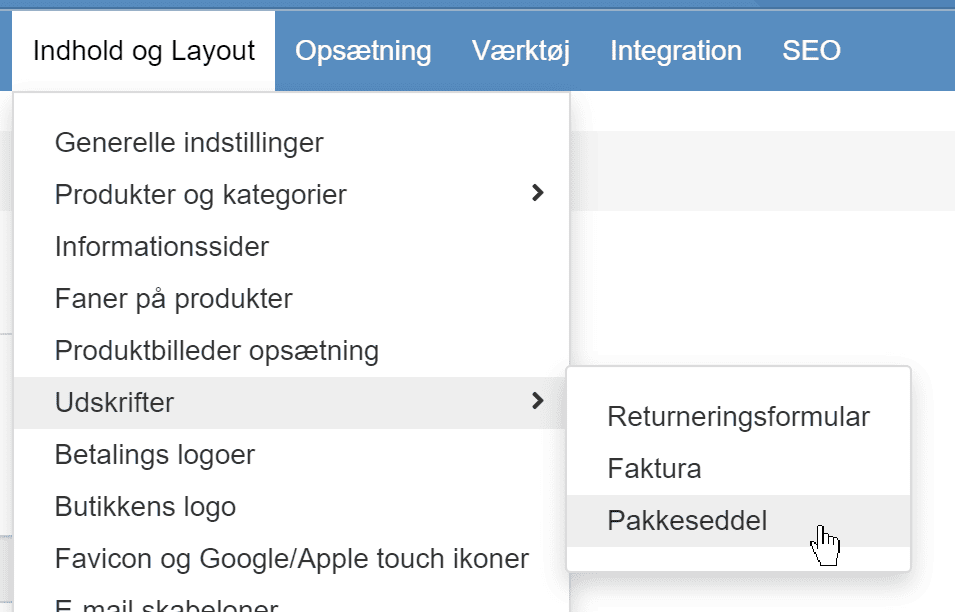
You can activate it via the new menu item here in your shop's admin
Rounding prices – each currency can have its own rule
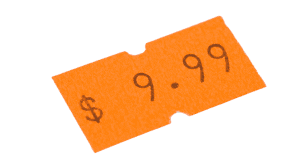
Prices calculated from percentages, cost prices or currency often end up as odd amounts such as 27.12 or 95.33
You can now have those prices become, for example, 27.95 or 95.00 instead.
You can even decide how prices of different sizes are rounded – so that small amounts might be rounded to a figure with cents and larger amounts to whole euros.
It can also be used to get nicer amounts for prices – both in general and/or converted into another currency. If, for example, you offer prices in SEK converted automatically at the daily rate, they can become much more “natural”.
Redirect a product to its category when sold out
If your stock settings automatically switch products off when they sell out, by default they go to a “page not found”. That may be less useful for customers and search engines. Now you can instead set it up to redirect to the product's category.
You do this via Stock settings
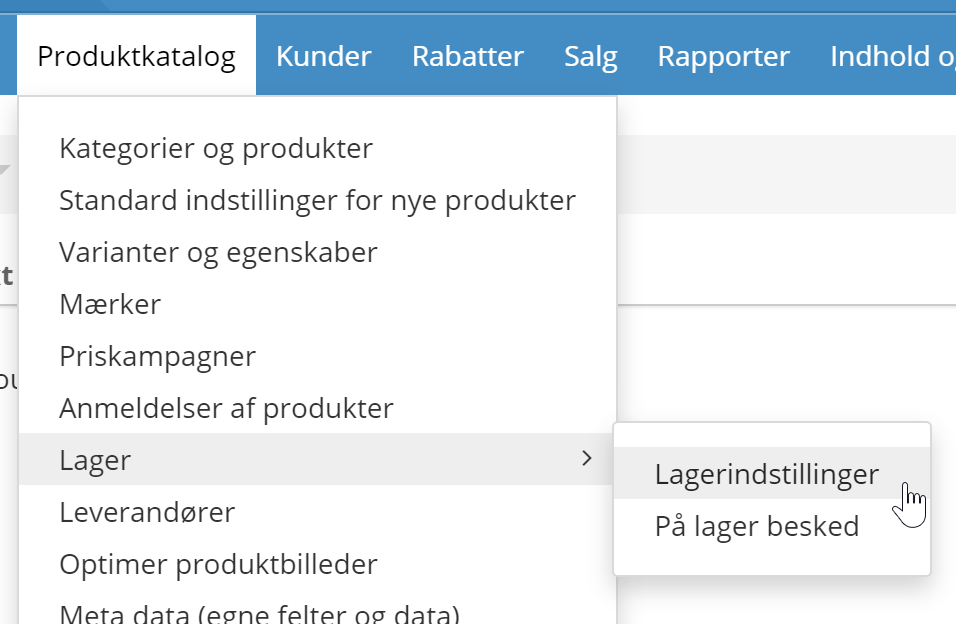
Here you'll find the new option

Manage quantity discounts centrally with templates
We are taking price automation a step further.
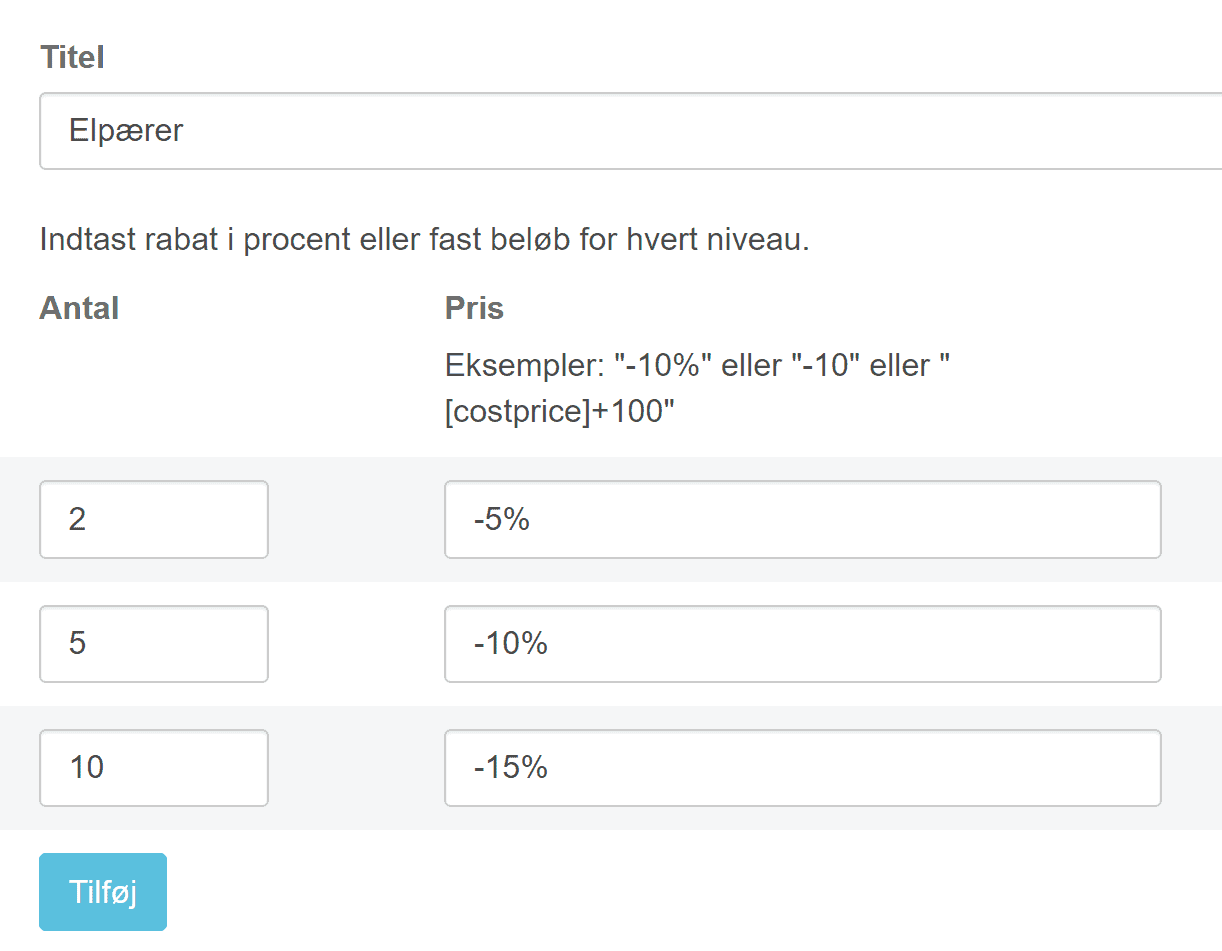
When you have many products where, for example, you get 10% off when buying 5 and 15% when buying 10 or more – you no longer need to edit the quantity discount field on every single product.
Instead, you can now make a template. It could be “Light bulb multi-buy prices” – and then all the products in the category can have those quantity discounts applied. If you then decide that customers should buy 4 instead of 5 to get the 10% off, you can change it in one place in about 10 seconds.
You can choose the template on individual products, as here on the Prices tab
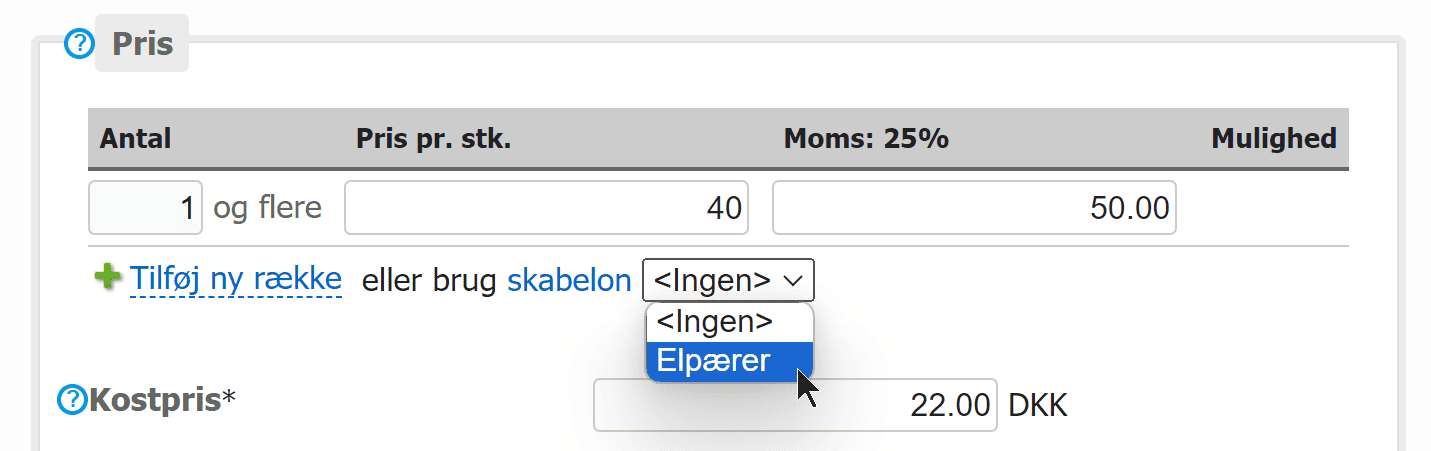
The template can give a discount as a fixed amount or, as here, as a percentage – so prices for several items are updated automatically when you change the price of one item:
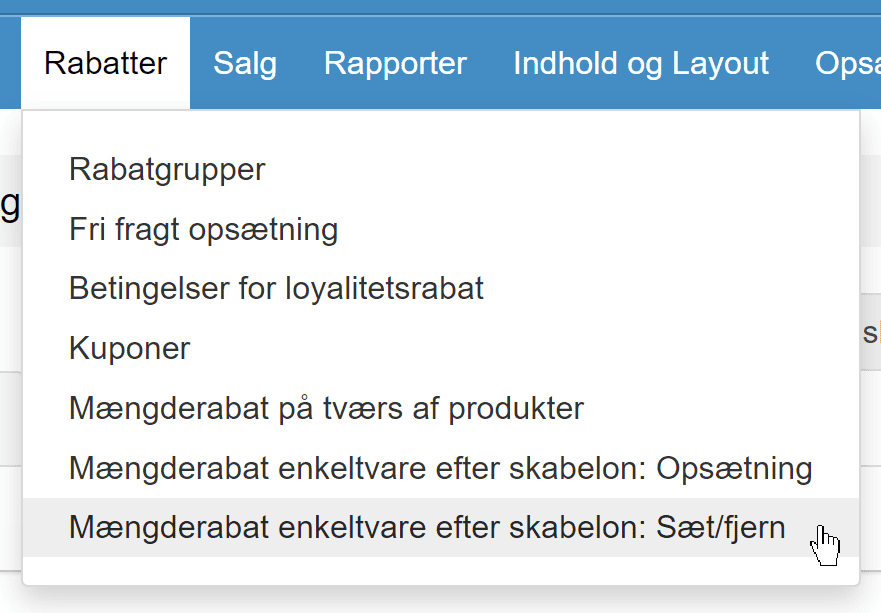
We have also made a feature for applying a template to many products, which you'll find via the menu in your shop's admin
You may want to see the guide to quantity discounts
Sales prices calculated automatically from cost prices
For products with a lot of price competition, you can now calculate the sales price automatically based on the cost price.
This means that as long as your cost prices are up to date, your sales prices will always have the gross profit you want.
You can do this by writing the following in a product's price field:
[costprice]+22%
or with a fixed amount
[costprice]+75
This is done here in the product's price field – and of course requires the cost price to be entered. Note that it must be entered on its own in the field excluding VAT:
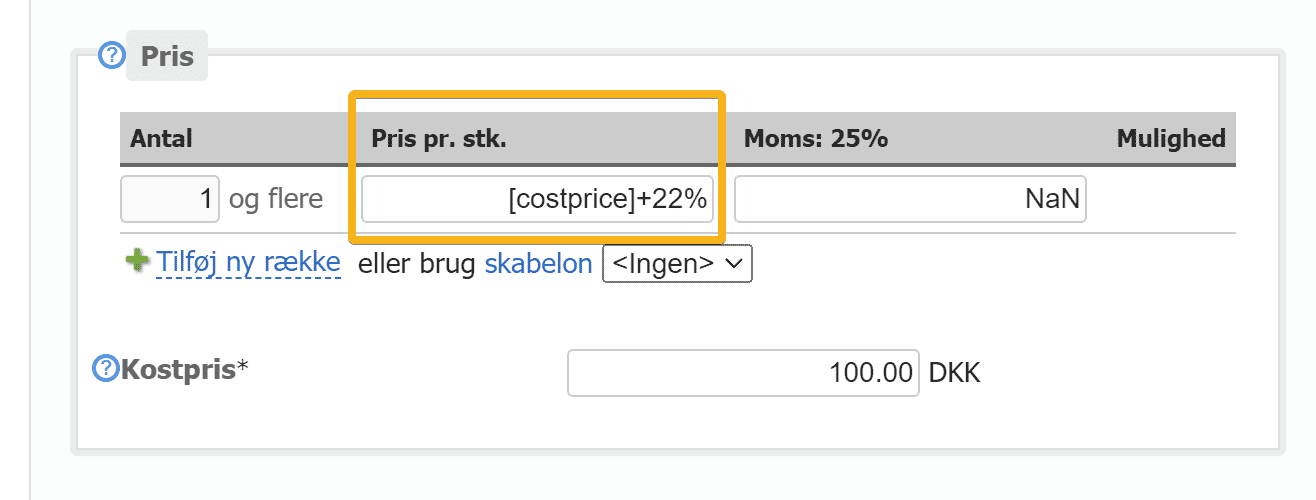
It can't be done per variant, so variant prices must be relative, e.g. “+0”, “+30”, “+20%”
Load the latest cost prices via the API or a CSV file import, and your sales prices will be updated automatically.
That's the biggest news in this update. Perhaps you didn't get round to looking at everything in the previous update – so you can take a look at it here.